Start with EdrawMind Mobile Guide
User Guide for Mobile
-
Start
-
Topic
-
Examples
-
Customize
-
Insert
-
Templates
-
AI
-
File Operation
-
Poster
Share a Poster
After creating and refining your poster in EdrawMind, you can easily share it with others. The app allows you to share posters directly through a link or WhatsApp.
Step ❶
Launch the EdrawMind mobile app and navigate to the Poster tab from the bottom menu. Browse through your saved posters and tap the one you want to share.
Step ❷
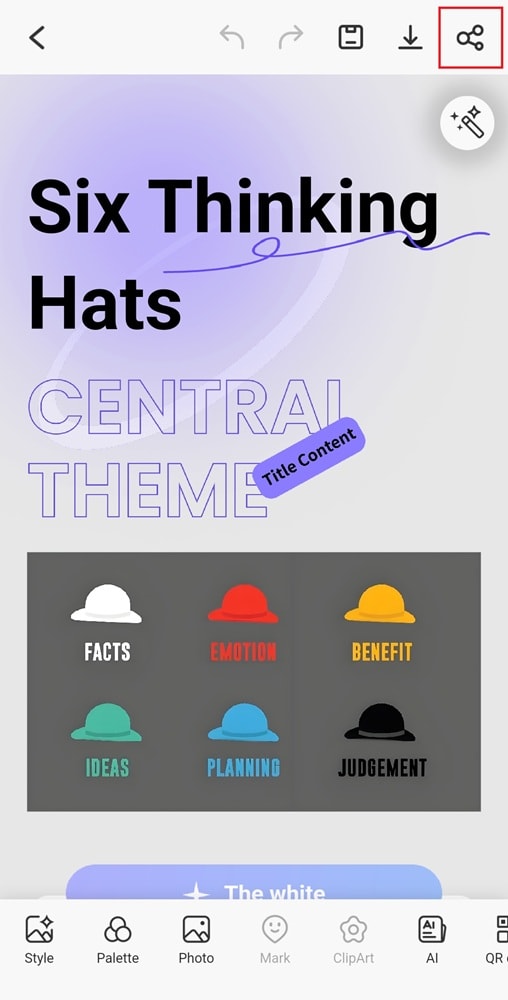
In the top-right corner, tap the Share icon to view sharing options.
Step ❸ Choose a Sharing Method
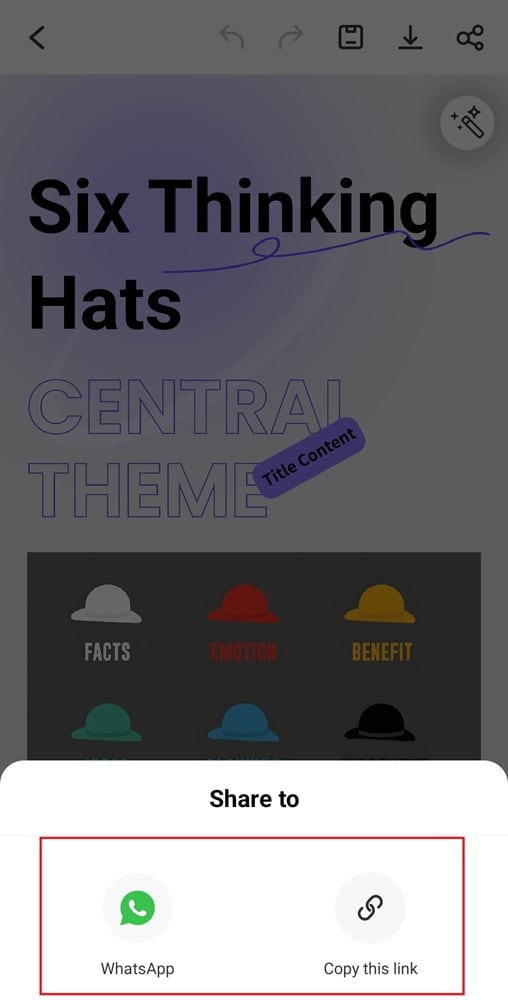
- Share via Link: Tap Copy this link to create a shareable link you can send via messaging apps or email.
- WhatsApp: Tap WhatsApp to share your poster directly on WhatsApp.
Your poster is now shared and accessible to others in the format you selected.