Start with EdrawMind Mobile Guide
User Guide for Mobile
-
Start
-
Topic
-
Examples
-
Customize
-
Insert
-
Templates
-
AI
-
File Operation
-
Poster
Adding Marks or Icons
One way to make mind maps more fun and visual is by using marks and emojis. EdrawMind mobile has a reliable collection of these elements, so you can express yourself better or improve the mind map with more information.
To use marks or icons, follow the steps below:
Step ❶
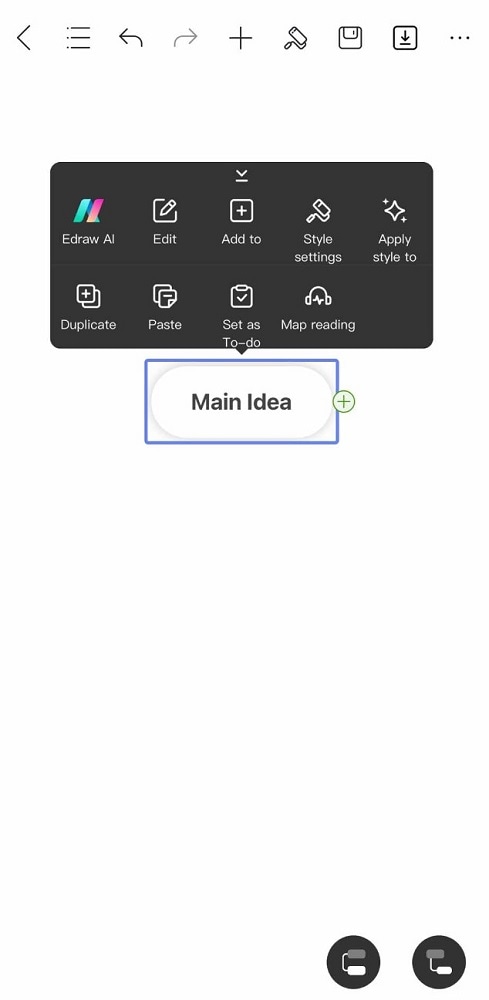
Select the topic or subtopic where you want to add marks or emojis. This method inserts the mark/emoji inside the node.
Step ❷
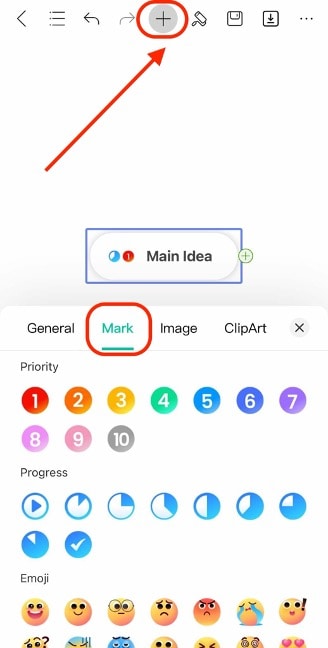
Press the + button, then go to Mark. Then, select one you like. You can choose from different categories like Priority, Progress, Emoji, Portrait, and more.