Start with EdrawMind Mobile Guide
User Guide for Mobile
-
Start
-
Topic
-
Examples
-
Customize
-
Insert
-
Templates
-
AI
-
File Operation
-
Poster
Import Files
If you have an existing document, this option lets you convert it into a mind map. It’s ideal for summarizing reports, notes, or outlines visually.
Import a File
Step 1
Go to the File tab at the bottom. Next, tap the + icon and choose Import File(s).
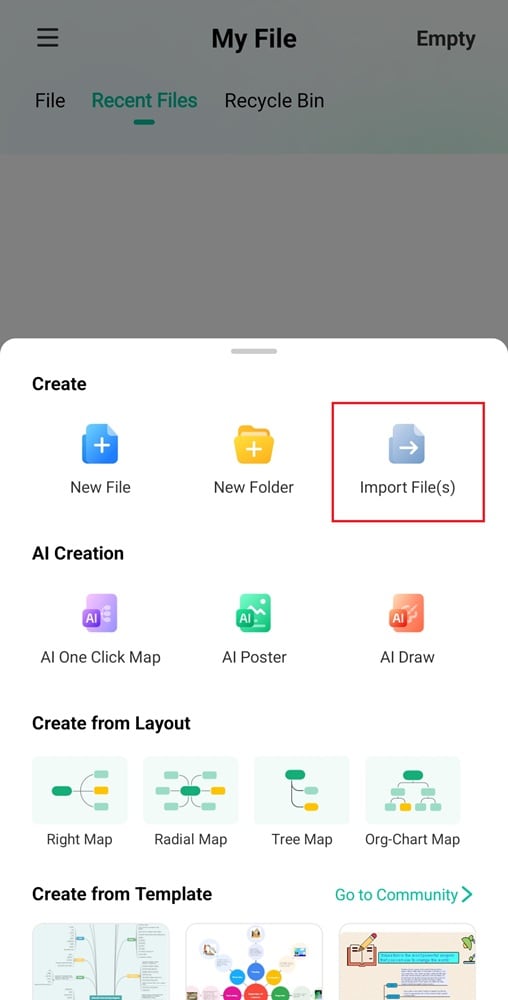
Import File to Create a Mind Map
You can also tap the More icon in the top right corner of the File tab and select Import File.
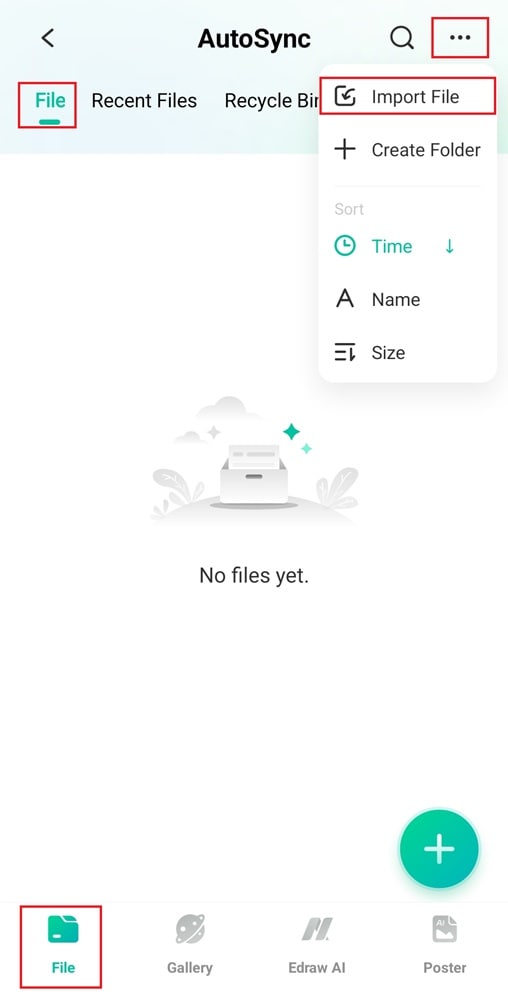
Import File to EdrawMind Mobile App
Step 2
Browse your files and select the document you want to import.
Step 3
Wait a few seconds while EdrawMind analyzes and converts the file into a mind map.