Start with EdrawMind Tablet Guide
Working with Nodes and Text
Adding nodes is a vital part of every mind map. Each node contains specific points, and the text inside explains the idea. Follow these steps to manage nodes and text in your diagrams.
Step ❶ Open EdrawMind
- Launch the EdrawMind application on your device
Step ❷ Select or Create Template
- Navigate to the Templates Gallery at the bottom of the screen
- Choose a pre-made template or select Blank Diagram to start fresh
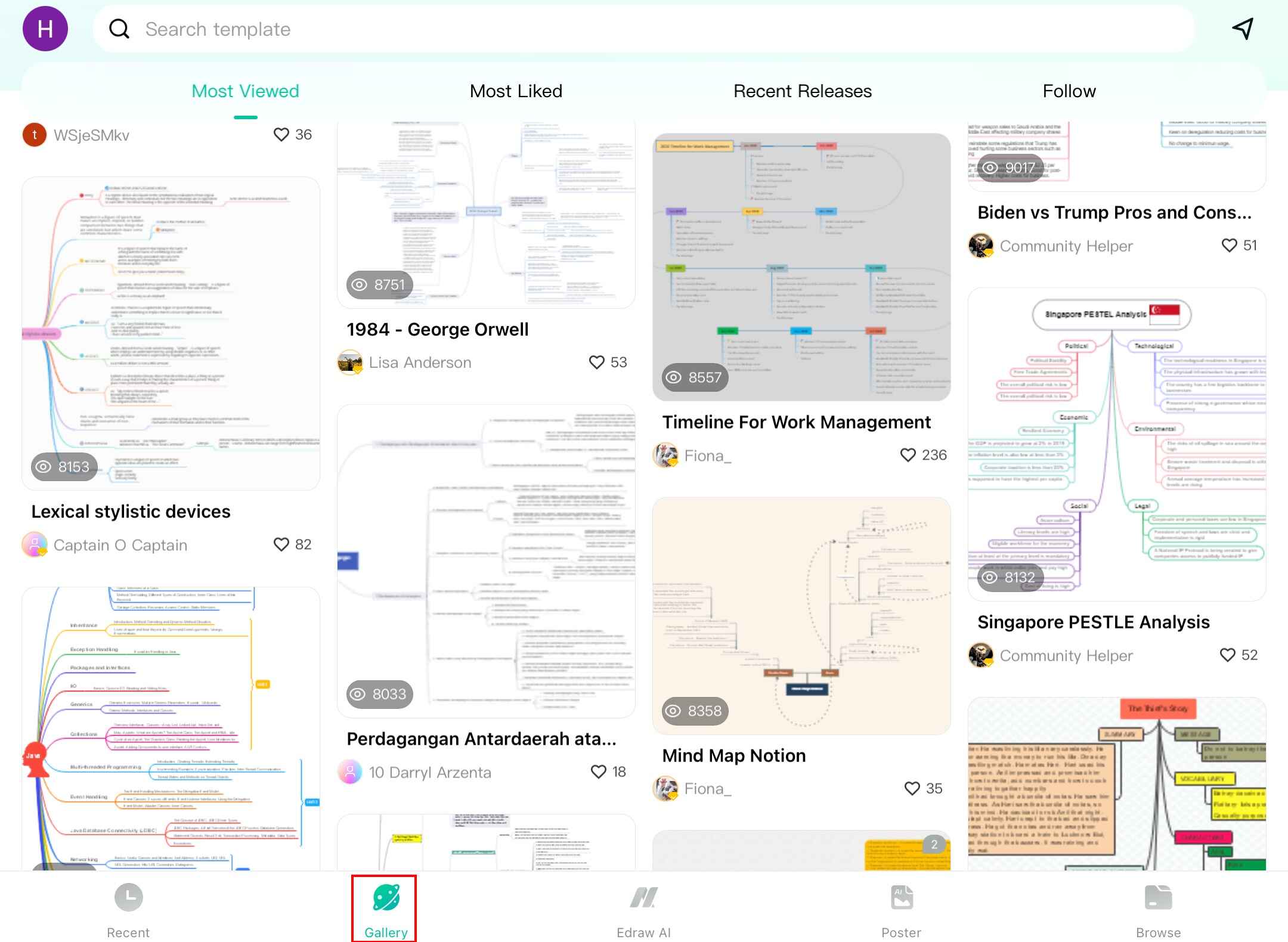
Browse available templates in the gallery
Step ❸ Add New Nodes
- With your template open, locate the Main Topic icon in the bottom right corner
- Tap the icon to add new nodes to your diagram
- New nodes will automatically connect to your central idea
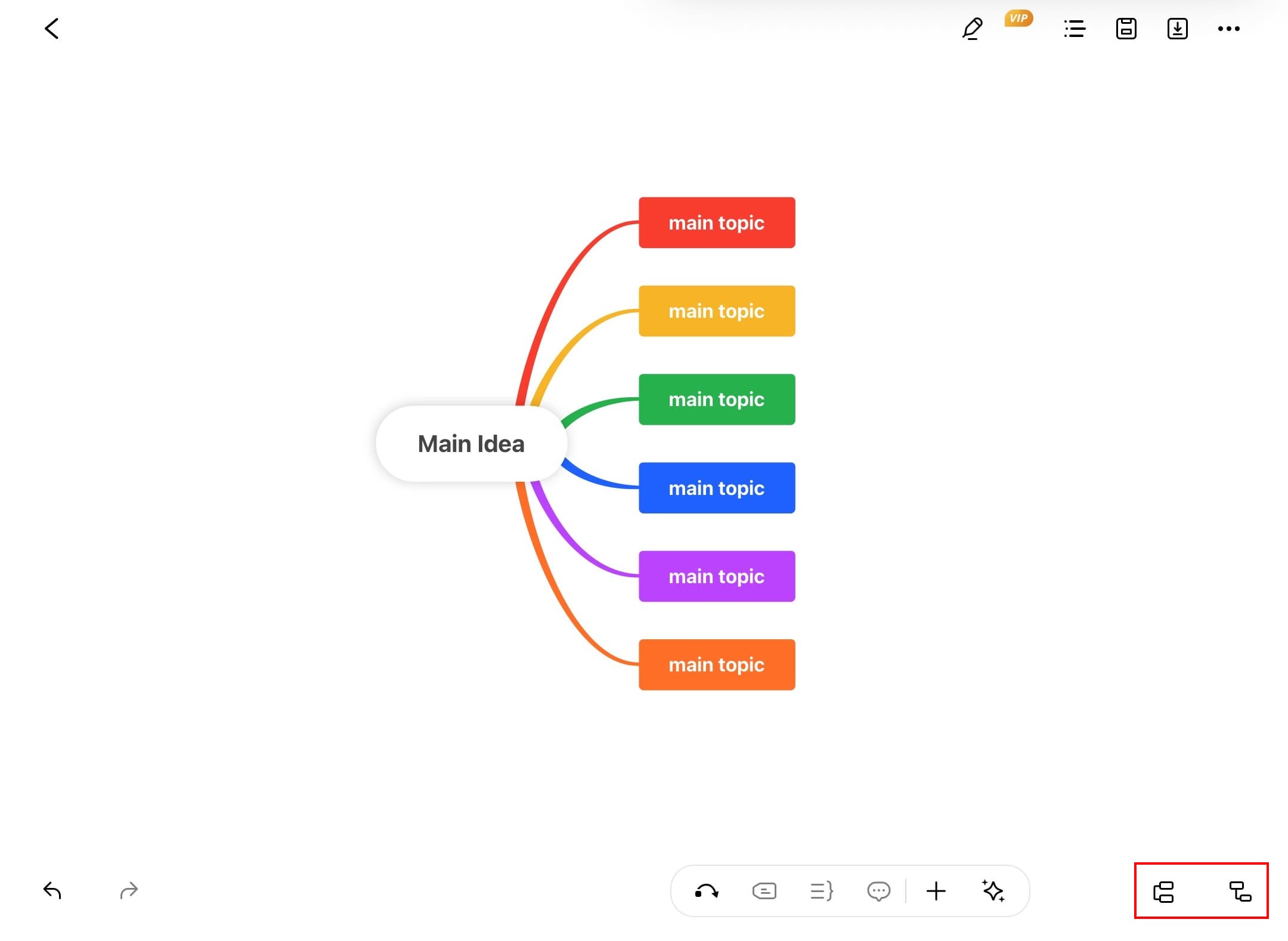
Adding new nodes to your mind map
Step ❹ Add and Edit Text
- Method 1: Double-tap directly on any node to enter or edit text
- Method 2: Tap a node > select Edit from the pop-up menu
- Type your content and tap outside the node when finished
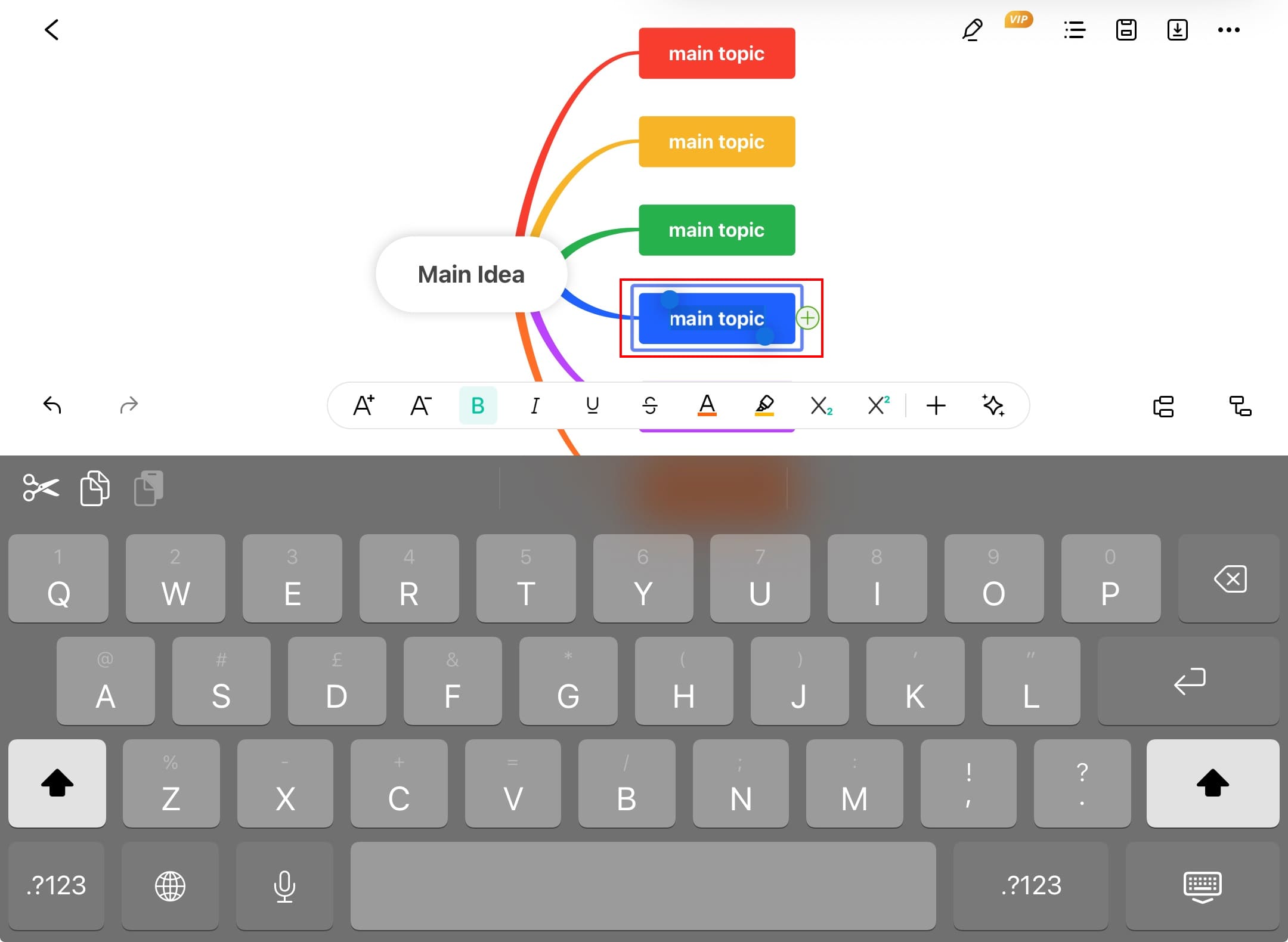
Editing text within nodes
Step ❺ Customize Node Appearance
- Select any node to reveal the formatting panel
- Customize these elements:
- Color: Change node background and border colors
- Font: Adjust size, family, and style (bold, italic)
- Text: Apply underline or strikethrough formatting
- Shape: Modify node shape and size
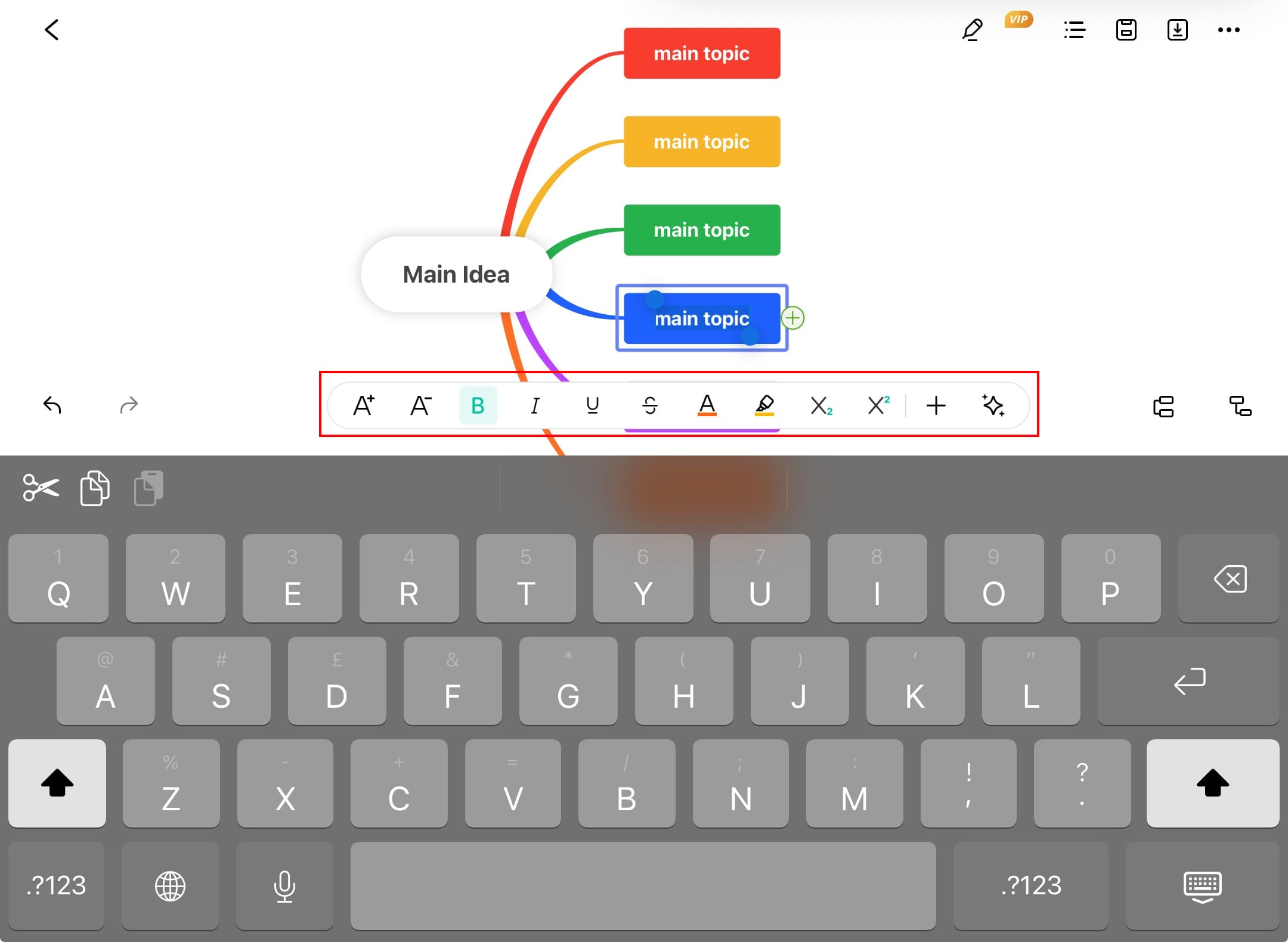
Node formatting options available
Design Tip:
Use consistent formatting for nodes at the same hierarchy level to maintain visual clarity.
Step ❻ Remove Unwanted Nodes
- Tap the node you wish to delete
- Select Delete from the pop-up menu
- Confirm deletion if prompted
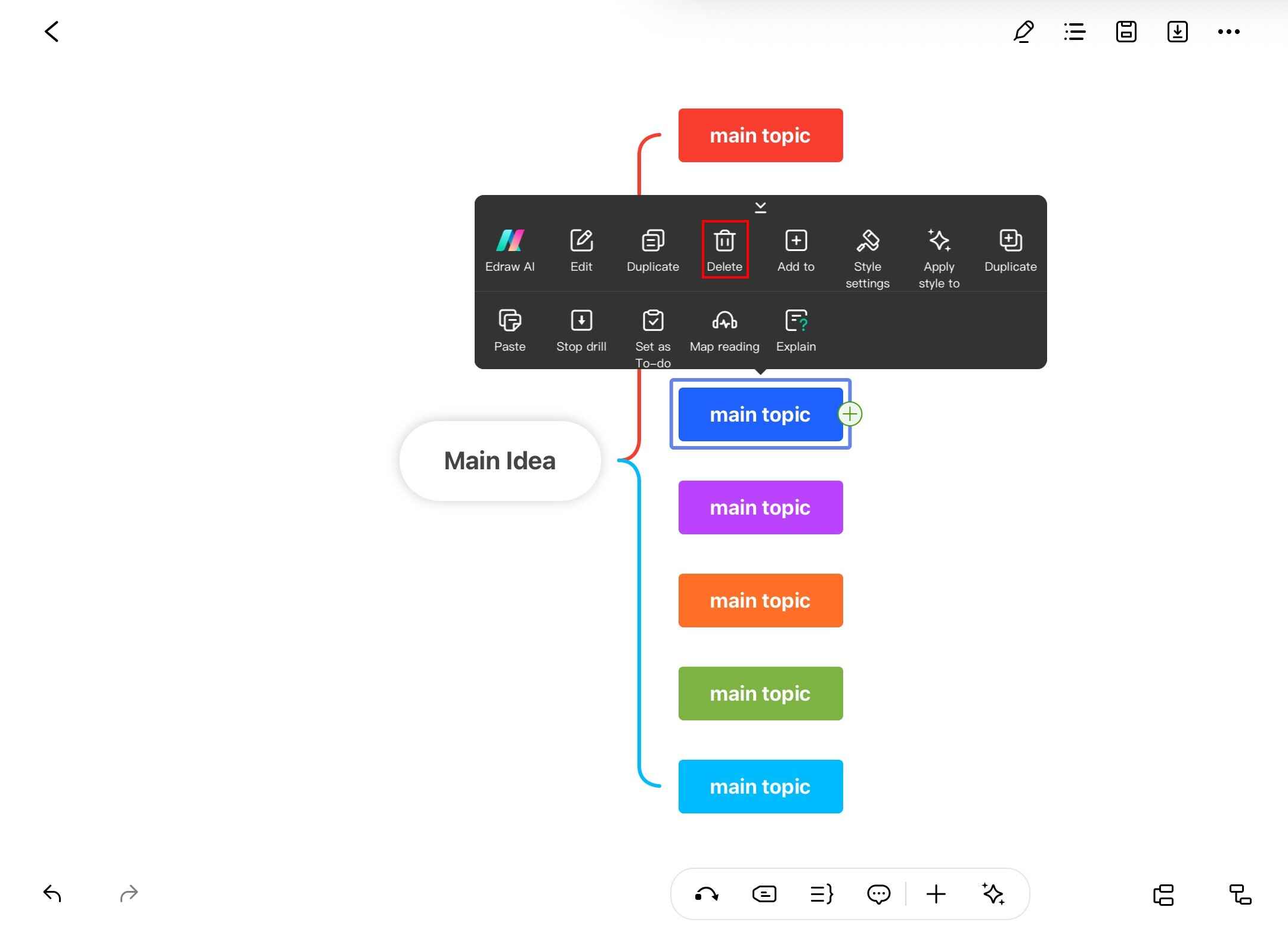
Deleting nodes from your diagram
Important:
Deleting a parent node will also remove all its child nodes. Consider reorganizing instead of deleting if you want to preserve subordinate ideas.