


Running a clinic smoothly requires clear structure and teamwork. A clinic organizational chart helps show how each staff member and department work together to provide quality patient care. It outlines roles, responsibilities, and reporting lines, making management easier and more efficient. This article explains how a clinic organizational chart can improve communication, workflow, and overall organization in your healthcare setting.
In this article
Importance of a Clinic Organizational Chart
A clinic organizational chart is important because it provides a clear view of how the clinic operates. It shows the structure of the clinic, including departments, staff positions, and reporting relationships. This helps everyone understand their roles and responsibilities, reducing confusion and improving coordination.
Having a clear chart also supports better communication between doctors, nurses, administrative staff, and management. It ensures that tasks are properly assigned and that decision-making follows the right chain of command.
In addition, an organizational chart helps new employees quickly understand the clinic’s structure and who to report to. It also makes management more efficient by identifying key roles, improving workflow, and supporting staff accountability. Overall, a well-designed organizational chart keeps the clinic organized, efficient, and focused on delivering quality healthcare services.
Advantages and Disadvantages of the Structure
Every clinic's organizational structure has its benefits and challenges. Understanding these helps in maintaining an effective system that supports both staff and patients.
Advantages
- Clear Roles and Responsibilities: Each staff member knows their duties and who they report to, which prevents confusion.
- Better Communication: A structured system helps information flow smoothly between departments like administration, nursing, and medical services.
- Improved Efficiency: When tasks and responsibilities are clearly outlined, operations run more smoothly and patient care improves.
- Stronger Team Coordination: The chart helps all employees understand how their work connects to the clinic’s goals.
- Easier Management: Supervisors can easily monitor performance and assign tasks effectively.
Disadvantages
- Less Flexibility: A strict structure can make it hard to adjust quickly to changes or emergencies.
- Possible Delays in Decision-Making: Having multiple levels of authority might slow down the process of getting approvals.
- Risk of Miscommunication: If roles are not updated or clearly defined, misunderstandings can occur.
- Overdependence on Hierarchy: Too much focus on levels of authority can discourage teamwork or idea-sharing.
A balanced structure helps a clinic stay organized while remaining flexible enough to adapt to new challenges in healthcare.
Examples of the Organizational Structure
Organizational structures can differ depending on the size and type of clinic, but all serve the purpose of defining responsibilities and ensuring efficient operations. Below are two examples of how a clinic’s structure can be organized.
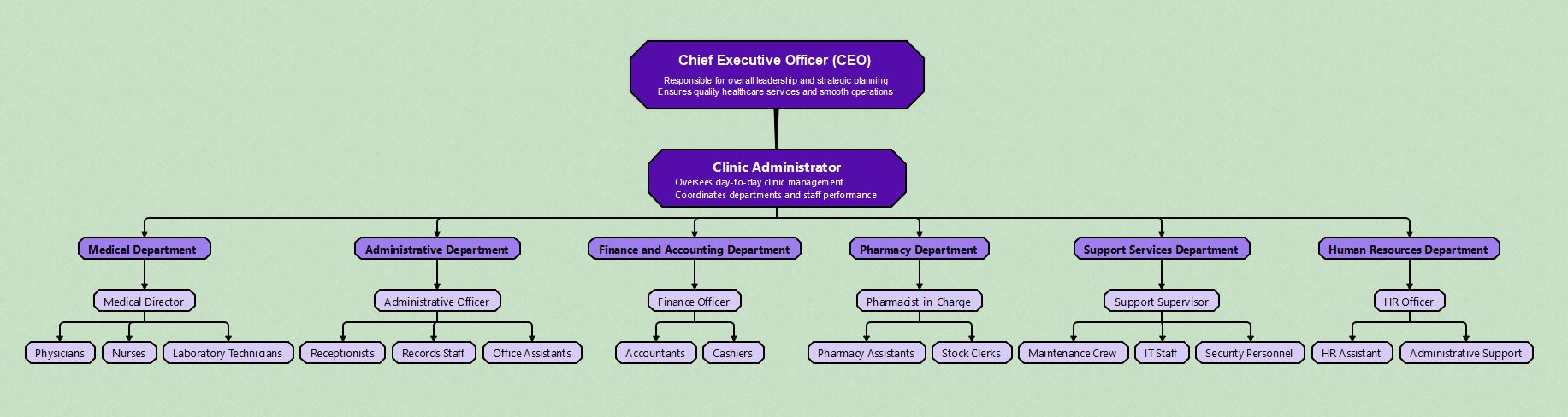


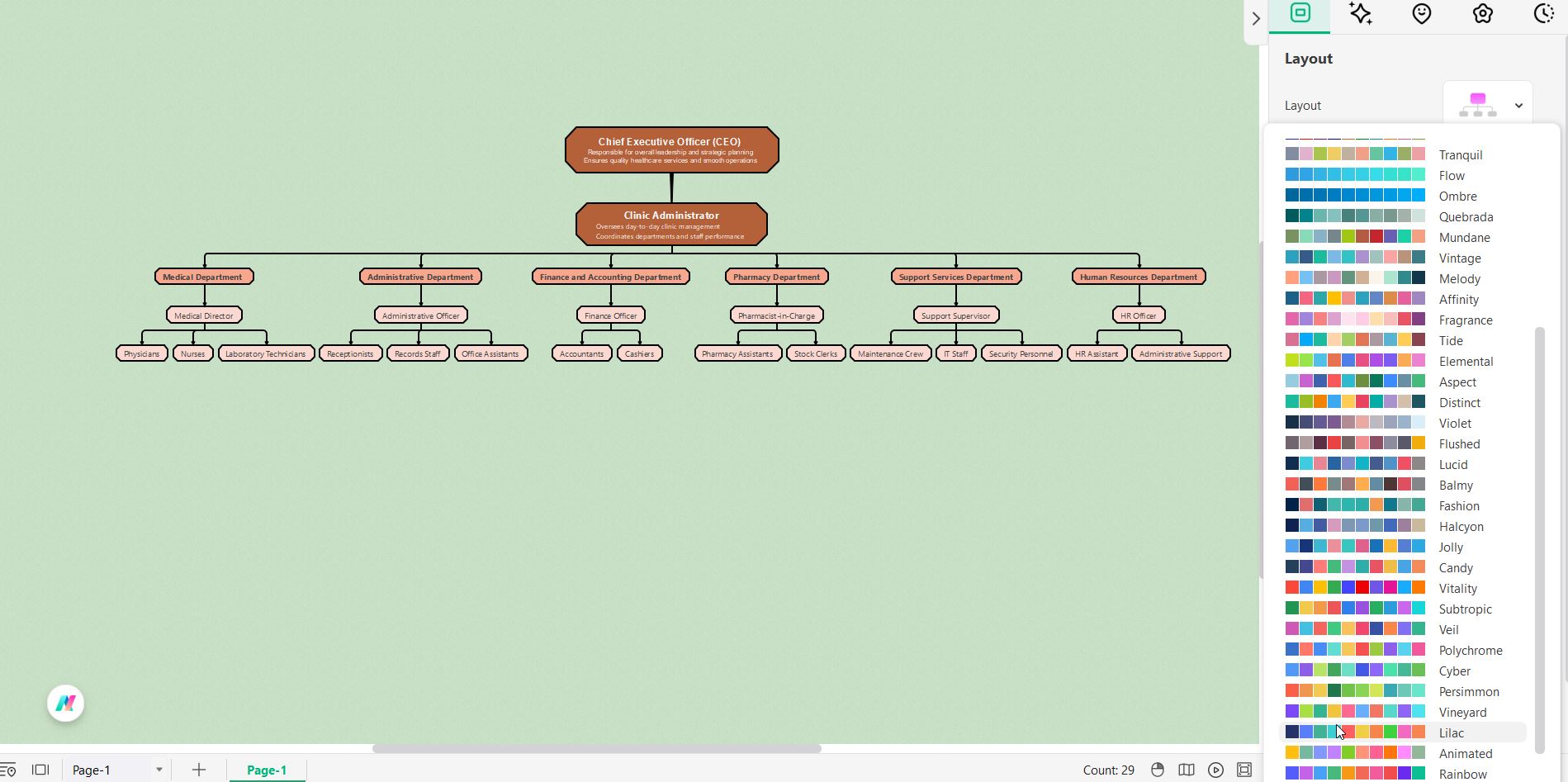
The first example shows a clinic led by a Chief Executive Officer (CEO), who is responsible for leadership, strategic planning, and ensuring quality healthcare services. The Clinic Administrator manages the daily operations and coordinates the work of all departments. The chart is divided into key areas such as the Medical Department, Administrative Department, Finance and Accounting Department, Pharmacy Department, Support Services Department, and Human Resources Department. Each department has a leader, like a Medical Director or Finance Officer, followed by their respective teams. This structure highlights a clear chain of command that supports both patient care and administrative efficiency.
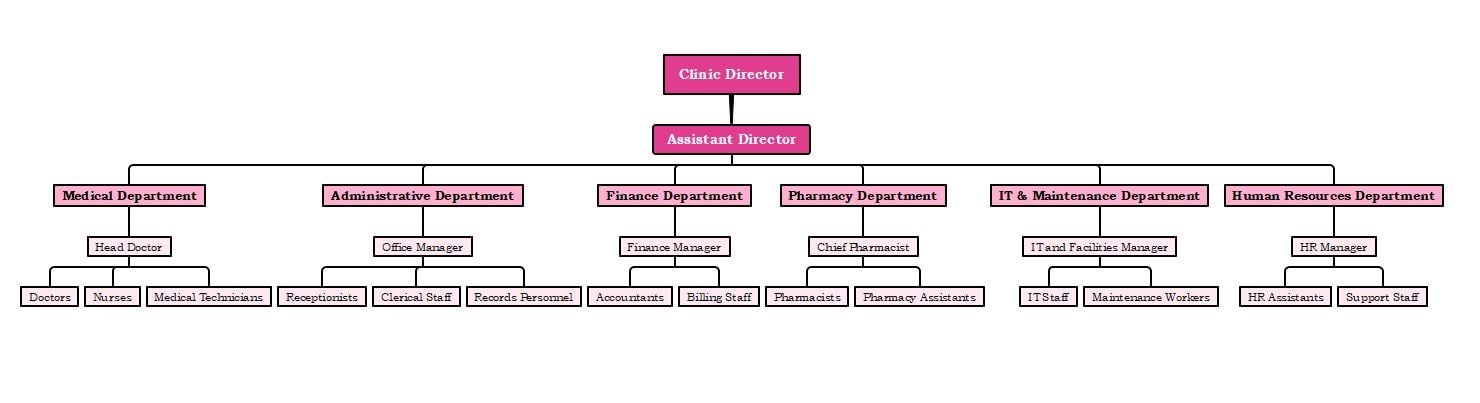
The second example presents a slightly different setup with a Clinic Director at the top, supported by an Assistant Director. The structure includes similar departments such as Medical, Administrative, Finance, Pharmacy, IT & Maintenance, and Human Resources. Each department has designated heads who oversee specific roles. For instance, the Head Doctor leads medical professionals, while the IT and Facilities Manager supervises technology and maintenance staff.
Both examples show how a clinic’s organizational structure helps clarify responsibilities, promote teamwork, and maintain effective communication. By having a clear visual layout, clinics can better manage their staff, streamline operations, and ensure quality patient care.
How to Make Clinic Organizational Charts in Edrawmind
 Try the app & get 500 free AI tokens


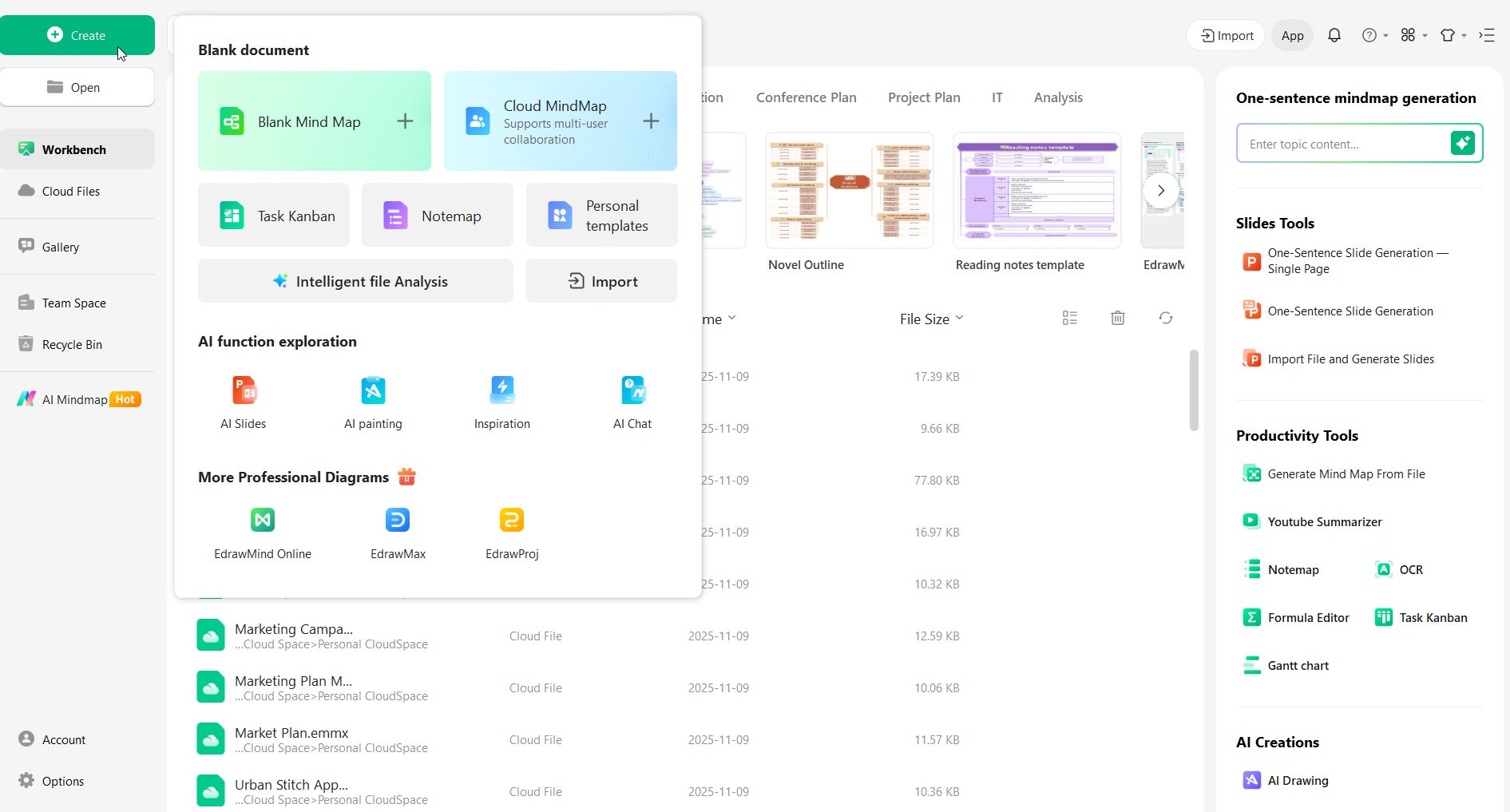
Step 1 Open EdrawMind and choose a template or blank canvas
Start the app and pick an organizational chart template for clinics if available, or open a blank mind map to build your chart from scratch. A template saves time by giving a ready layout.
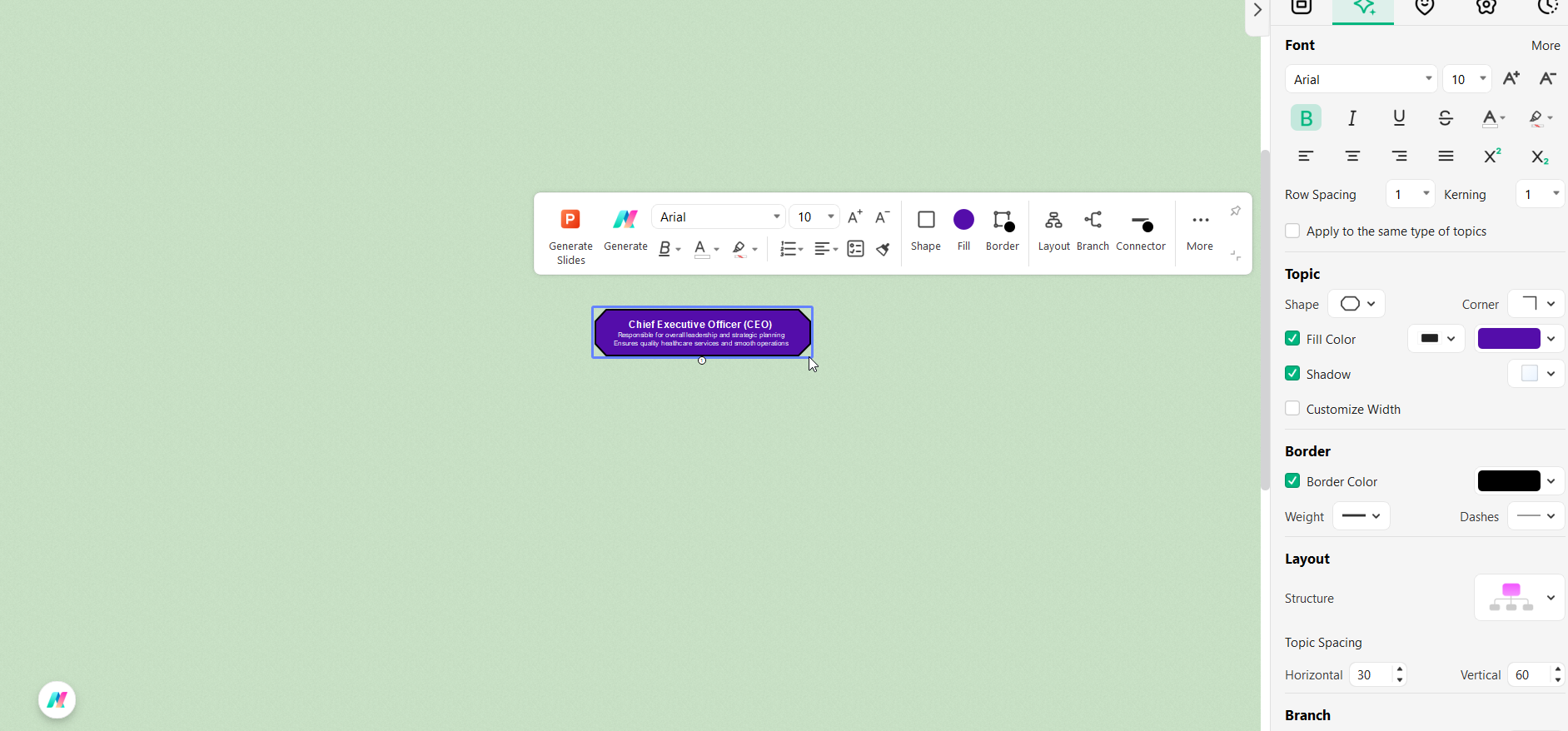
Step 2 Create the top node for leadership
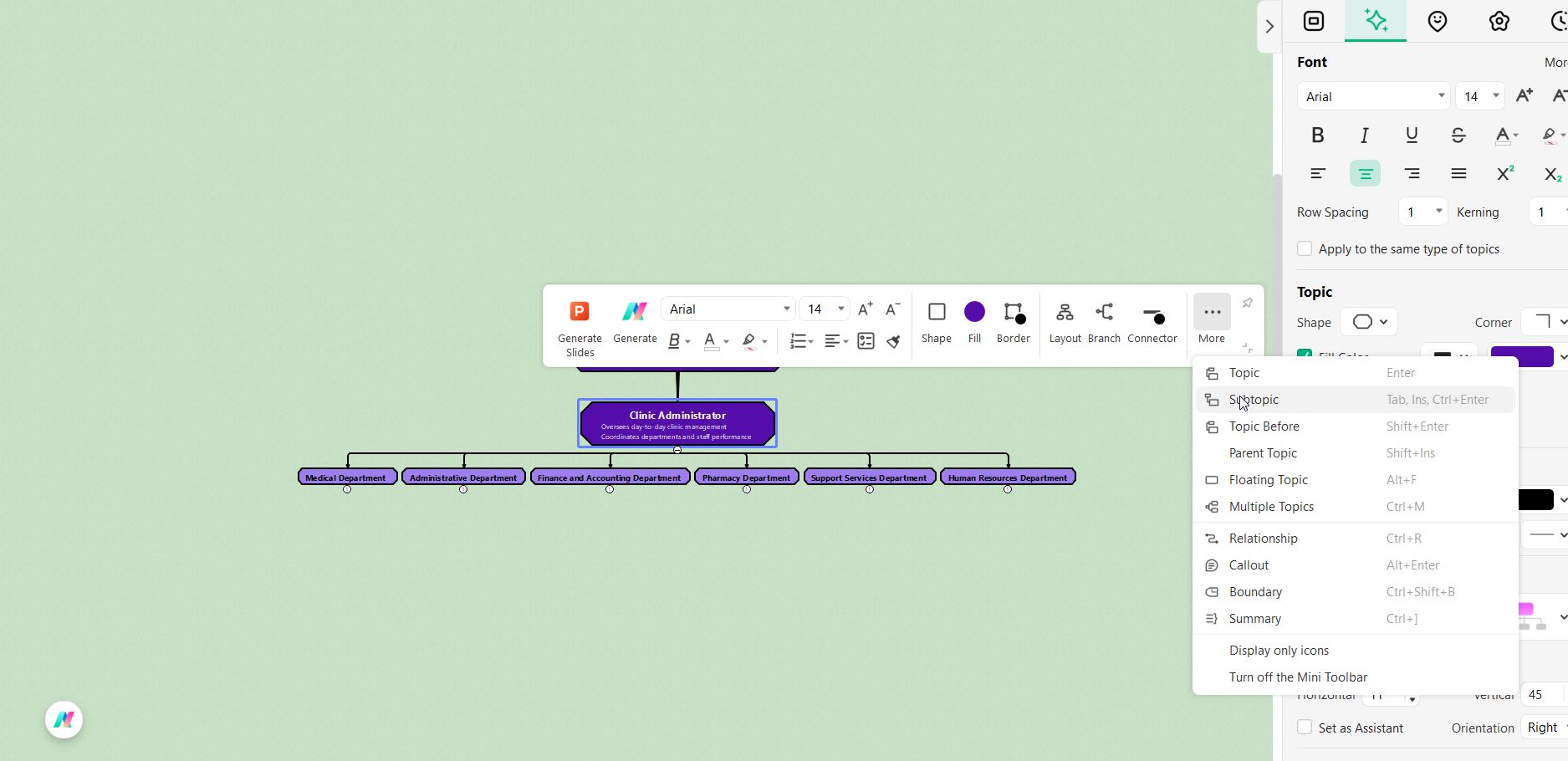
Add the main node (for example, “Clinic Director” or “CEO”) and enter a short title and role note. This node represents the highest level of authority in the chart.
Step 3 Add department heads as child nodes
Create child nodes for major departments (Medical, Administration, Finance, Pharmacy, IT, HR, Support Services). Use Add Child or the toolbar so departments sit directly under the top node and show reporting lines clearly.
Step 4 Add staff roles under each department
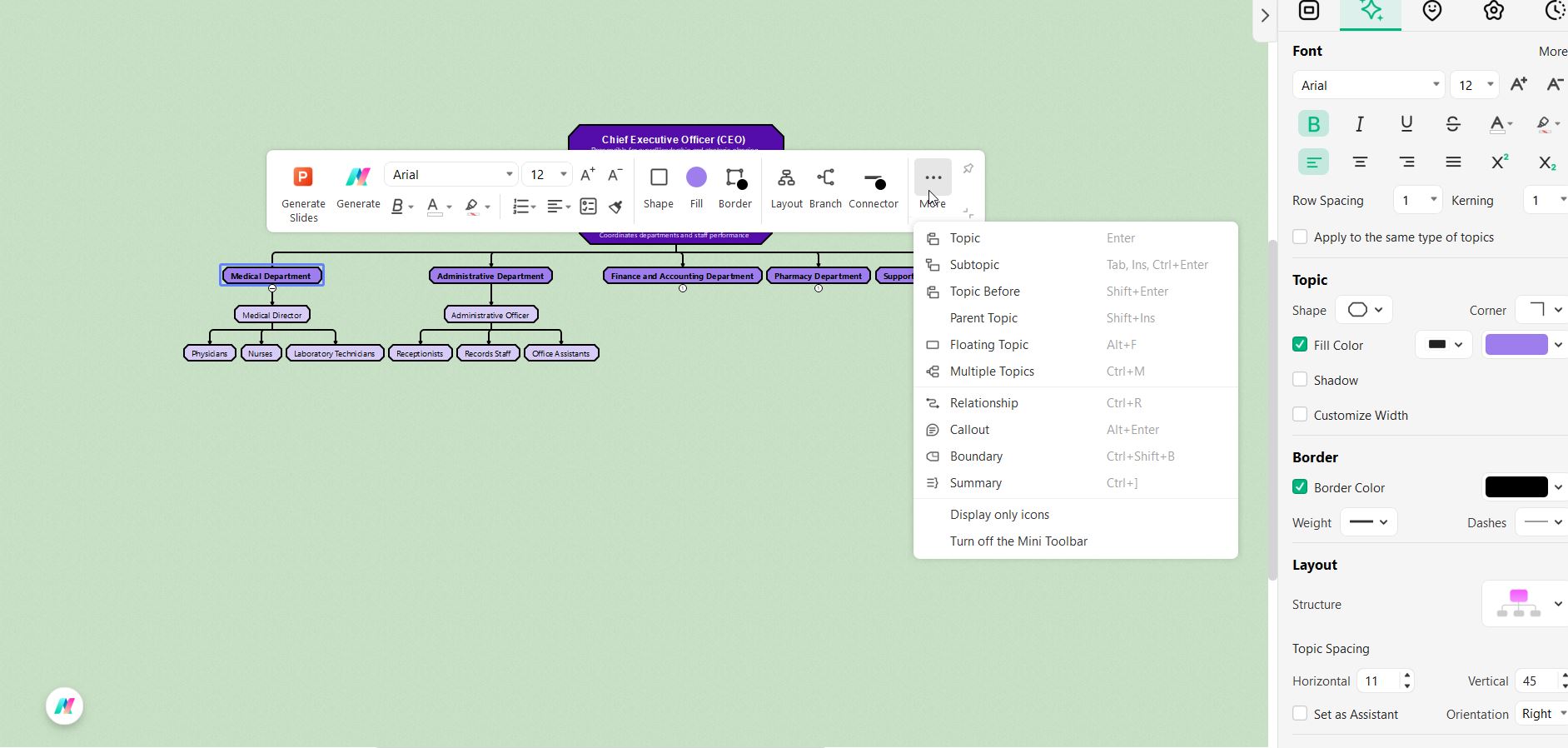
Under each department node, add sub-nodes for specific roles (doctors, nurses, receptionists, accountants, pharmacists, IT staff, maintenance). Keep labels short and use sibling nodes to keep teams grouped together.
Step 5 Style, review, and export
Adjust layout, colors, shapes, and icons for clarity. Use consistent formatting and limit text to one line per box. Add notes or links to nodes for details if needed. Finally, save your work and export the chart as a PNG, PDF, or PowerPoint to share with staff.
Quick tips: Keep titles short, group related roles, and update the chart whenever staff or responsibilities change.
Tips for Creating an Effective Clinic Organizational Chart
Creating a clear and well-structured clinic organizational chart helps improve communication, define responsibilities, and ensure smooth operations. Here are some helpful tips to make your clinic organizational chart more effective:
1. Keep it simple and easy to read
Use short titles and clear lines to show reporting relationships. Avoid overcrowding your chart with too much text or unnecessary details.
2. Use consistent formatting
Apply the same font style, color scheme, and box shapes across the entire chart. This makes your chart look more professional and easier to follow.
3. Organize departments logically
Group related departments together—such as Medical, Administrative, Finance, and HR—to show how different areas of the clinic connect and support each other.
4. Highlight key positions
Make leadership roles like the Clinic Director or Medical Director stand out by using slightly larger boxes or different colors. This helps readers quickly identify decision-makers.
5. Update regularly
Review and revise your chart whenever there are changes in staff, roles, or departments. Keeping your chart current ensures accuracy and reliability.
6. Use tools like EdrawMind
Software such as EdrawMind makes it easy to design, edit, and share professional-looking organizational charts. You can also collaborate with your team to ensure the chart reflects the actual clinic structure.
By following these tips, you can create a clear, accurate, and visually appealing organizational chart that strengthens coordination and improves overall clinic management.
Conclusion
A well-designed clinic organizational chart is more than a visual diagram. It clearly defines roles, reporting lines, and responsibilities, helping staff work together efficiently. Tools like EdrawMind make it easy to create and update charts that reflect real workflows. This ensures the clinic stays organized, transparent, and ready to adapt to change.
FAQs
-
Who should be included in a clinic organizational chart?
All key personnel should be included, from doctors and nurses to administrative staff and support teams. This ensures every role is recognized and the workflow is fully represented. -
How often should a clinic organizational chart be updated?
The chart should be updated whenever there are staff changes, new departments, or workflow adjustments. Regular updates keep the chart accurate and useful for planning and communication. -
What tools can I use to create a clinic organizational chart?
There are many tools you can use to create organizational charts, but EdrawMind is recommended for its simplicity and flexibility.
 EdrawMind
AppsEdrawMind Online
EdrawMind
AppsEdrawMind Online

