


Mind map presentations promote a free flow of optimal ideas for the audience viewing. This article will examine why mind maps are essential for presentations.
In this article
What Is a Mind Map Presentation
A mind map is a diagram that depicts knowledge using terms, colors, photographs, and other graphical elements. When you create a mind map, it visualizes all of the content on a single screen.
The location of the map is always at the very core of this page. All associated subtopics and keywords are arranged in a fair, two-dimensional structure around the middle and linked by lines.
Mind maps are excellent note-taking and brainstorming systems designed to let the creativity flow. They are sometimes called the spider web or webbing concept.
A visualization of a mind map is essential to creating one. The center or the core is where the idea begins. The nodes and branches are the core’s substance and can be further divided into components to examine all aspects.
A visualization of a mind map is, then, a complex slideshow you construct. Mind map presentations follow a simple process - a slide displays a map description, e.g., a division or an individual subject.
It would help if you zoomed back out at the beginning, the end, and critical times during the presentation to show the whole map to the audience.
In a traditional PowerPoint demonstration, various individual slides are shown to the pupils, one after the other, with no effort to see the larger picture.
It is easy to skip specific important messages in PPT, instead of using a mind map presentation.
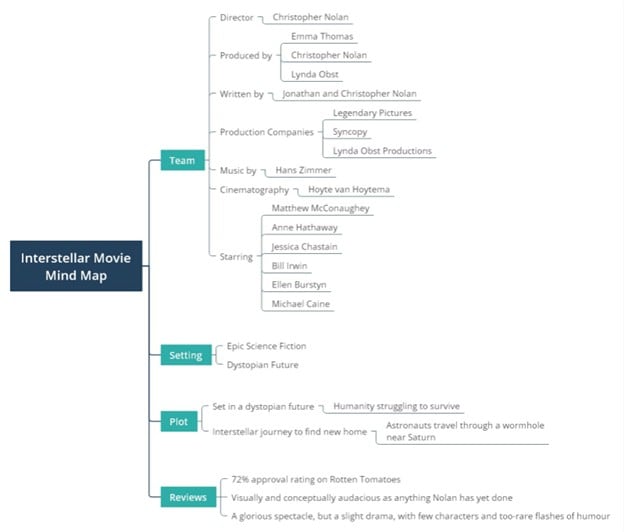
The Benefits of Mind Map Presentation
Take this situation as an example: There are various speeches and talks during a conference, and most of them use a presentation to aid their visual address.
As an audience member listening to the speaker's details, you didn't have the patience for a boring speech and such lengthy screen paragraphs.
In such a scenario, you may wonder if assembling presentation slides is to attract the audience's attention.
A concentrated and intuitive presentation slide is the remedy because capturing the basics is the speech template and description for the audience.
To provide listeners with a visualized environment while listening to a lecture, presenters need to build their slides in an eye-catching fashion to capture their interest.
In simple words, a mind map with insightful knowledge will meet presenters' needs. Not only can you create excellent mind-mapping slides using an efficient mind-mapping tool, but you can also use its slideshow mode for presentation.
Presentations of mind maps perform well for presenting details, but lack the strength of emotional or narrative. The emergence of mind maps is also generating a degree of informality.
Thus, presentations of mind maps work well with insightful, non-corporate speeches. For example, practicing in the studio and teaching in the classroom all come under such scenarios.
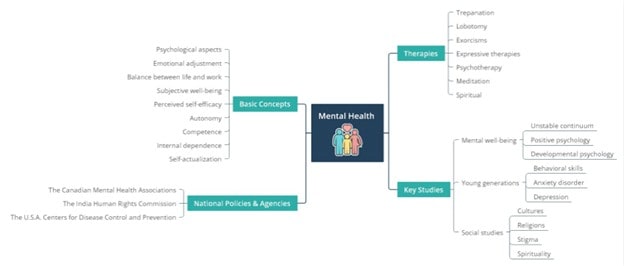
Best Tool for Mind Map Presentation
EdrawMind provides you with many features to customize your presentation mind maps. Exquisitely crafted topics-EdrawMind offers users ample excellent themes and interface sets to pick.
The font, form, color, and line size are crafted to match the various intricate types.
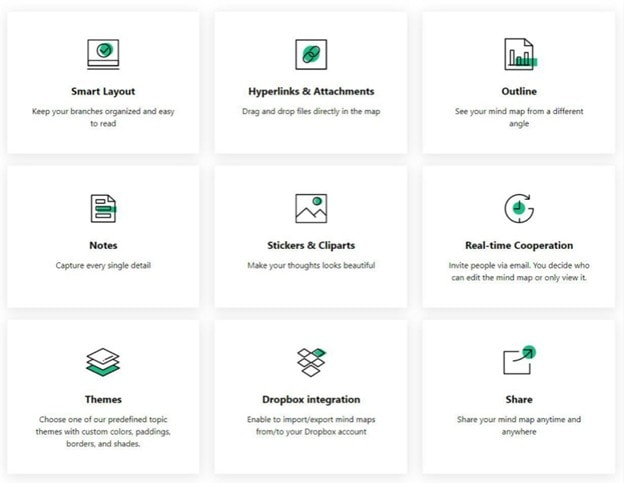
Exclusive Clipart Collections
EdrawMind's built-in clip arts straightforwardly cover all associated fields.
Unlimited Web Width
You don't have to think about restricting the website. With EdrawMind, you can draw no matter how huge your map is.
One-click Change Hand-Drawn Style
You can move your mind map to a hand-drawn appearance with just one touch.
Huge Mind Map Models
EdrawMind's primary contents are innovative modeling and diversified formats for prototypes. Like most common modes of presentation, EdrawMind divides the entire mind map into many "slides."
These slides consist of the central subject, each subject division, and branches of subtopics. In this style, the slides pass from the middle, branch by branch, in a clockwise direction.
You can quickly adjust the series and add more slides to explain the mind maps if you need to.
Furthermore, if you use EdrawMind to produce these slides, you can auto-create slides in one click, which saves time.
Examples of Presentation Mind Maps
For the whole article, it has been talking about using mind maps in EdrawMind to create presentations. This part will explore some examples from EdrawMind’s Mind Map Gallery – the expansive source for inspiration.
Mind Map Gallery is a user-powered diagram-sharing platform where you can upload and duplicate existing diagrams. EdrawMind, as a mind-mapping and diagramming platform, offers this way for users to share their creations.
Without further ado, though, here are some presentation mind map examples:
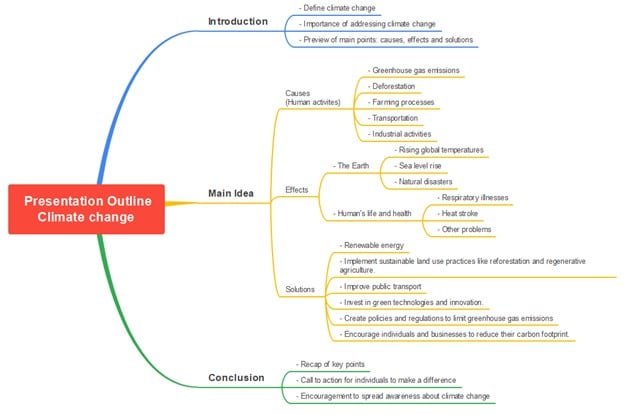
Presentation for Climate Change
First on our list is one that hits close to our advocacies: a presentation on climate change.
This touches upon the important parts of climate change as a subject (Causes, Effects, Solutions) and can easily be edited to add more specific information.
You can easily convert this into a PowerPoint Presentation using EdrawMind’s Presentation mode. All you have to do is download it, and you’ll have a presentation that’s good to go. Just edit it a bit.


Student-Experiment Presentation
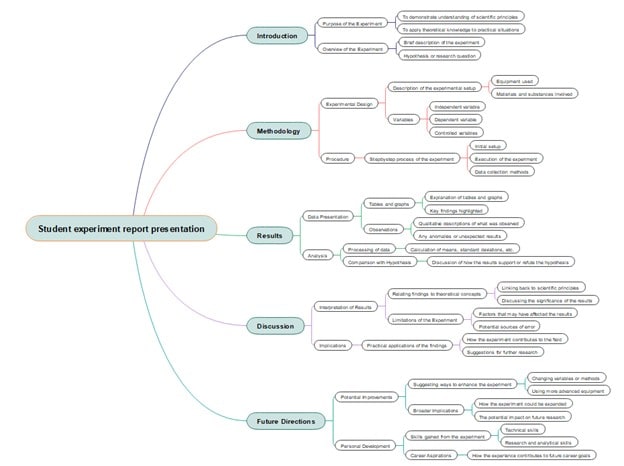
Up next is a presentation mind map for student experiments. After performing a scientific activity, a student may use this template to jot down the results and descriptions relative to their experiments.
This includes key parts of a research or experiment, such as the Introduction, Methodology, Results, Discussion, and Future Directions, with the sub-branches guiding what you can add under them.
Website/IT Presentation
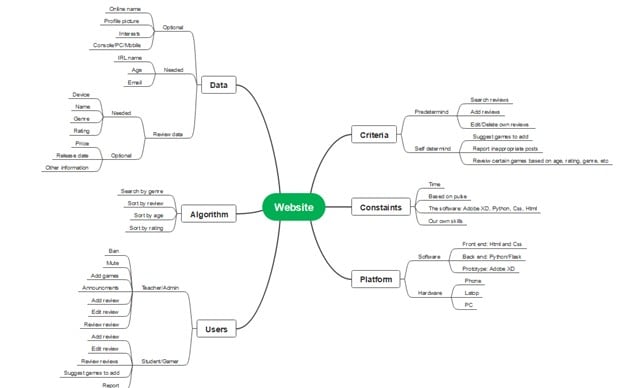
Lastly, this is a presentation that not only students can use, but also developers who need to present website proposals or creations to clients or to upper management.
Like the examples above, you can edit it with the specific content of your website and transform it into a PowerPoint quickly in EdrawMind.
Explore More Examples or Make One for Free
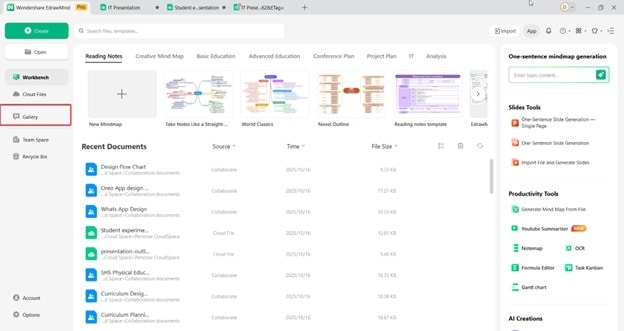
If you’d like to discover more templates, open EdrawMind and click Gallery on the left-hand panel.
Type “presentation,” “meeting,” or “pitch deck” in the search bar. You’ll see hundreds of user-made mind maps designed for presentation purposes.
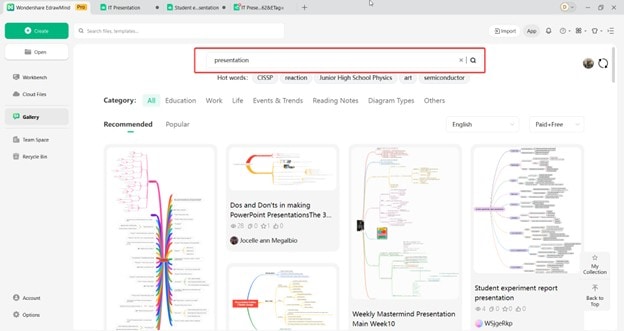
Each template can be previewed before editing. Once you find one that suits your needs, click Duplicate to open it instantly.
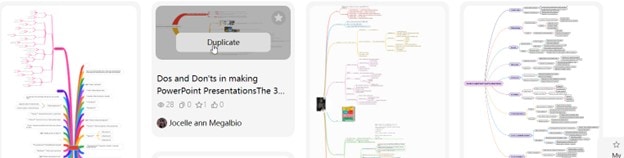
You can modify the branches, add text or icons, and even adjust colors to match your brand or theme.
How To Make a Presentation Mind Map for Free
Wondershare EdrawMind offers hundreds of symbols and AI functionalities that you can use for creating your mind maps. So, if you prefer making one from scratch, there’s always that option.
You can always transform your mind map into an actual presentation using EdrawMind’s Presentation mode. Nevertheless, here are the relevant steps to follow:
Step 1:
First, edit the Main Idea node into the title of your presentation. This can be “Climate Change Presentation,” for example.
 Try the app & get 500 free AI tokens


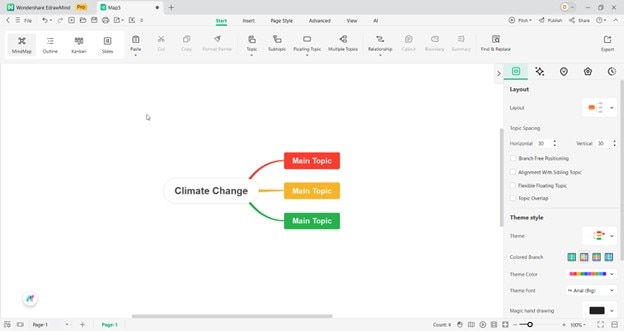
Step 2:
Then, change the Main Topic nodes into the main parts of your presentation. You can add “Table of Contents,” then the specific chapters or portions of your presentation. For the content, use the Subtopic tool.
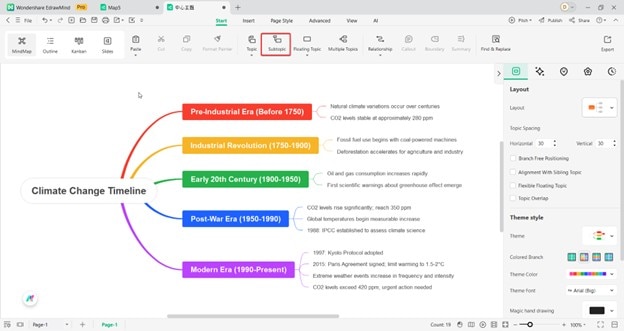
Step 3:
After making your mind map, enter the Slides mode. For this purpose, use the Convert to Slides function.
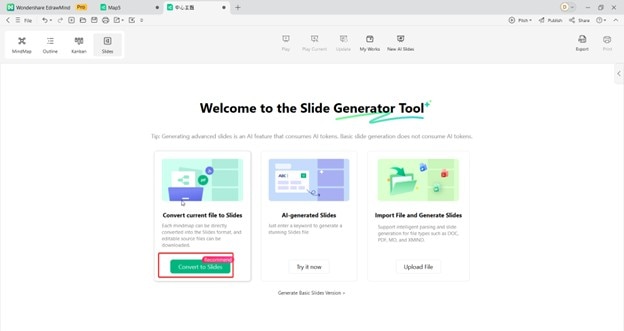
Step 4:
EdrawMind will ask you to select a template. Choose from the available slide styles.
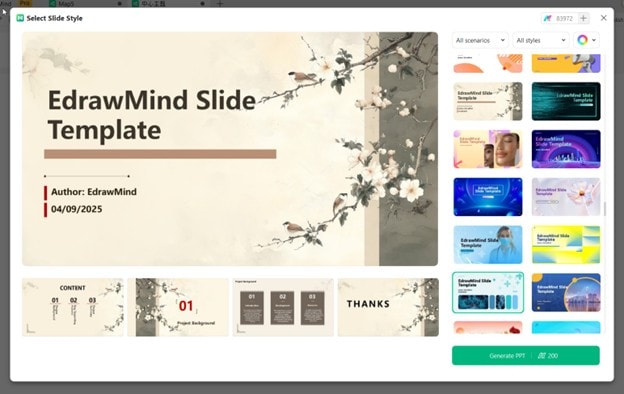
Step 5:
After getting your presentation, Export your PowerPoint presentation.
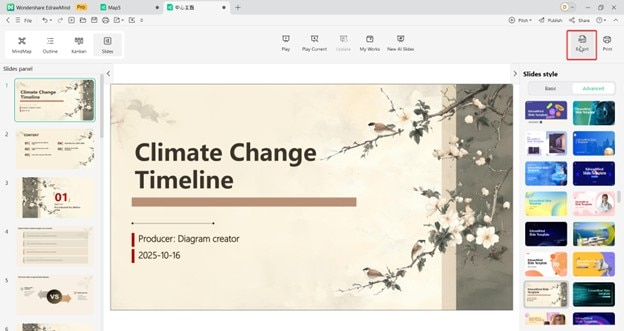
 EdrawMind
AppsEdrawMind Online
EdrawMind
AppsEdrawMind Online

