



Working with a remote team can be tricky. Good thing, the use of online collaboration tools makes teamwork more efficient and convenient.
Brainstorming, planning, and receiving updates in real time without being in the same room is now possible. These tools also keep everyone in one common space. The outcome is less back-and-forth communication and more actual work done.
If you’ve been looking for a faster, better way to collaborate, this guide will help. Keep reading to discover the best online collaboration tools, which ones stand out, and how they can enhance remote work.
In this article
What Is an Online Collaboration Tool?
An online collaboration tool can be considered a software or digital platform that allows users to collaborate with other teammates online, work together instantaneously and streamline important projects.
Top 10 Online Collaboration Tools for Mind Mapping
Mind mapping has gone digital, and the choices today are impressive. Effective online collaboration tools enable you to generate ideas, keep track of them, and plan work with your colleagues on the spot.
There are tons of them, but what makes a platform unique is the set of features it offers. Below are ten of the most useful tools, along with what makes them stand out.
EdrawMind Online: Best for AI-Powered Brainstorming
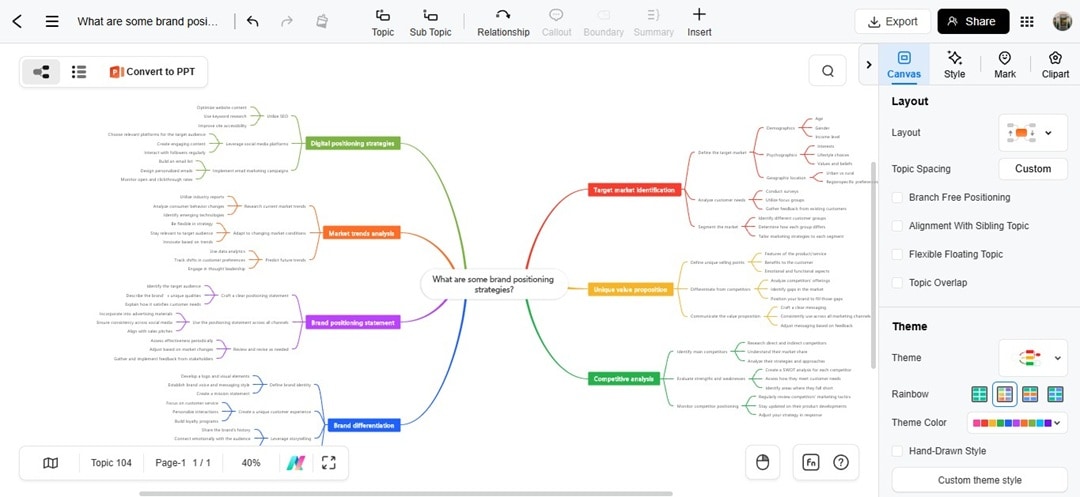
Wondershare EdrawMind online collaboration tool makes visual thinking fast and easy. It stands out because of its AI assistant that builds mind maps from plain text prompts.
 Try the app & get 500 free AI tokens


Instead of dragging boxes around, you can type a thought and watch it turn into a full mind map. You can use EdrawMind for strategy planning, note-taking, and brainstorming.
Key Features
- AI tools for generating mind maps, videos, summarizing, copywriting, and more
- 22 built-in layout styles, including circular maps, timelines, and fishbone diagrams
- 47 themes for diagrams and other customization options
- Wide library of 15,000+ free templates for different industries
- Switch between various outline and mind map views
- Real-time co-editing and comment system
Pros
- AI suggests ideas and structures
- Can generate PPT presentation slides within the tool using AI
- Allows sharing of a mind map for free
- Cross-platform availability on web, desktop, and mobile
Cons
- Free plan limits advanced export settings
- Allows access only to 5K community templates in the free plan
- Only provides 500 tokens for free
Coggle: Best for Simplicity and Organic Branching
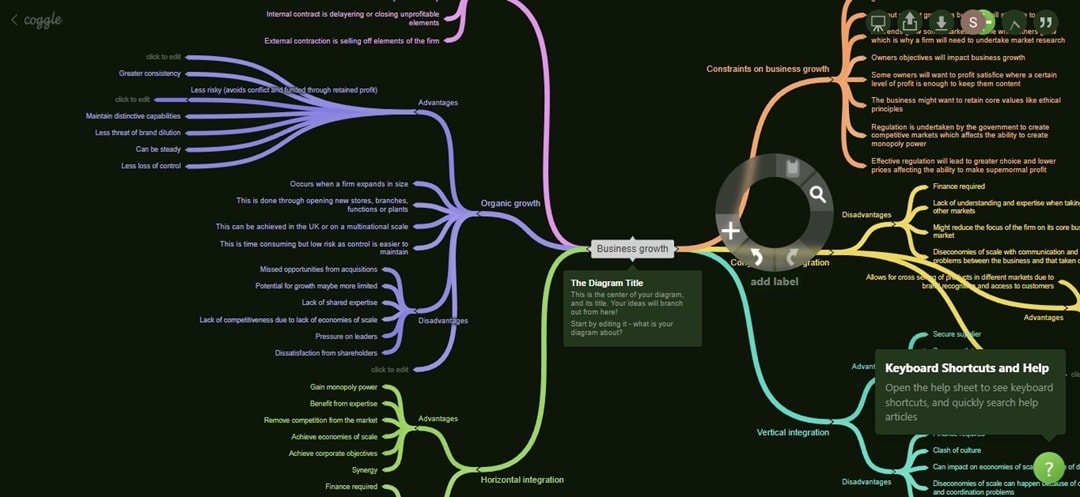
Coggle is a minimalist online collaboration tool. It’s simple to get going since you can click and start typing your ideas. Its most charming feature is the way it creates flowing branches that look like they grew on a tree.
There are no rigid, straight lines here. Coggle is an intuitive tool that's ideal for quick, unstructured brainstorming sessions where you want ideas to flow freely.
Key Features
- Unlimited image uploads, even on the free plan
- Flowing, organic branches with the ability to create multiple starting points
- Link to Google Drive
- Creation of private and publicly shareable links
- Support for text formatting and embedded links
Pros
- The free plan is very generous, especially with unlimited images.
- Others don't need to log in when viewing files shared via a link
- Arranges branches automatically
Cons
- Limited customization options can feel uninspiring
- Limited options to export the file
- It can become slow and unwieldy with very large, complex maps.
MindMeister: Best for Project Management Integration
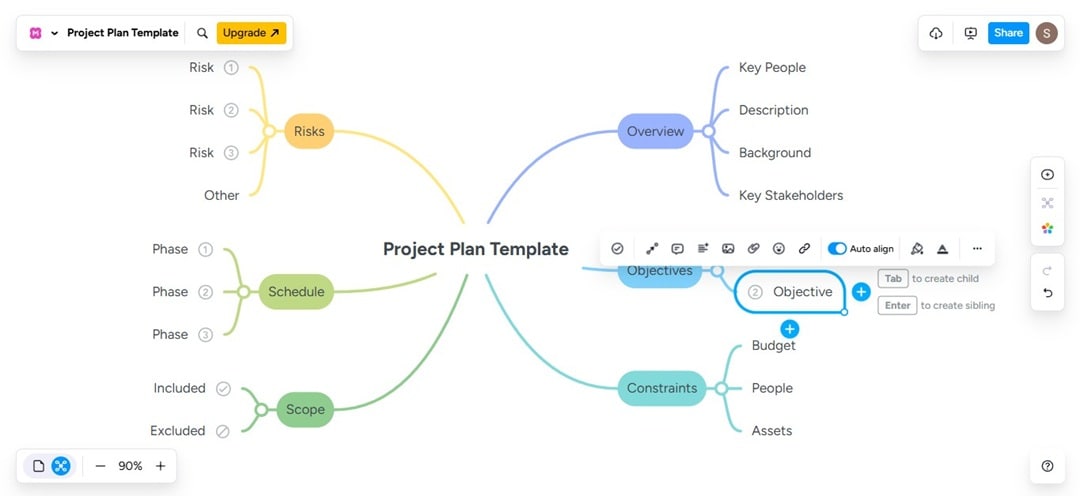
MindMeister is a powerful online collaboration tool that thinks beyond the brainstorm. It also has integration with MeisterTask, its sister project management application. This connection lets you turn your ideas into actionable tasks for your team without ever switching apps.
Plus, its History Mode allows you to see the entire creation of a mind map, which is fantastic for understanding how an idea grew over time.
Key Features
- Customizable themes and professional templates
- Real-time collaboration with comments and a voting feature
- Presentation mode to show each mind map branch
- Link share and bulk invite
- Integration with Google Drive, Microsoft Teams, and MeisterTask
Pros
- Allows an unlimited number of members
- MeisterTask integration is a game-changer for project workflows.
- Presentation mode is excellent for sharing ideas with stakeholders.
Cons
- Free plan limits users to three mind maps
- It lacks the more creative or organic styles of other tools.
- Some advanced formatting options feel a bit rigid and constrained.
Ayoa: Best for Neurodivergent-Friendly Visual Thinking
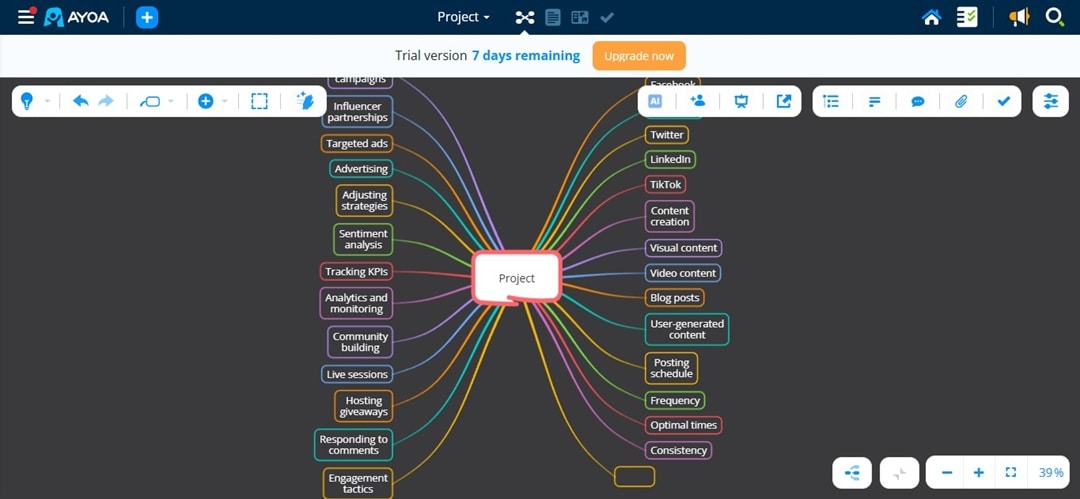
Ayoa is an all-in-one online collaboration tool that combines creativity with productivity. You can brainstorm visually, then assign tasks directly within the same board.
It’s also one of the few tools that offer a “radial map” view, which shows ideas in a circular style rather than the usual tree structure. This visual variety is refreshing when you want something different from the standard layout.
Key Features
- Multiple view modes: mind map, radial map, and capture map
- Chat and real-time collaboration features
- Comments, user groups, task assignment, and more
- AI idea generator
- Integration with Google Calendar, Outlook Calendar, and Dropbox
Pros
- Offers Dyslexia mode to make it easier to read the mind map
- Offers customization options at each map level
- Unique visual styles cater to different thinking preferences.
Cons
- Its playful feel may not suit all corporate environments.
- Higher subscription cost than some rivals
Miro: Best for Large-Scale Collaboration
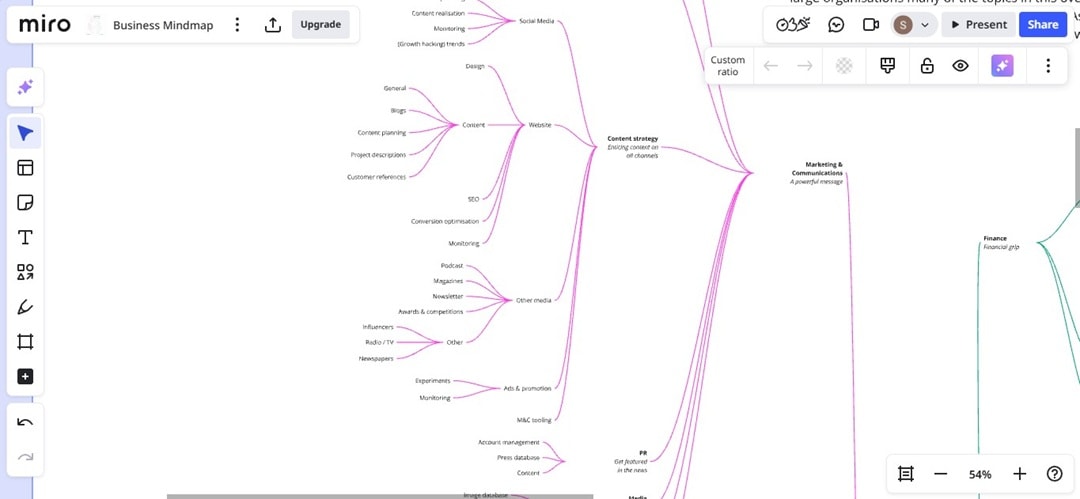
Miro is a mind map tool and a full whiteboard platform. Teams use this for planning the structure of their organizations, creating the outline of a journey, and ideation.
The main feature of this software is its extensive use, where multiple contributors can work simultaneously.
Miro is the prime virtual collaboration platform for cross-disciplinary teams that need a unified space to manage all activities from the first brainstorming session to comprehensive project retrospectives.
Key Features
- Presentation mode and Talktrack
- Pre-built templates for brainstorming and planning
- Sticky notes, voting, and a timer
- Extensive integrations with tools like Slack, Jira, and Asana
- Video calls inside the board
Pros
- Collaboration features make remote workshops easier
- A robust set of integrations connects it to almost any existing workflow.
- Can create slides using the ideas on the mind map using AI
Cons
- It might be excessive if you only need to create mind maps.
- The sheer number of features comes with a steeper learning curve.
- Performance can sometimes lag on very large, asset-heavy boards.
Xmind: Best for Beautiful Designs
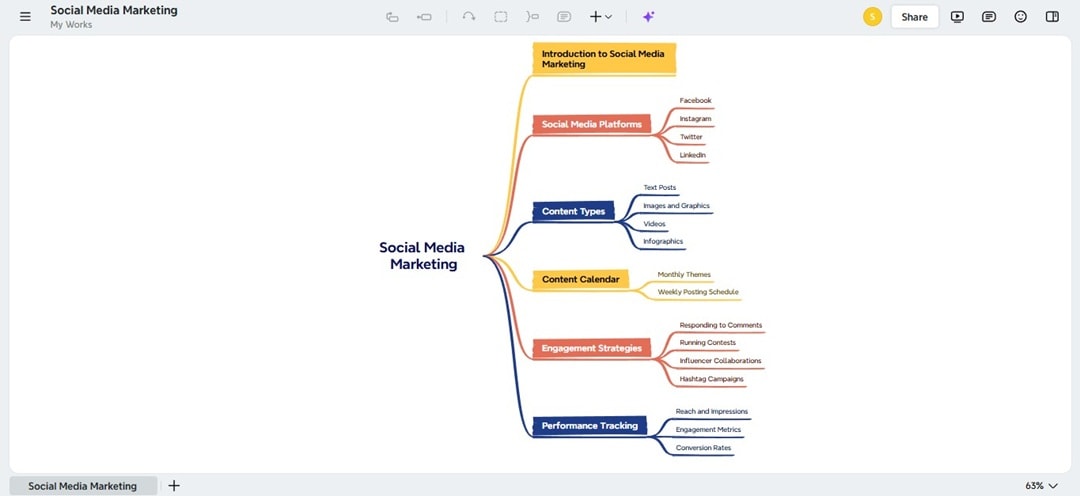
Xmind brings the same design-first approach to the web, now with an AI copilot. You can start with a single idea, and its AI will help you expand, explain, and reorganize your mind map.
On top of that, it has a unique Zen Mode that strips away all distractions, so you and your team can focus on the ideas. Xmind is the best online collaboration tool for teams that value aesthetics and deep focus.
Key Features
- AI idea expansion and brainstorming prompts
- Pitch Mode for instant presentations
- Built-in themes and customizable styles
- App integration with Zoom, Notion, and OneDrive
- Cross-platform web, desktop, and mobile apps
Pros
- Secure sharing with customizable access levels and password protection
- Zen Mode is fantastic for deep focus sessions
- Free plans give you the freedom to create unlimited topics
Cons
- Only 10 AI credits in the free plan
- Collaboration features are less advanced compared to other tools
- The free version watermarks all exports, pushing you to upgrade.
MindMup: Best for Budget and Task Planning
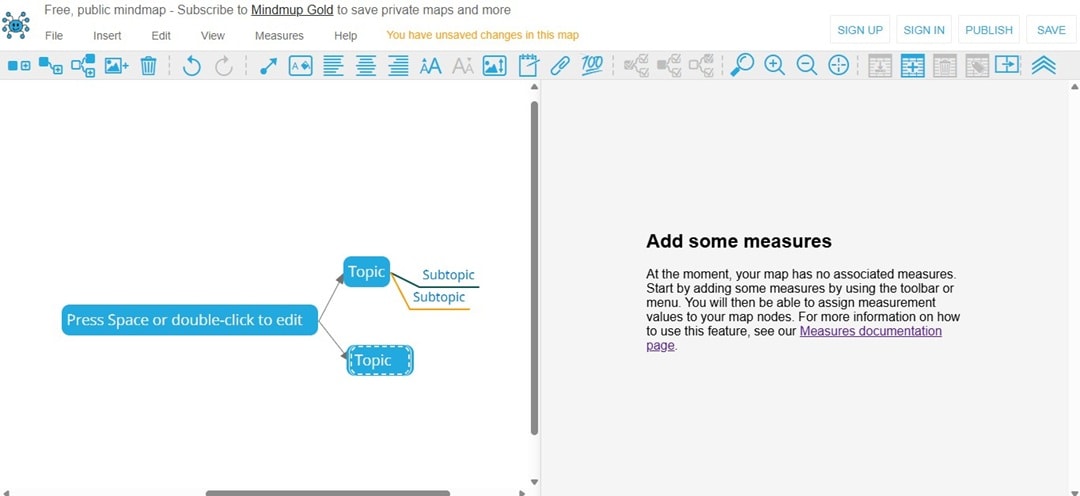
MindMup is a frictionless online collaboration tool for any team already invested in the Google Workspace ecosystem. It also goes beyond a simple brainstorming tool with its Measures feature.
MindMup also lets you attach values like money, time, or effort to nodes on the mind map. It means you can budget, plan, and control tasks directly inside a hierarchical breakdown without juggling extra spreadsheets.
Key Features
- Measure the performance of your published mind maps with Google Analytics.
- Access full version history to view and restore
- Various export options, including image, PowerPoint, and PDF
- Storyboard creation for presentations
- Measure panel for budgeting resources
Pros
- The free plan is great for users who don't mind their maps being public.
- It's fast and responsive, even with large mind maps.
- Google Drive integration is convenient for working.
Cons
- Only Gold (paid) users can share and edit maps together.
- The visual design and customization options are basic.
- Lacks advanced collaboration features like real-time chat or voting.
Bubbl.us: Best for Small Group Brainstorming
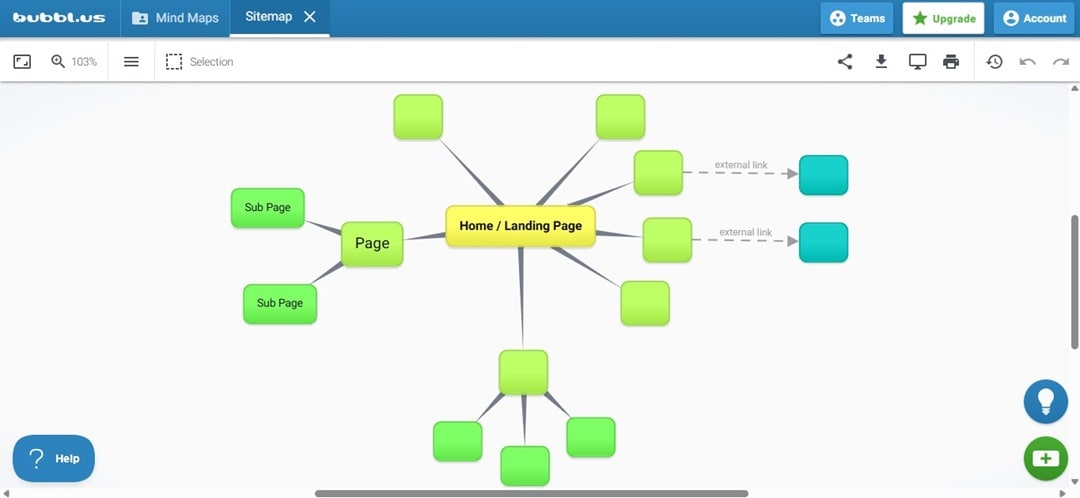
If you need to create a mind map quickly without the learning curve, Bubbl.us is the best online collaboration tool for your team.
It's easy to use, thus suitable for use in a classroom setting or by teams that get overwhelmed by complex software. While Bubbl.us lacks the advanced features of other tools, its simplicity is its greatest strength.
Bubbl.us is the digital version of a whiteboard and a marker: simple, effective, and accessible to everyone.
Key Features
- Attach files and photos to the mind map
- Real-time collaboration for team sessions
- Various mind map layouts to choose from
- Editable and beautiful built-in templates
- AI tools to provide more ideas for the mind map
Pros
- There is almost no learning curve
- An uncluttered interface keeps the focus purely on the ideas.
- Edit with up to 50 collaborators simultaneously.
Cons
- Access to real-time collaboration is available only to users with a paid plan.
- The free plan is restricted to only three mind maps.
- Customization options for the mind map's appearance are minimal.
Mural: Best for Enterprise Teams
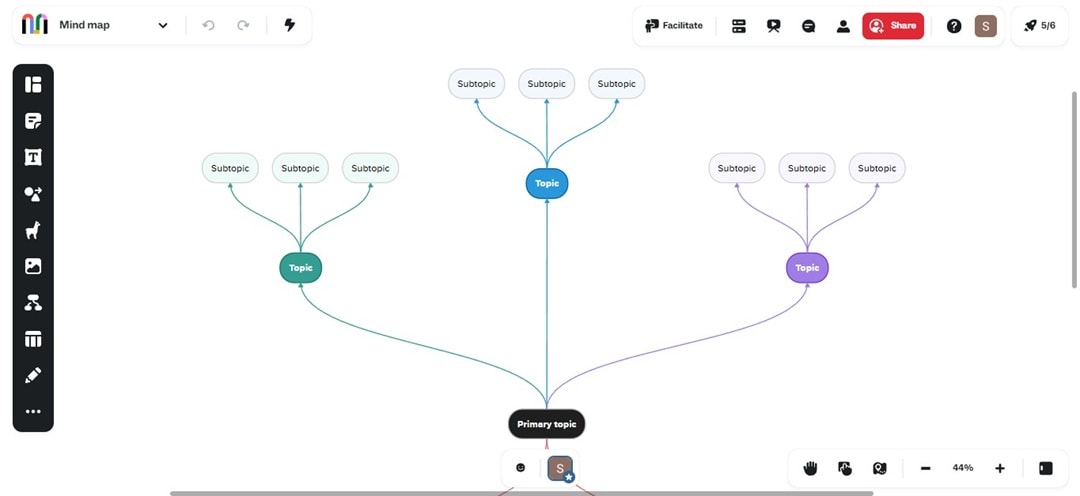
Mural is a full-fledged online collaboration tool for teamwork, but with a special focus on facilitation. It offers tools that help you guide a group through a creative process, like voting, a laser pointer, and a private mode.
Besides that, Mural's templates are suitable for design thinking, agile methodologies, and strategic planning. Facilitating workshops becomes much simpler with the usability of Mural and conducting a well-organized brainstorming session.
Key Features
- Workshop-focused features like voting and timers
- Pre-built frameworks for design thinking
- Virtual sticky notes and diagram templates
- Microsoft 365 Copilot integration
- Real-time collaboration for large groups
Pros
- Excellent tools for guiding and facilitating group sessions.
- The template library is a goldmine for structured workshops.
- It has a strong emphasis on inclusive and structured collaboration.
Cons
- The pricing model is geared towards teams and is less ideal for individuals.
- It can be too complex for casual users
- Takes time to onboard teams
Mindomo: Best for Education and Blended Learning
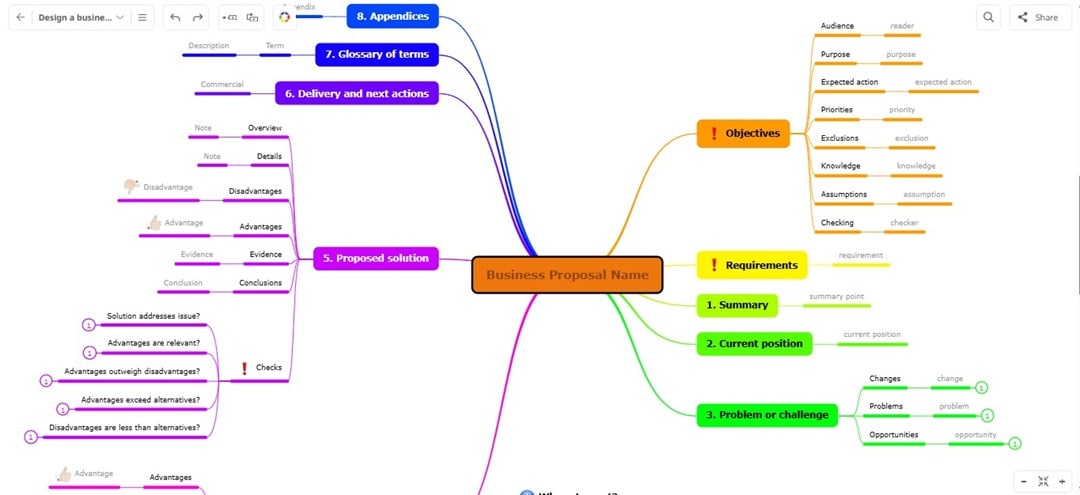
Mindomo carves out a unique niche by also focusing on students and educators. Teachers use it to assign projects, track student progress, and encourage collaboration.
Mindomo is also a surprisingly powerful online collaboration tool that can convert mind maps into Gantt charts. For any learning or training, Mindomo is a standout tool that blends brainstorming with structured learning.
Key Features
- Convert the diagram to a slideshow presentation
- Instant in-app chat for team discussion and feedback
- 300+ built-in templates for various use cases
- Turn mind maps into Gantt charts for project timelines
- Integration platforms like Blackboard, Google Classroom, and Moodle
Pros
- Unlimited collaboration on the free plan
- Gantt chart functionality is a strong plus for project-based learning
- Excellent cross-platform syncing, including mobile apps
Cons
- Only provides 5 AI credits monthly in the Premium paid plan
- It can feel complex if you want a simple brainstorming tool.
How To Pick the Best Online Collaboration in Real-Time?
The market is flooded with innumerable collaboration tools to transform your endeavors into a productive output, allowing effective workflow and time management.
Given this context, this article has illustrated multiple factors you need to consider while going for your dream collaborative tool.
Number of Collaborators
The first thing to perform is to identify the nature of your work and the needs of your business. Picking the apt platform according to your business circle is a rational decision.
Thus, avoid spending a huge amount of money on expensive tools if your teamwork is limited or the nature of your collaborative tasks is straightforward.
Price
One of the pivotal aspects while venturing to choose a real-time collaboration tool is price. Always scrutinize the price-to-performance ratio through extensive research on various available collaboration tools.
Additionally, don’t hesitate to use the free or trial version of the software before buying its premium plans.
Feature Diversity
Feature diversity is another factor in choosing the prospective collaboration tool; ensure the tool you’re purchasing corresponds with your organizational needs. If you have a well-thriving business sphere or workspace, go for a tool with wide-ranging features.
On the other hand, don’t squander money on tools with extensive features that are not even necessarily needed for your organization.
Responsiveness
Not every member of your work team has the same device for using the collaborative tool. It is viable to opt for a tool that provides a responsive interface on each member’s device.
Sometimes some features are not supported in certain devices; thus, ensure that all options are accessible to every member to build a regulated communication atmosphere and manage workload effectively.
Convenience of Use
Introducing something novel and unusual in the organization can be challenging and daunting, especially if your business circle is vast.
In such a situation, you must ensure that all your teammates are fully acquainted with how to use the prospective tool for digital project handling.
How To Use an Online Collaboration Tool for Remote Work?
Using one of the best online collaboration tools, like EdrawMind, makes remote teamwork smoother. Here’s a quick guide to creating a mind map with your team.
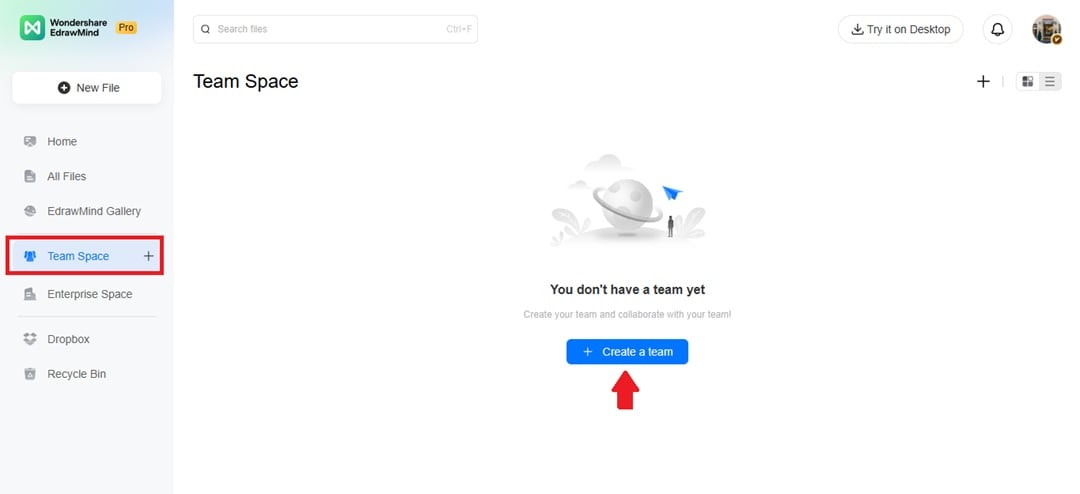
Step 1 Set Up Your Team
- Open Team Space from the left navigation pane.
- Create a team and click the menu icon on the right.
- Invite members to join your shared workspace.
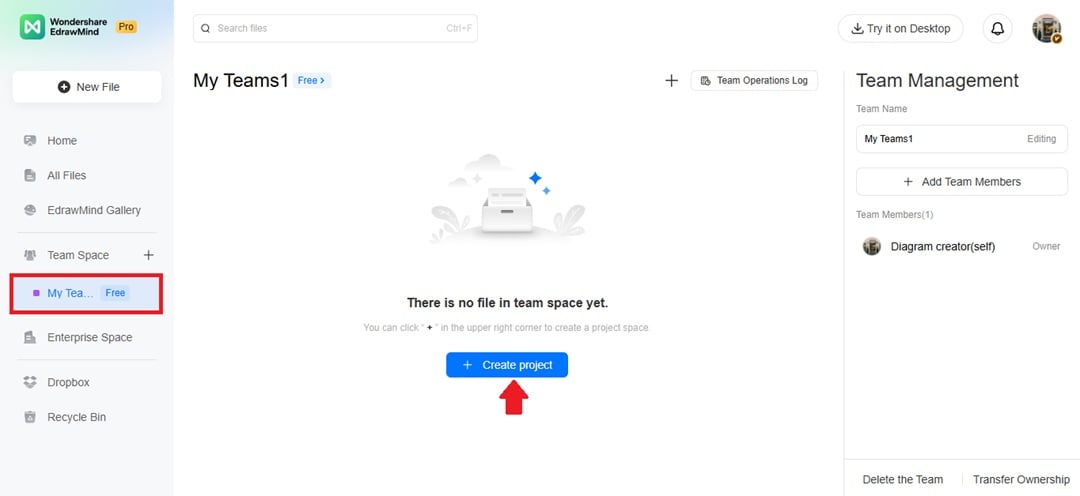
Step 2 Start a New Project
- Inside Team Space, click Create project.
- Add a project name, then click Create.
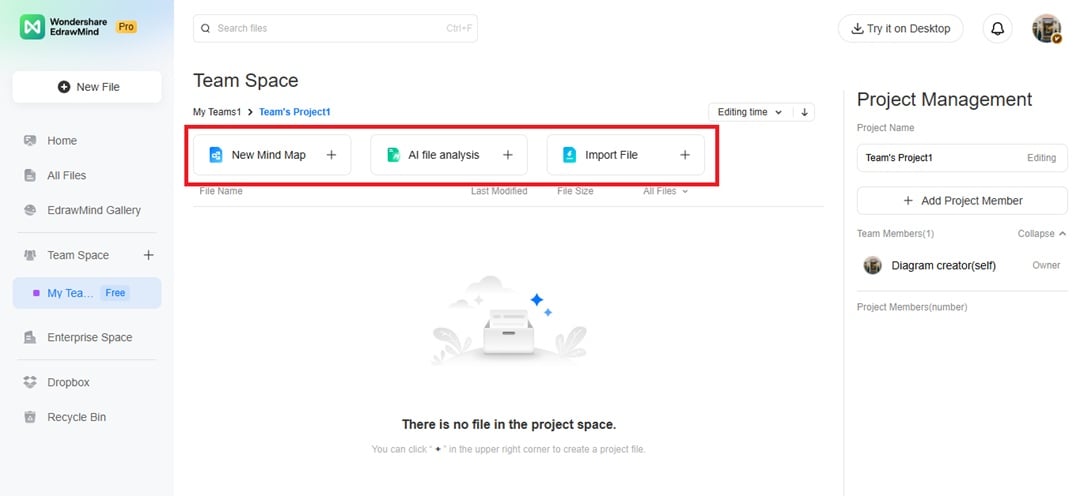
Step 3 Build Your Mind Map
- Double-click the project name to open it.
- Pick a New Mind Map to start fresh.
- Or choose AI File Analysis or Import File for a faster setup.
Tip: If you feel stuck, try EdrawMind’s AI. It can suggest new branches, ideas, or layouts to keep your project moving.
Final Thoughts
The best online collaboration tools depend on everyone's working style and needs. Want AI-powered brainstorming? The top picks for you are EdrawMind and Xmind AI. Do you need a tool for large-scale teamwork? Miro and Mural handle that better.
Prefer simple and fast? Bubbl.us and Coggle won’t overwhelm you. Education-focused? Mindomo fits that role.
Every tool here has something unique, so the best move is to test one that matches how your team works. This list of the top online collaboration tools shows that they can make brainstorming less stressful and more productive.
 EdrawMind
AppsEdrawMind Online
EdrawMind
AppsEdrawMind Online

