


Whether you want creativity, clarity, or better productivity, the right tool matters. This guide shows the best mind map tools online for Mac and reveals strong mind map generator features.

In this article
What Is Mind Mapping (and Why Mac Users Love It)
Mind mapping is a visual method for recording and organizing information. You place a main idea in the center, then draw branches for related thoughts.
For Mac users, mind maps shine because:
- They turn cluttered notes into structured plans.
- Drag-and-drop and trackpad gestures make layouts quick.
- You can mix images, links, and notes for richer brainstorming.
- Sharing across Mac, iPad, and iPhone keeps your workflow smooth.
How To Pick the Right Mind Map Tool for Mac
When comparing the best mind map makers, you must consider:
- Native Mac app or strong Mac support
- AI mind map generator tools (auto layout, text-to-map, PDF import)
- Library of templates, icons, and themes
- Offline editing plus cloud sync
- Presentation and export options
- Free mind map maker versions or trials
Top Mind Map Tools for Mac in 2025
EdrawMind
Wondershare EdrawMind leads as an all-in-one mind map maker. Its AI converts text, slides, or PDFs into maps. Templates, themes, and collaboration tools suit students, teams, or solo work.

XMind
XMind offers attractive layouts—tree, fishbone, logic—and a polished “Pitch Mode” for presenting maps. Its light AI helps spark ideas, and offline work is strong. It’s a good fit for users who want neat designs and flexible exports.

MindNode
MindNode is a sleek Mac-native app with a focus on simplicity. Writers, designers, and students love its clean design and fast syncing with iPhone/iPad. While it lacks heavy AI tools, its drag-and-drop interface makes planning easy and fun.

Here’s a quick comparison of the three mind map makers for Mac:
| Tool | AI features | Templates | Offline work allowed? | Pricing plan | Best for |
| EdrawMind | Text/PDF → map, slides | Extensive | ✔ | Free + Premium | All-round use |
| MindNode | ✘ | Moderate | ✔ | Free + Pro | Simple mapping and visualization |
| XMind | Limited | Good | ✔ | Free + Paid | Stylish layouts |
How To Create an Effective Mind Map
Mind maps work best when they are clear and simple. Efficient mapping saves time, helps you spot patterns, and keeps your focus sharp. A clean layout also makes sharing ideas with teammates or classmates faster and easier.
To map effectively, stay organized and keep topics short. Use colors, images, and keywords to make branches stand out. Below are easy steps to create mind maps that support learning, planning, or brainstorming:
Steps:
 Try the app & get 500 free AI tokens


- Write a clear central idea in the middle: Place the main topic or goal at the center of your map. Make it concise and specific so all branches clearly relate to this idea.
- Add main branches for key points: Draw lines outward from the central idea for each major subtopic. These branches represent the core elements that support your main idea.
- Use short words or phrases for clarity: Keep text brief to avoid clutter and make the map easy to scan. Keywords are more effective than full sentences for capturing concepts.
- Color-code or add icons for meaning: Use colors, symbols, or icons to highlight categories or show relationships. Visual cues help your brain process information quickly and remember connections.
- Link related branches to show connections: Draw lines or arrows between related topics to illustrate relationships. This reveals patterns and helps organize complex information logically.
- Review and adjust as your ideas grow: Revisit your map regularly to refine branches or add new ideas. Adjust layouts, colors, and connections to maintain clarity as the map evolves.
Why EdrawMind Is the Best Mind Map Tool for Mac
EdrawMind stands out as the premier mind mapping tool for Mac due to its seamless integration with macOS, ensuring optimal performance and user experience.
Its intuitive interface allows users to create complex mind maps effortlessly, making it suitable for both beginners and advanced users.
The software's AI-powered features further enhance its capabilities, enabling automatic generation of mind maps from text or documents. This functionality saves time and aids in organizing thoughts more efficiently.
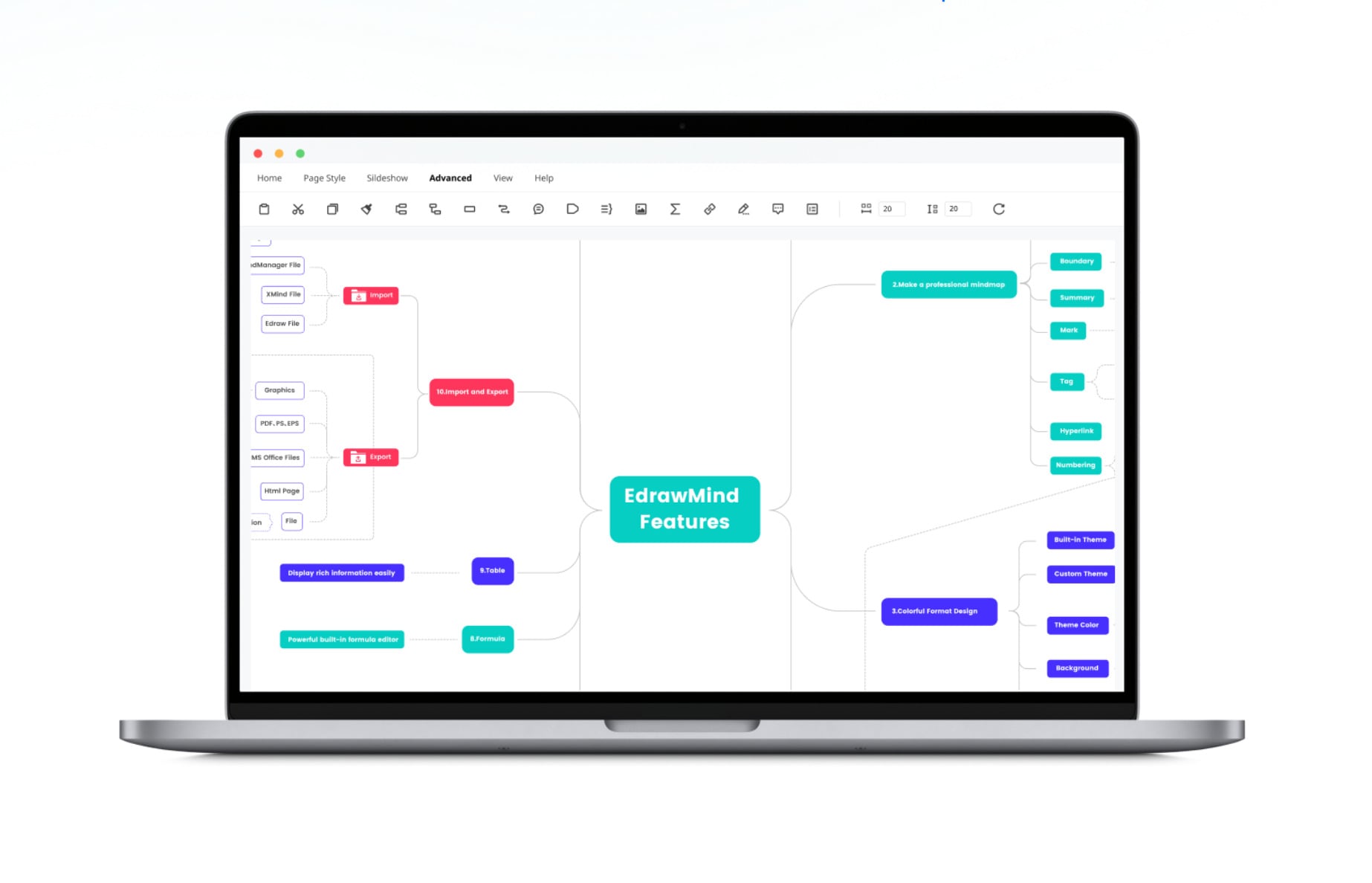
Reasons why EdrawMind excels on Mac:
- Ease of use: EdrawMind offers a streamlined and intuitive interface that makes brainstorming and organizing ideas simple. Even users who are not tech-savvy can quickly create professional-looking mind maps by spending just a few minutes learning the basics.
- Examples and templates: The app provides a vast library of pre-built templates and examples covering a range of industries and use cases. Users can also access icons and symbols to create visually engaging maps.
- Versatility and flexibility: EdrawMind also supports flowcharts, organizational charts, and other diagram types, making it suitable for various projects. Its integrations with Microsoft Office and Google Drive further enhance flexibility, allowing users to incorporate their mind maps into different workflows.
- Affordable pricing: EdrawMind offers multiple pricing options, including a free mind map Mac version with basic features and paid plans with advanced tools. This makes it accessible for students, individuals, and small teams while still providing powerful customization options.
- AI-powered features: EdrawMind includes AI tools that automatically generate mind maps from text, PDFs, or slides. These tools can suggest layout optimizations, generate ideas, and speed up the brainstorming process, making planning more efficient and productive.
Core Features of EdrawMind for Mac
EdrawMind for Mac offers a plethora of features designed to enhance the mind mapping experience. Its AI-powered mind map generator allows users to create mind maps from various sources, including text and documents, streamlining the brainstorming process.
The software also provides a wide range of templates and themes, enabling users to customize their mind maps to suit their needs. Additionally, its cross-platform synchronization ensures that users can access and edit their mind maps on different devices seamlessly.

Key features of EdrawMind for Mac:
- AI-powered mind map generator: Creates mind maps from text, slides, or documents with a single click.
- Extensive template library: Access to over 15,000 templates to kickstart your mind mapping process.
- Cross-platform synchronization: Edit and access your mind maps across multiple devices.
- Real-time collaboration: Work simultaneously with team members on the same mind map.
- Presentation mode: Convert your mind maps into presentations effortlessly.
- Outline mode: Switch between mind map and outline views for better organization.
- Cloud integration: Securely save and access your mind maps from the cloud.
- Customizable themes and styles: Personalize your mind maps with various themes and styles.
- Export options: Export your mind maps to various formats, including PDF, PNG, and PPT.
- AI brainstorming: Generate ideas and suggestions using EdrawMind's AI-powered brainstorming tool.
Final Thoughts
Mac users have great choices among the best mind map makers. If you want a robust mind map generator with AI, templates, and polished exports, EdrawMind is hard to beat.
It speeds up brainstorming, simplifies planning, and turns notes into presentations. Try EdrawMind’s free version to see how smarter mapping can make your work or studies flow more seamlessly.
 EdrawMind
AppsEdrawMind Online
EdrawMind
AppsEdrawMind Online

