




A case study is one of the most effective ways to show how something works in practice. It highlights problems, explains solutions, and proves results with real-world examples.
Unlike lengthy research papers, case studies combine analysis with storytelling. They are structured around a challenge and a solution. This structure makes them easy to follow while still delivering depth and valuable insights.
Wondershare EdrawMind helps you plan and present case studies with clarity. Its mind mapping tools let you outline problems, organize solutions, and visualize results.
In this article
What Is a Case Study?
A case study is a research method that explores problems and presents solutions through real examples. It can be used in academic studies or in business to demonstrate results and build credibility.
Here’s an example of a case study flow diagram made with Wondershare EdrawMind. Using a mind map, users can show results in a clear and structured format:
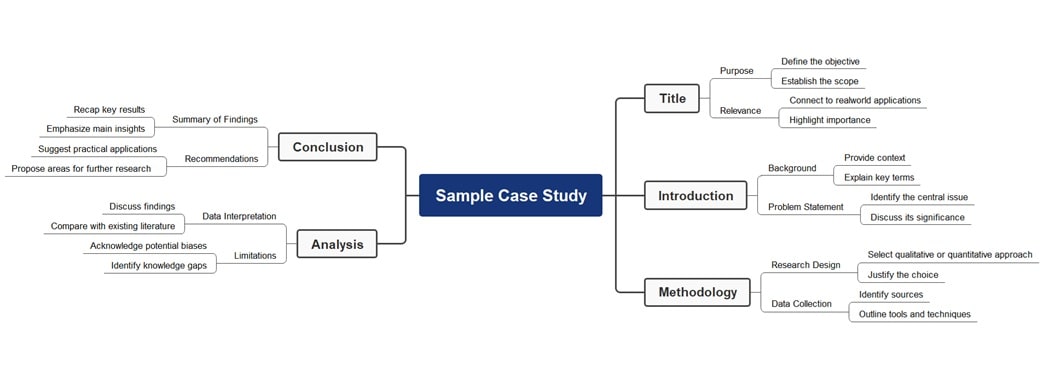


The sample case study diagram begins with the Title. It sets the objective, scope, and real-world relevance. It then moves into the Introduction. This is where background details and the central problem are defined for clarity and focus.
The next stage is Methodology, where research design and data collection methods are outlined. It’s followed by Analysis, which interprets findings and offers recommendations, and suggests areas for further research.
What Is the Difference Between a Research Paper and a Case Study?
A research paper highlights a specific issue, while a case study delves deeper. A case study focuses on specific problems, using research methods to analyze situations. It can be academic, like studying law cases, or business-focused, like showing marketing results.
Unlike a research paper, a case study tells a story. It examines individuals, groups, or organizations in real situations. This approach is practical, offering hands-on information. Case studies are usually shorter, around 500–900 words, compared to longer research papers.
The storytelling aspect is important. A case study presents the problem as the main character, followed by actions and outcomes. This narrative style keeps readers engaged. It helps them understand both challenges and solutions in a structured way.
Case studies often follow a three-act structure: Problem (Act I), Solution (Act II), and Result (Act III). The conclusion ties everything together. This format makes the information more relatable and shows the transformation clearly from beginning to end.
Types of Case Studies
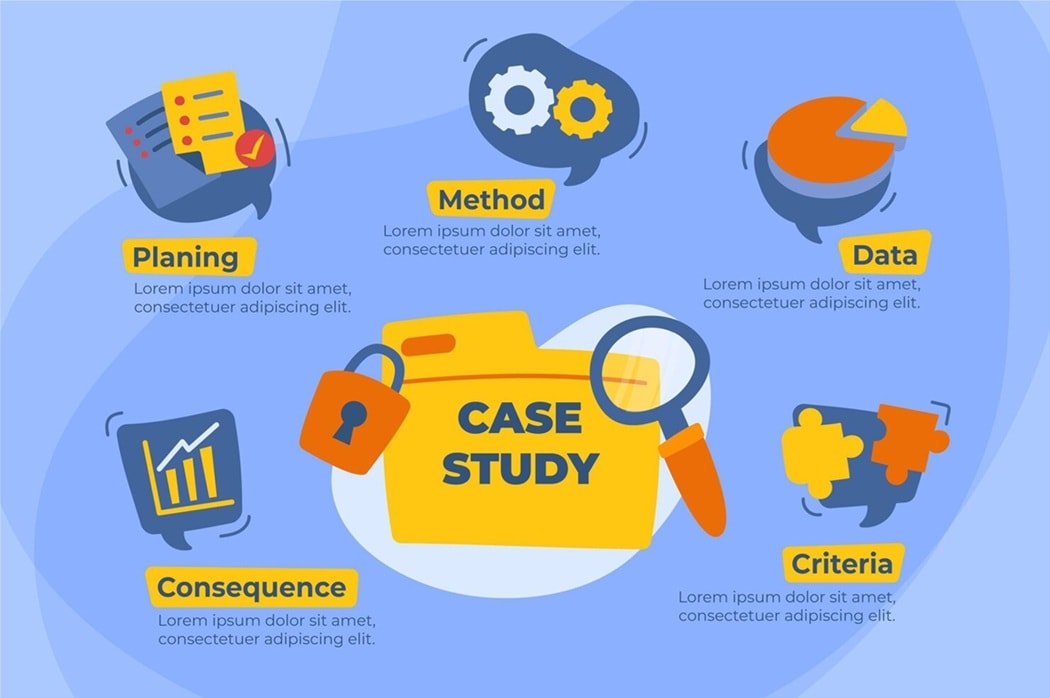
Case studies vary depending on focus and purpose. They can explore historical events, solve problems, compare findings, analyze causes, or illustrate lessons. Here are the five main types worth knowing.
Historical
Historical case studies use past events to explore various perspectives and lessons. They help connect past outcomes to present situations. They show patterns and parallels that can guide decisions, improve understanding, and shape better strategies today.
Problem-Oriented
Problem-oriented case studies tackle specific issues by simulating real or hypothetical scenarios. These studies strengthen decision-making by encouraging critical thinking and identifying flaws. They provide structured solutions before problems escalate into larger challenges.
Cumulative
Cumulative case studies collect data from multiple cases to highlight patterns and comparisons. This type is common in research and business. They showcase value, consistency, or outcomes across various situations to build stronger credibility.
Critical
Critical case studies focus on causes and effects. They test theories, challenge assumptions, and provide insights into complex problems. By examining evidence, researchers can evaluate situations. This allows for finding alternative explanations that improve knowledge and practice.
Illustrative
Illustrative case studies describe specific events in detail. They often rely on storytelling to present findings. They aim to simplify abstract ideas and highlight lessons learned. They provide engaging examples that make complex information easier to understand and remember.
Different Case Study Formats
A case study today is not limited to long PDFs. People prefer concise, engaging, and visual formats that simplify complex ideas for easier understanding. Here are different formats you can use for your next case study:
- Report Format: The report format provides structured, detailed insights. It is best for complex topics where thorough explanation, supporting data, and analysis are essential.
- One Pager Format: One-pagers highlight wins and results quickly. They turn longer reports into scannable content for teams with limited time.
- Video Format: Videos use visuals, music, and narration for stronger storytelling. They create emotional impact and deliver messages effectively in a short, engaging format.
- Infographic Format: Infographics turn numbers into visuals. They make data clearer, eye-catching, and easy to share, perfect for showcasing results across digital platforms.
- Diagram or Mind Map Format: Mind maps and diagrams simplify complex case studies. Using a tool like EdrawMind, you can present problems and solutions with ease.
How To Do a Case Study
A case study organizes research into real examples. It explains problems, presents solutions, and shows practical results for learning or business. Here’s how you can start creating your case study:
Prepare the Case
Select the format you will use. Written reports, videos, infographics, and podcasts are all effective. Match the format to your audience so the findings are clear and engaging.
Start with Templates
Templates provide a faster start and stronger structure. With EdrawMind, you can access free case study templates and turn them into mind maps.
 Try the app & get 500 free AI tokens


Determine the Objective
Define the purpose of your case study. Goals may include lowering costs, improving performance, attracting leads, or showing service value.
Draft Your Case
Organize the details into sections before polishing the story. Drafting ensures nothing important is missed and creates a framework to refine for the final case study.
Introduction
State the central issue and summarize the case. Add a thesis in one or two sentences to guide readers toward the purpose and expected outcome.
Background
Provide context with background details, important facts, and researched information. This helps explain why the issue is important and prepares readers for your analysis.
Evaluation of the Case
Break down what works well and what doesn't. Explain why certain parts fail and connect these findings back to the main problem.
Proposed Solution
Recommend a practical solution supported by research or examples. Show why this option best addresses the problem and how it can be applied in real situations.
Recommendation
Suggest clear strategies and next steps. Specify what should be done, who should do it, and how these actions can solve remaining issues.
Publish and Promote
Choose suitable channels for sharing. Video studies fit YouTube, written cases suit blogs, and infographics perform well on social media. Match the platform to the format.
Case Study Templates
Case study templates provide a starting point to organize information. Here are case study templates that make your work easier:
Standard Case Study Template
This case study template organizes content into clear sections. It highlights client success while keeping information concise, professional, and easy for readers to follow and understand.
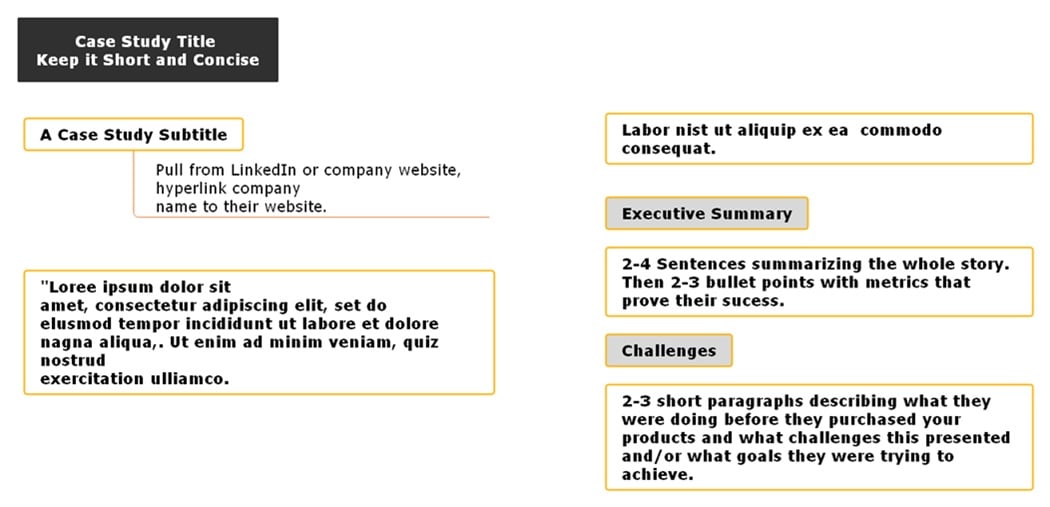
Problem-Solution-Results Case Study Template
The template highlights a client’s challenges. It explains how your product or service addressed these challenges and shows measurable outcomes. It emphasizes return on investment and future plans. The case study provides a clear narrative from problem to solution.
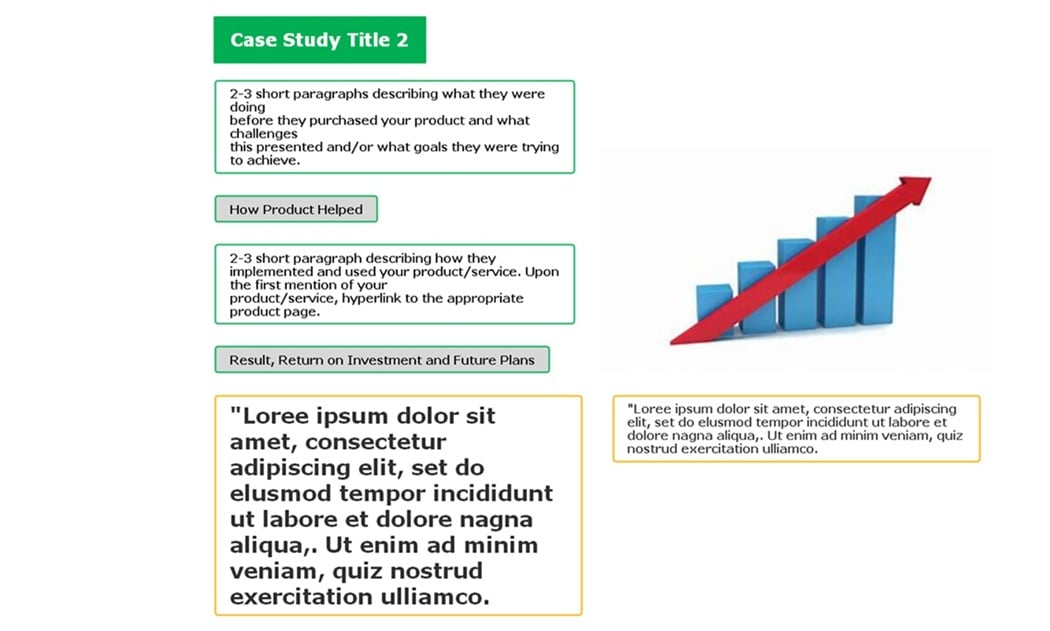
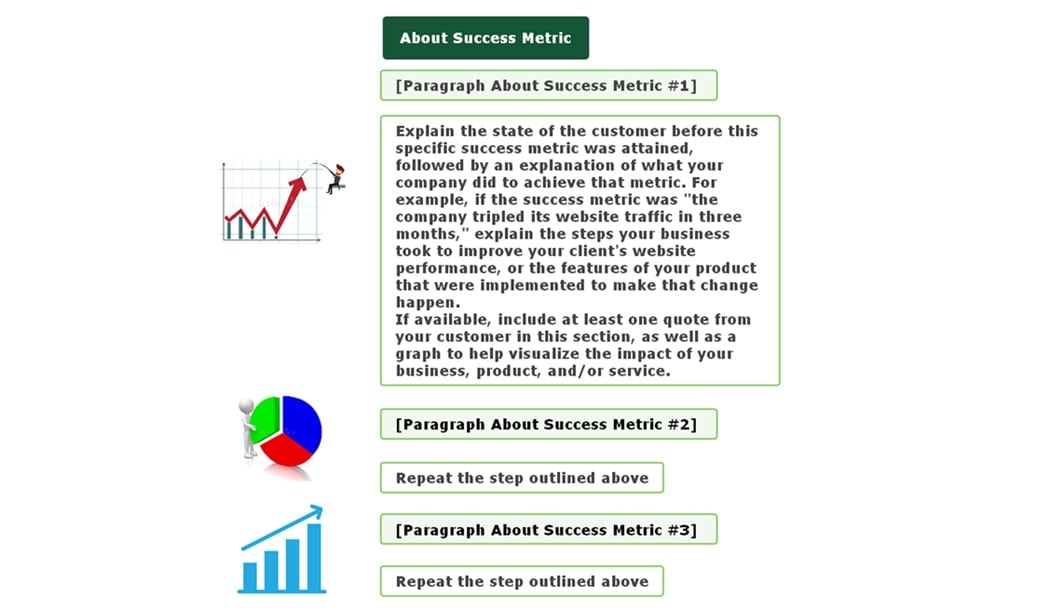
Success Metric Case Study Template
This template focuses on measurable achievements. It explains the customer’s state before improvement and details how your product enabled progress. It supports outcomes with customer quotes and visuals, such as graphs, for a stronger impact.
Why Use EdrawMind for Case Studies?
EdrawMind is more than a mind mapping tool. It helps you brainstorm, organize, and present client stories clearly and professionally. Instead of starting from scratch, you can use templates and AI tools to save time.
For case studies, EdrawMind makes structuring easy. You can map challenges, solutions, and results. You can then expand each with details, visuals, and client quotes. Its AI tools shape information into a polished format that is ready to share.
Here are EdrawMind’s main advantages for making case studies:
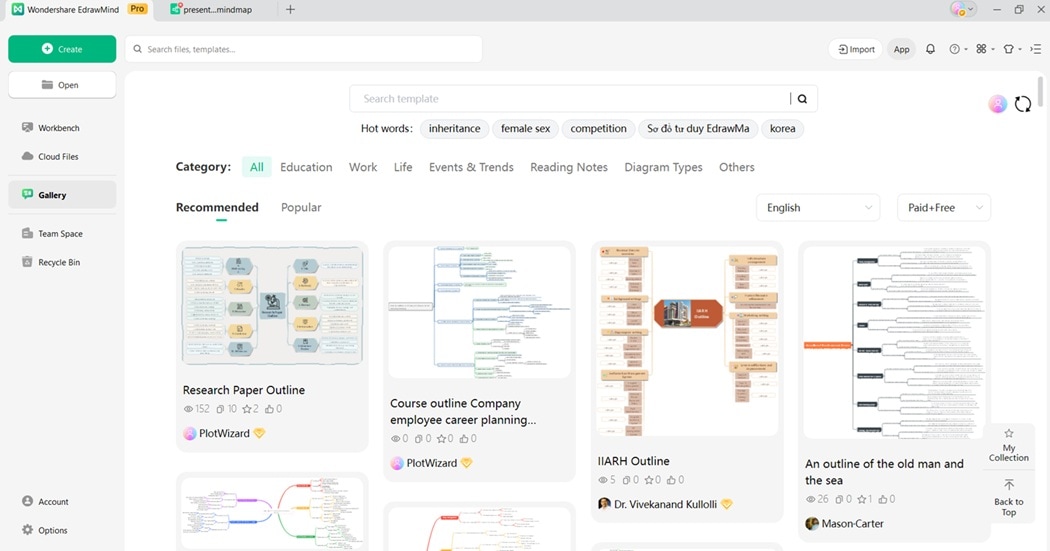
- AI Presentation Case Study Generator
Enter your project summary. EdrawMind’s AI can build a case study outline with sections such as background, solution, and metrics. This gives you a starting point to expand with real client details.
- File to Slide Case Study
Upload Word files, reports, or notes. EdrawMind converts them into a mind map or structured draft in seconds. This keeps your information organized and ready for editing.
- Image to Slide Case Study
Take photos of notes, diagrams, or whiteboard content. EdrawMind uses AI to recognize the content and create a clean structure for your case study.
- AI Mapping
From a few keywords like “challenge,” “solution,” or “impact,” AI creates a mind map. You can use this map to visualize the full story and rearrange sections quickly.
- Text to Mind Map Maker
Paste raw text such as emails, transcripts, or reports. EdrawMind organizes it into a clear mind map. This makes it simple to refine and develop into a finished case study.
How To Make a Case Study With EdrawMind
EdrawMind allows you to create structured case studies with both outlines and mind maps. You can brainstorm, organize, and present ideas. Here’s how:
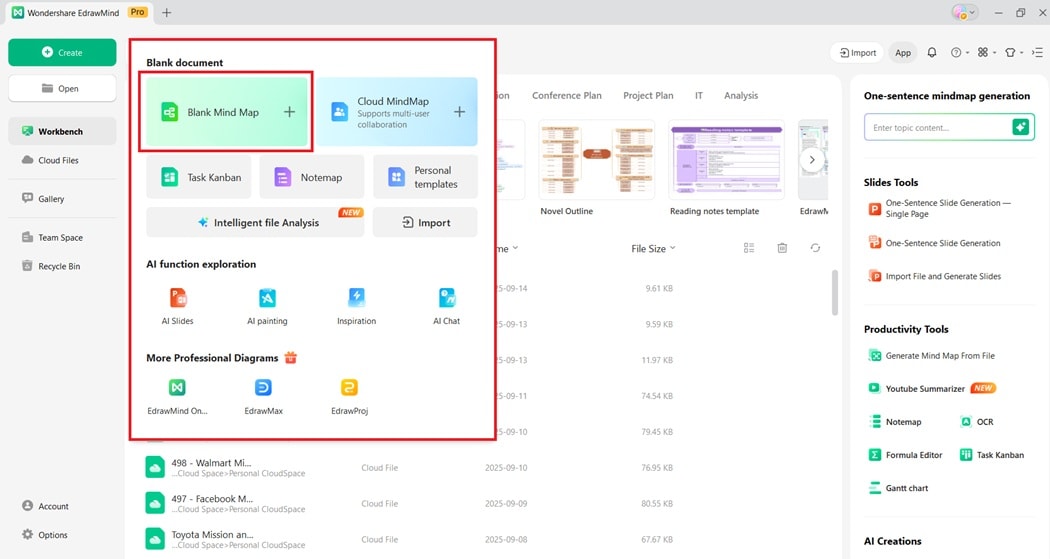
Step 1:
Download EdrawMind on your computer. Log in with your Wondershare account or register a new one. Once inside, start by creating a new mind map project.
Step 2:
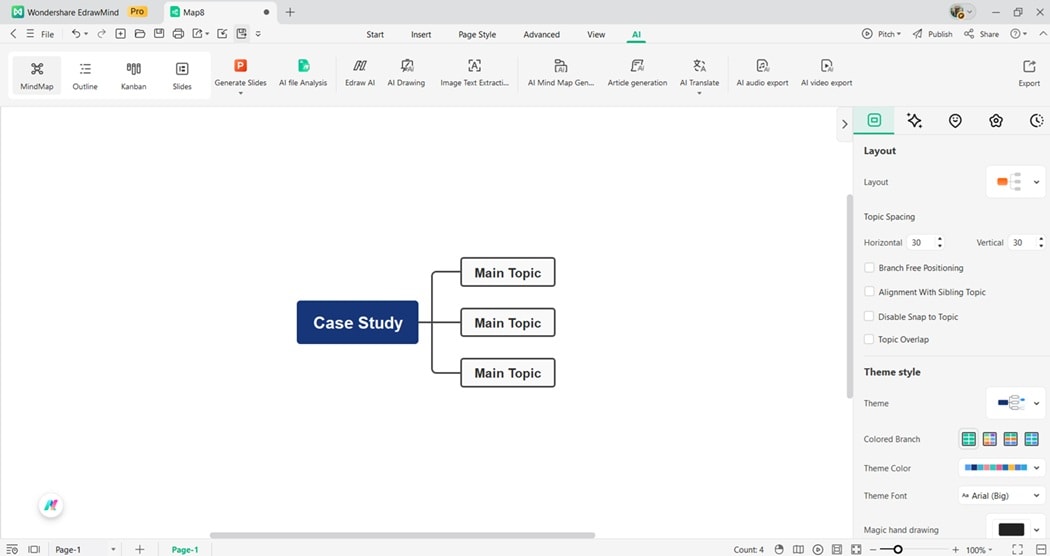
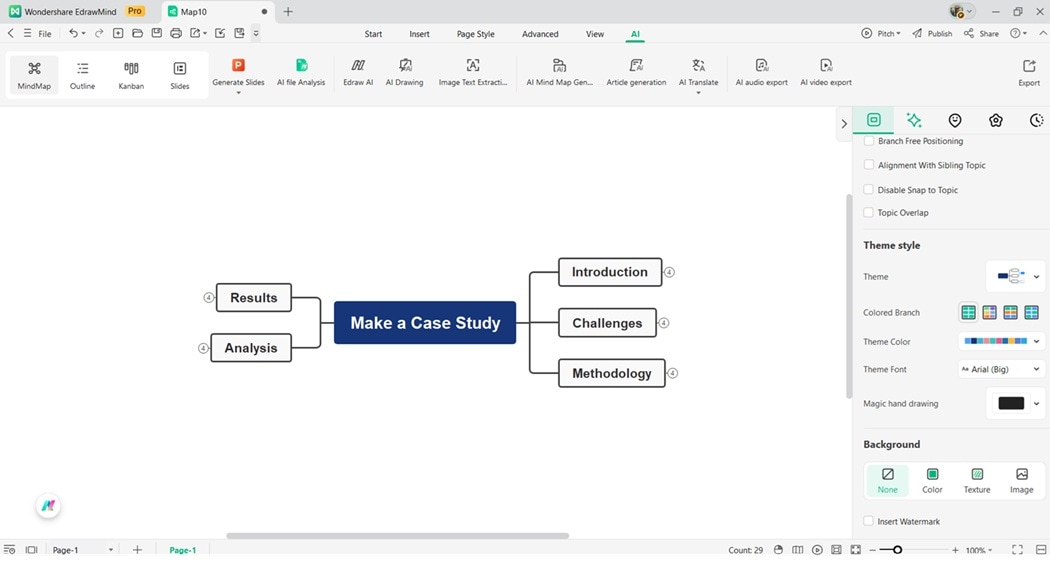
In the center node, type the title of your case study. This becomes the foundation of your map and will connect to all other sections.
Step 3:
Add branches for sections like Introduction, Challenges, Methodology, Analysis, and Results. Expand these branches with subtopics, examples, and supporting data.
Step 4:
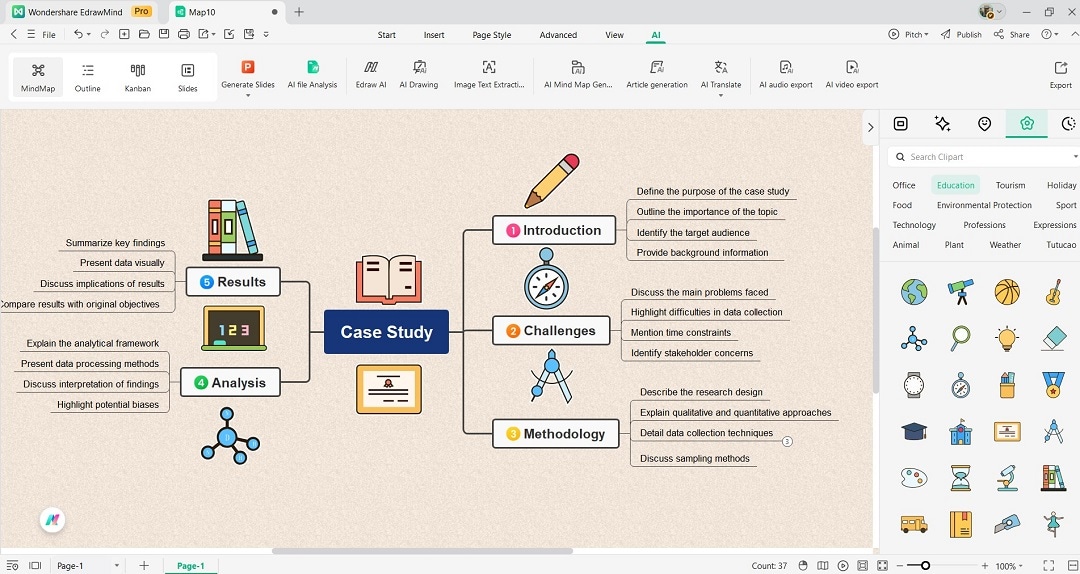
Use the design tools on the right-side panel to format your map. Add icons, visuals, or color codes to highlight important areas.
Step 5:
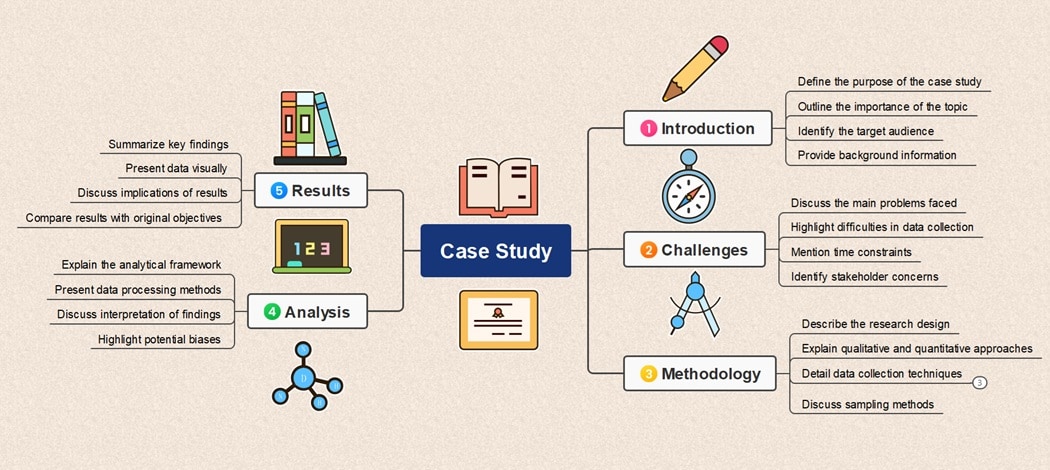
Once your case study is complete, export it in formats like PDF, Word, or images. Share it with colleagues, clients, or students for collaboration and presentation.
10 Ways To Improve Your Case Studies
Making your case study stronger improves both clarity and impact. These 10 methods help you present client success stories professionally and convincingly.
- Know your audience. Research who will read the case study. Tailor the story to their industry, needs, and interests so it feels relevant.
- Start with clear goals. Define what you want to highlight, such as sales growth, efficiency, or customer satisfaction. This keeps your case study focused.
- Keep points concise. Avoid long paragraphs. Use short sections that explain the challenge, solution, and result. Readers value clarity and speed.
- Use logical flow. Organize the story from problem to solution to outcome. A clear structure helps readers follow the journey without confusion.
- Add strong visuals. Use charts, graphs, or images to make results more memorable. Numbers are more powerful when paired with visuals.
- Include client quotes. Direct feedback makes the story more authentic. A short statement can highlight the client’s experience better than plain text.
- Highlight key results. Emphasize measurable outcomes such as percentage growth, revenue increase, or time saved. Place them where they stand out.
- Balance text and visuals. Avoid overwhelming the reader with text. Combine written sections with visuals for a smooth and engaging read.
- Review with the client. Share the draft to confirm details. This builds trust and ensures the story is accurate before publishing.
- Revise after feedback. Improve flow, clarity, and presentation based on input from peers or your marketing team. A refined version increases impact.
Conclusion
A case study highlights problems, solutions, and results. It shows how ideas work in practice and builds credibility. Readers follow the journey step by step, making your case study both informative and convincing.
Strong case studies require structure and clarity. EdrawMind helps organize complex details into clear visuals. With mind maps, you can connect causes, solutions, and outcomes. The platform enables your audience to grasp insights more quickly and retain key lessons.
EdrawMind transforms plain information into engaging stories. Its features support planning, mapping, and presenting findings. By turning complex research into accessible visuals, you bring your case study to life and make it more persuasive.
FAQ
-
Can students use case studies in research?
Yes, students use case studies to study real-life issues. It helps them connect theory with practice, analyze situations, and suggest solutions. Case studies improve critical thinking, problem-solving, and research skills across many subjects. -
What mistakes should I avoid in a case study?
Avoid making the case study too long, vague, or overly promotional. Focus on the client’s story, not solely on your product. Use clear language, measurable data, and visuals. Always include results that prove the value of your solution. -
How does EdrawMind help in creating case studies?
EdrawMind helps you brainstorm ideas, organize structure, and visualize content. You can turn outlines into mind maps, add visuals, and use AI features. This makes creating case studies easier, faster, and more professional for academic and business use.
 EdrawMind
AppsEdrawMind Online
EdrawMind
AppsEdrawMind Online

