



In business and strategic planning, SWOT analysis charts are a staple of the to-do list. It lays down a business or project's strengths, weaknesses, opportunities, and threats. Often, people need clarification about the difference between these four parts of the chart that you have to fill in. It can get tricky.
Thankfully, AI, as always, makes crafting a SWOT analysis chart easier and better. This article is about SWOT analysis charts, how to do it, and how to improve it with AI tools. Explore new ways to work smarter and analyze your projects or businesses better.
In this article
What is a SWOT Analysis
SWOT Analysis - it's a catchy acronym, right? But what does it mean, and why is it important? Let's break it down. SWOT stands for Strengths, Weaknesses, Opportunities, and Threats. These four components create a powerful tool to help businesses or individuals navigate their strategic planning and decision-making processes.
A SWOT Analysis Chart plays a critical role in decision-making and strategic planning. Creating a clear visual representation of your current standing lets you analyze your situation holistically. You can then use this chart to strategize.
Make the most of your strengths and opportunities while addressing your weaknesses and mitigating threats. The beauty of a SWOT Analysis is that it encourages forward-thinking and proactive behavior, two traits crucial for successful decision-making and planning.

Components of SWOT
Dive a little deeper into each element of a SWOT Analysis Chart:
Strengths:
This is all about identifying the positive qualities or resources that give you or your business a competitive edge. Your strong brand reputation, unique skills, or any other asset could place you a step ahead. It's time to wear those bragging shoes and jot down everything you're great at!
Weaknesses:
Now, this can be a bit challenging. Disadvantages require you to look critically at your organization or self, highlighting the areas that need improvement. It might be a lack of resources, a skill gap, or any other factors that hold you back. Remember, recognizing weaknesses isn't about self-criticism; it's about self-improvement!
Opportunities:
You'll look outside your organization or self at the broader market or environment. Opportunities are those external factors that you can potentially leverage to your advantage. It could be an underserved market, a new trend, or a potential partnership to boost your growth.
Threats:
Last but not least, threats. Like opportunities, threats are external factors. However, these are the ones that could harm you. It could be a fierce competitor, market instability, changing regulations, or any other factor that poses a potential risk.
That's it. That's your beginner's guide to SWOT Analysis Charts. The following sections will delve into how AI can assist you in creating an insightful SWOT Analysis, so stick around.
How to Create a SWOT Analysis with AI
You can generate a SWOT analysis in two easy ways. You can use the EdrawMind desktop app or create one instantly using the online AI Mind Map tool. Follow the steps below.
Method 1: Create a SWOT Analysis Using EdrawMind AI
In this method, we use the built-in AI tools inside the EdrawMind desktop application. Here's how you can do it:
 Try the app & get 500 free AI tokens


Step 1 Install & Open EdrawMind
- Download and open the EdrawMind desktop app on your computer.
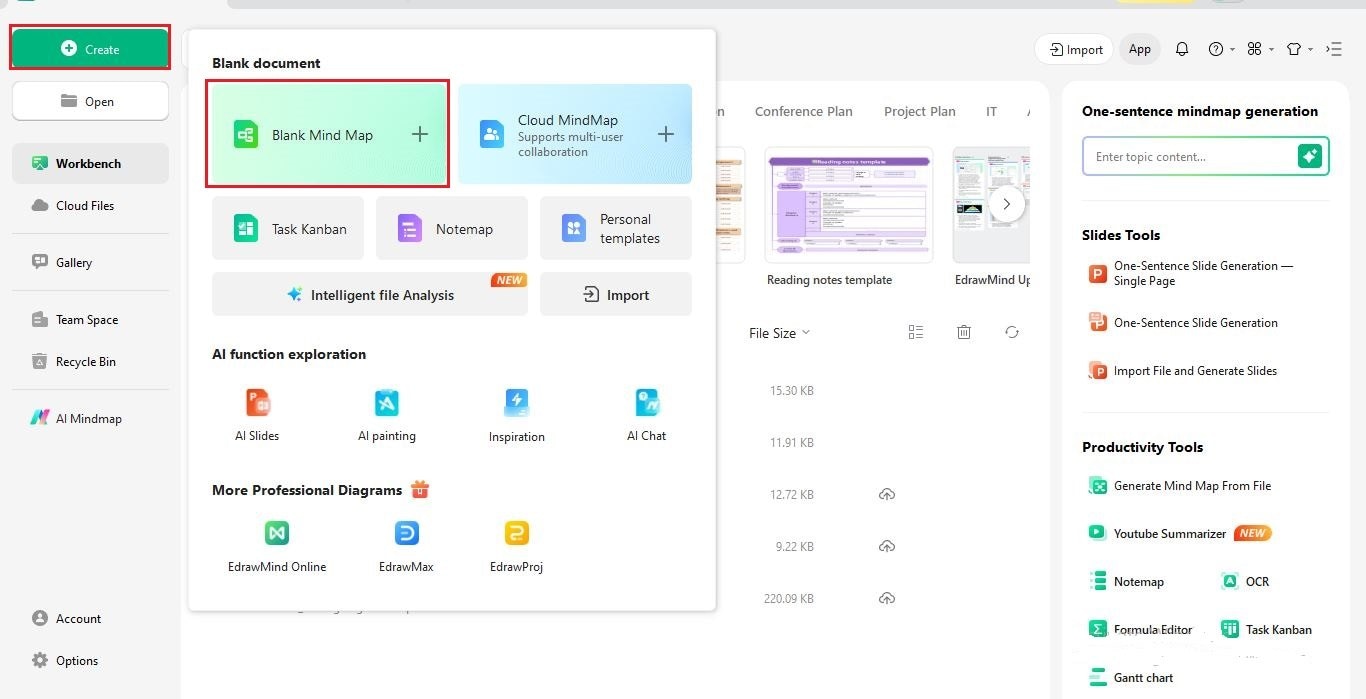
- From the homepage, click Create > Blank Mind Map to open a fresh canvas.
Step 2 Use the AI Tool
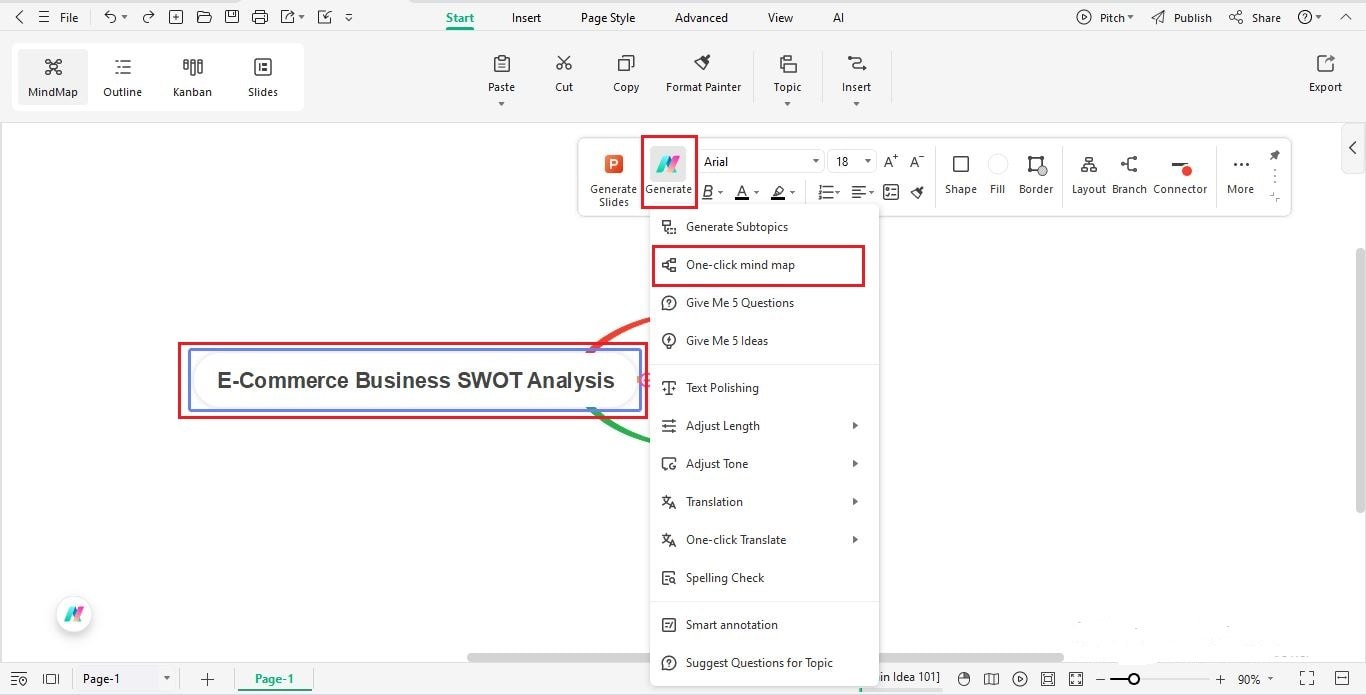
- Select the central node and enter your topic, like “E-commerce Business SWOT Analysis”.
- In the floating toolbar, choose Generate, then click One-click mind map from the dropdown.
Step 3 Generate the SWOT Analysis
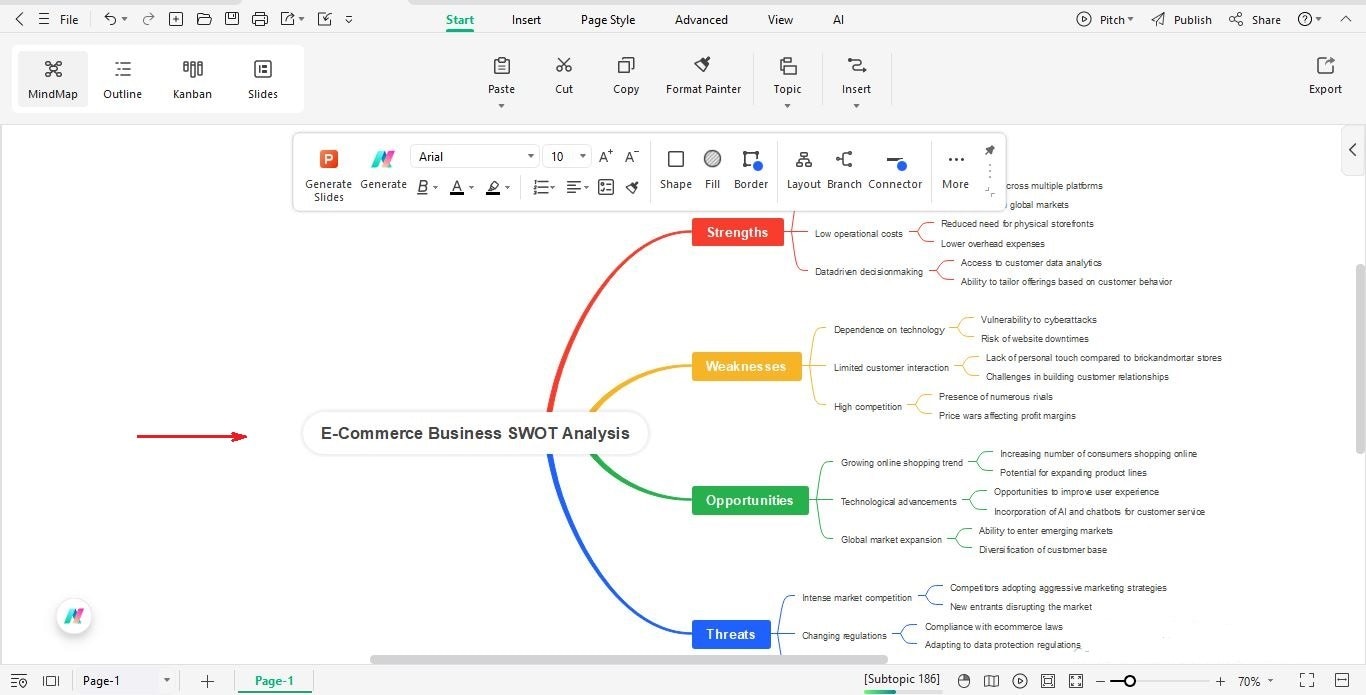
- Wait as Edraw AI fills in Strengths, Weaknesses, Opportunities, and Threats.
Step 4 Review, Edit & Customize
s- Edit any node text manually by double-clicking it.
- You can add, move, or delete points as needed.
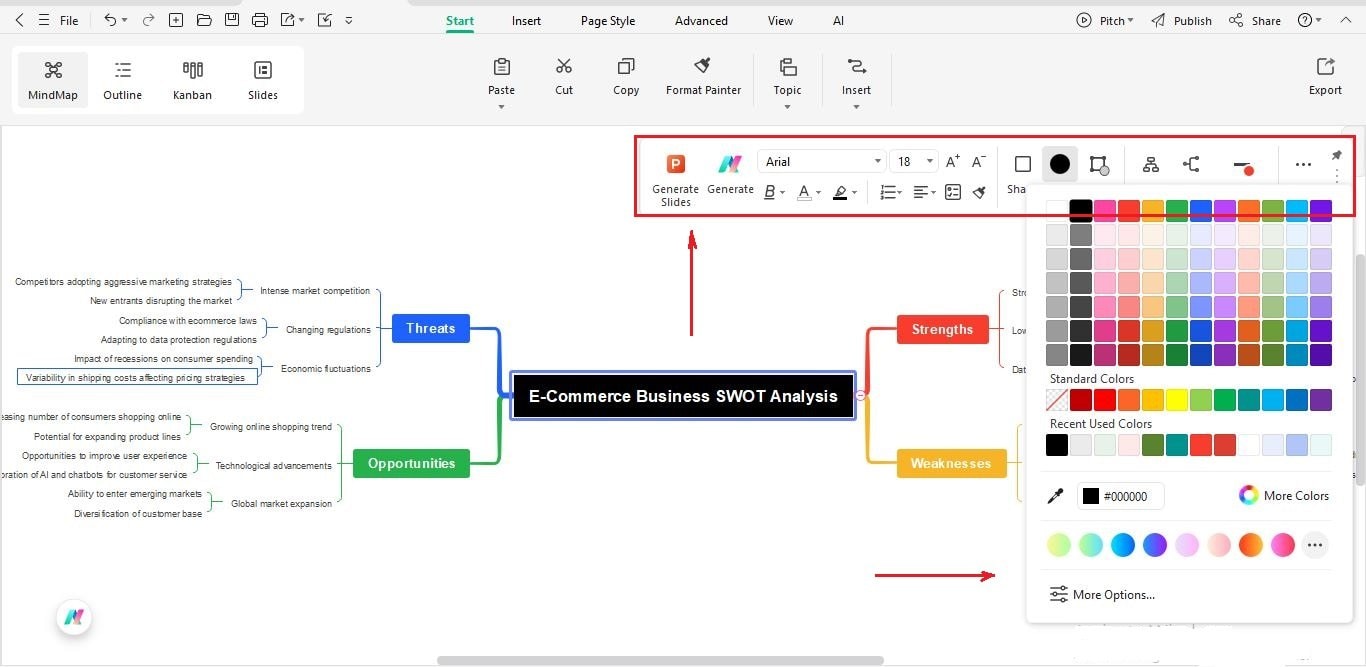
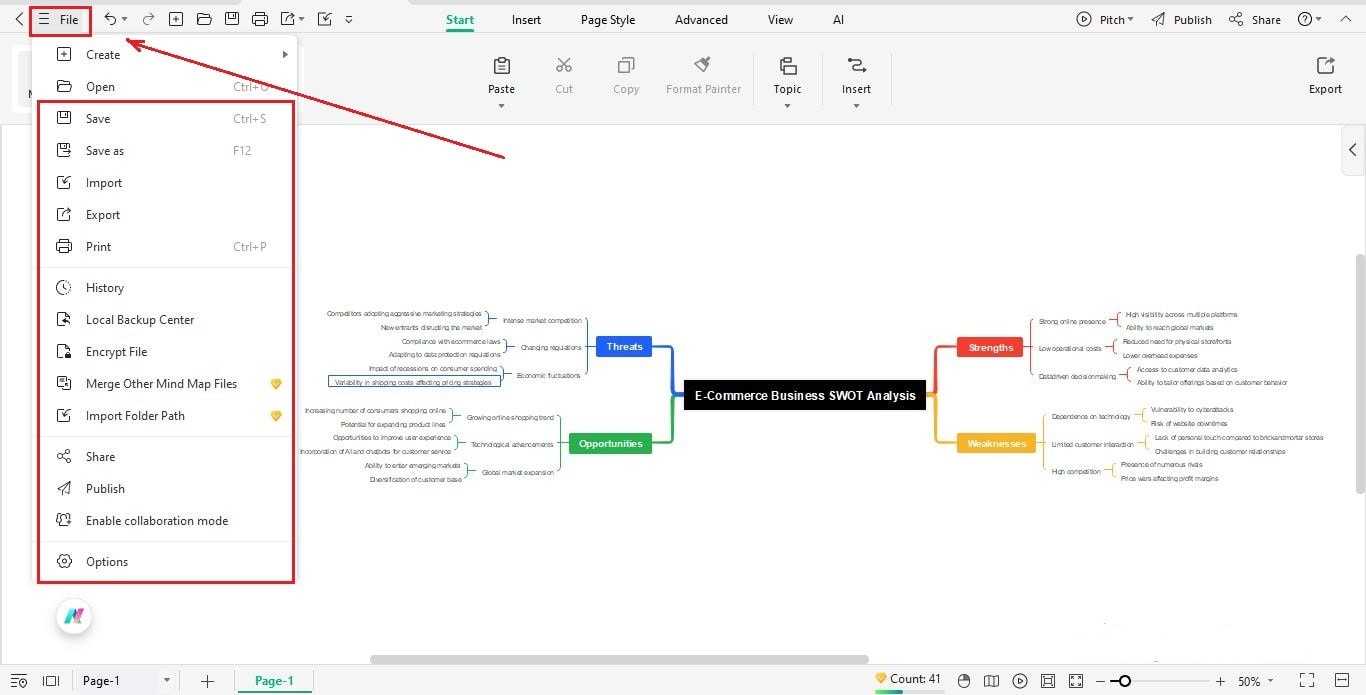
- Apply themes, color coding, layout styles, or icons to make your diagram visually engaging.
Step 5 Save & Export
- Save and download your project.
- Export the diagram to PNG, PDF, or other formats via File > Export.
Method 2: Create a SWOT Analysis Online
This method utilizes EdrawMind’s AI Mind Map generator, which is accessible directly in the browser and does not require installation.
Step 1 Open EdrawMind AI Mind Map Generator
Open the AI Mind Map tool
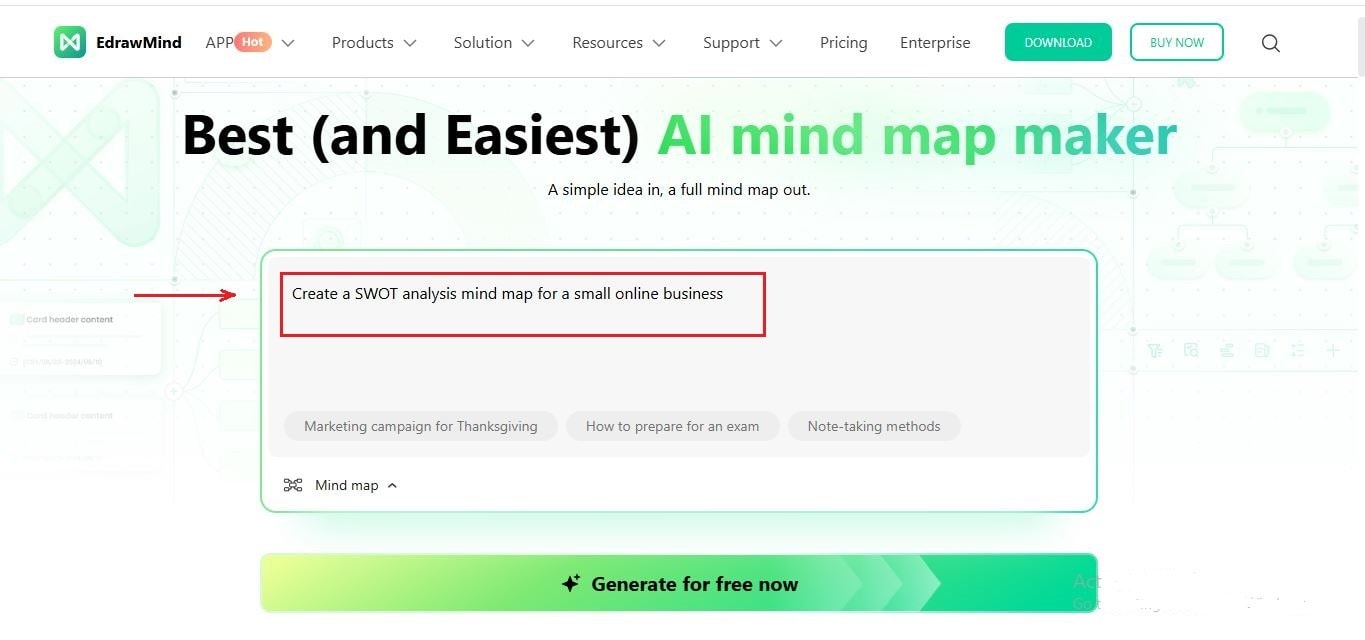
Step 2 Enter a Prompt
In the input box, type a detailed prompt such as: “Create a SWOT analysis mind map for a small online business.”
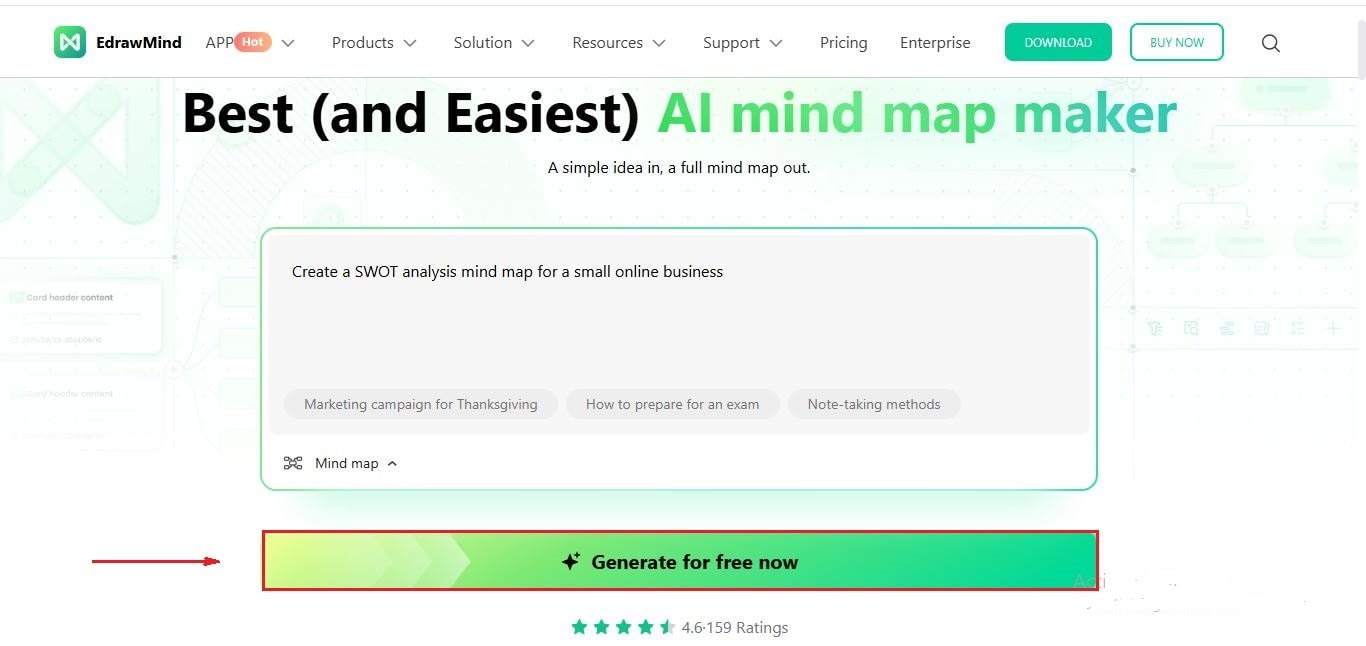
Step 3 Generate SWOT Analysis
Click Generate after entering the prompt.
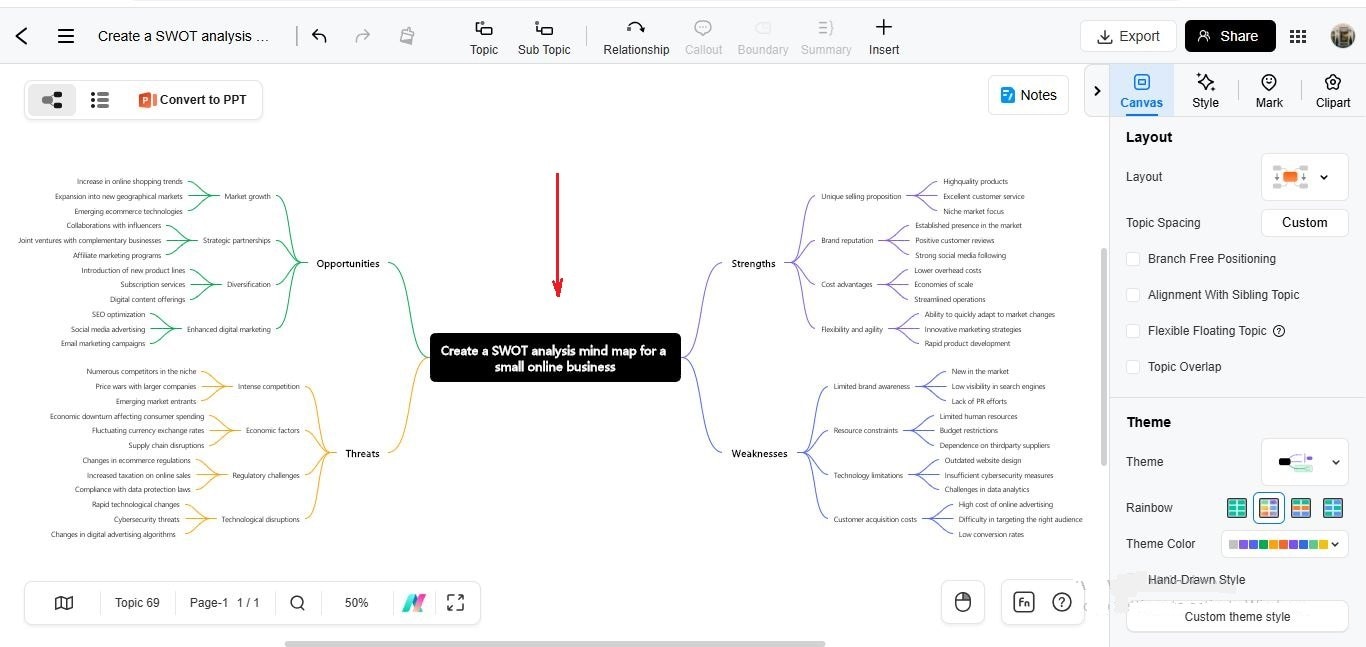
The AI will automatically create a mind map with SWOT sections.
Step 4 Review and Edit
Review the generated SWOT analysis.
Manually edit text, move nodes, or delete duplicates.
Step 5 Customize
Apply color themes, adjust layout spacing, or add icons to differentiate sections for clarity.
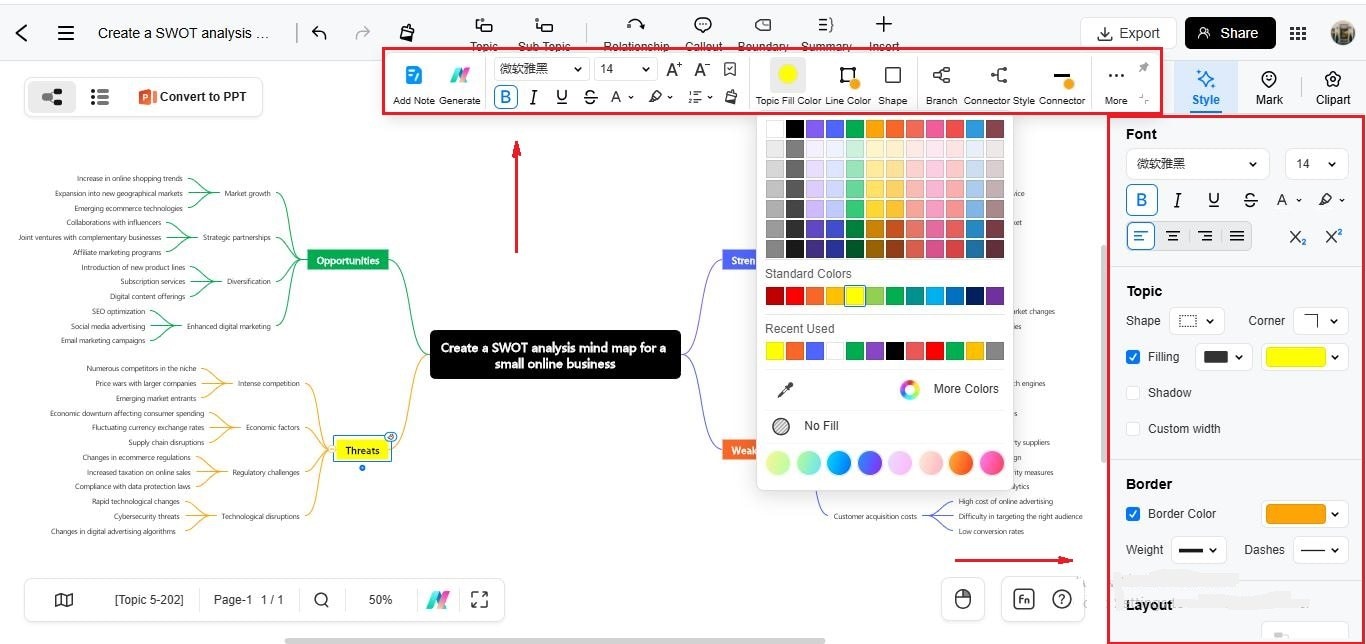
Step 6 Save or Export
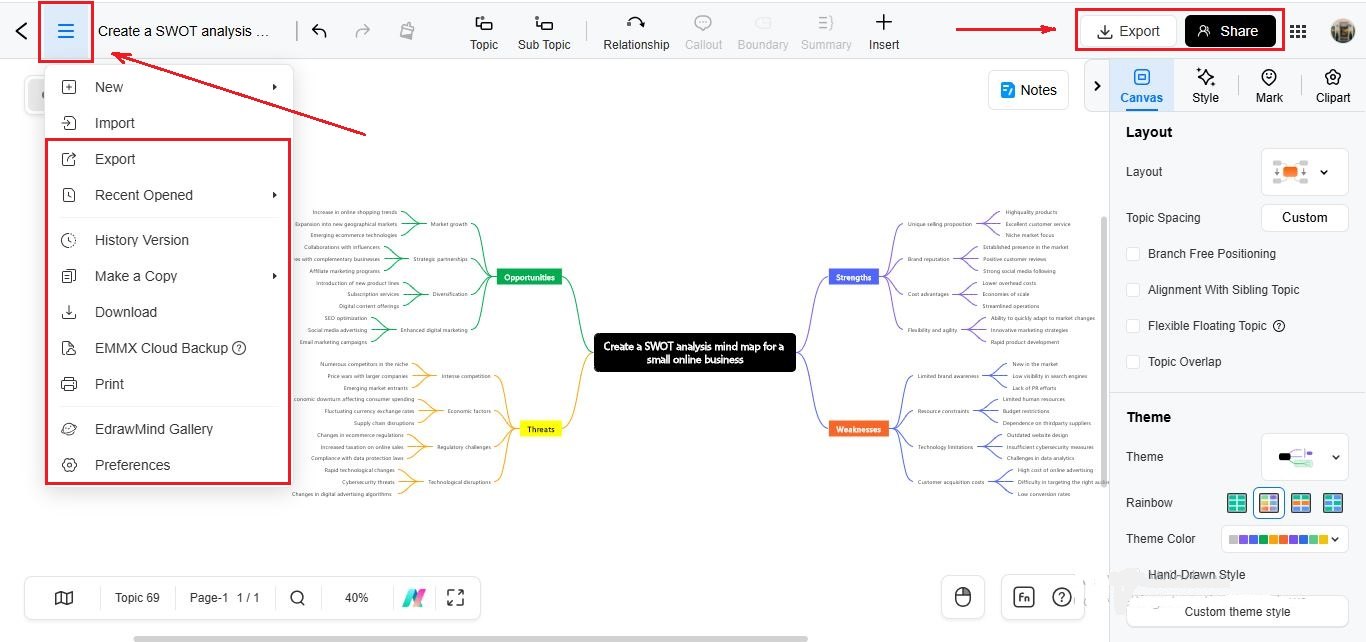
If needed, download the result or continue editing it later in EdrawMind.
Save your file and export it as PNG, PDF, or other formats.
Tips for Creating a SWOT Analysis Chart
Creating a SWOT analysis charts can be thought-provoking, but this section has you covered. Here are some essential tips that can guide you in crafting an insightful SWOT analysis, making your decision-making and strategic planning more effective and streamlined.
Identifying Clear Objectives
First and foremost, identifying clear objectives for your SWOT analysis is vital. Are you aiming to assess the viability of a new project, improve an existing process, or undertake a general business review? Clear goals let you focus your analysis and make it more relevant and meaningful.
Analyzing the Results and Converting Them to Strategies
Once you have completed your SWOT chart, please don't leave it collecting dust. Analyzing the results and converting them into actionable strategies is where the real magic happens. For instance, you might aim to leverage your strengths to seize opportunities (SO strategy) or utilize your strengths to mitigate threats (ST strategy).
Similarly, you might work on improving weaknesses to capture opportunities (WO strategy) or reduce liabilities to avoid threats (WT strategy). This stage is where you turn insight into action!
Using the powers of AI
Here's where artificial intelligence comes in, making the process even more seamless. The AI features of tools like EdrawMind can offer valuable inputs for your SWOT analysis. They can suggest connections, analyze trends, and provide relevant information that might slip through human research. This can help in making your SWOT analysis more comprehensive and data-driven.
However, it's crucial to remember that human intervention remains essential. AI can provide insights, but aligning these with the brand, the vision, and the reality of the business requires human understanding and judgment.
This perfect blend of AI technology and human intelligence makes a SWOT analysis powerful and effective. Remember, the goal is to create a chart that best reflects your situation, helping you plan and strategize effectively.
Conclusion
Clearly, SWOT analysis charts are true game-changers in strategic planning and decision-making. They're the all-seeing compass, guiding you through the unpredictable business terrain, showing you where you stand, and illuminating the way forward.
Having clear objectives for your SWOT analysis and knowing how to translate your findings into actionable strategies will make your SWOT analysis chart a real powerhouse tool. AI features, like those offered by EdrawMind, can lend a helping hand in adding a layer of precision and detail to your SWOT analysis.
All these tips make your analysis more accurate, comprehensive, and insightful. Be sure to add a dash of human touch to your outputs to make them all the better.
 EdrawMind
AppsEdrawMind Online
EdrawMind
AppsEdrawMind Online

