About this Monthly Product Document Update Schedule Template
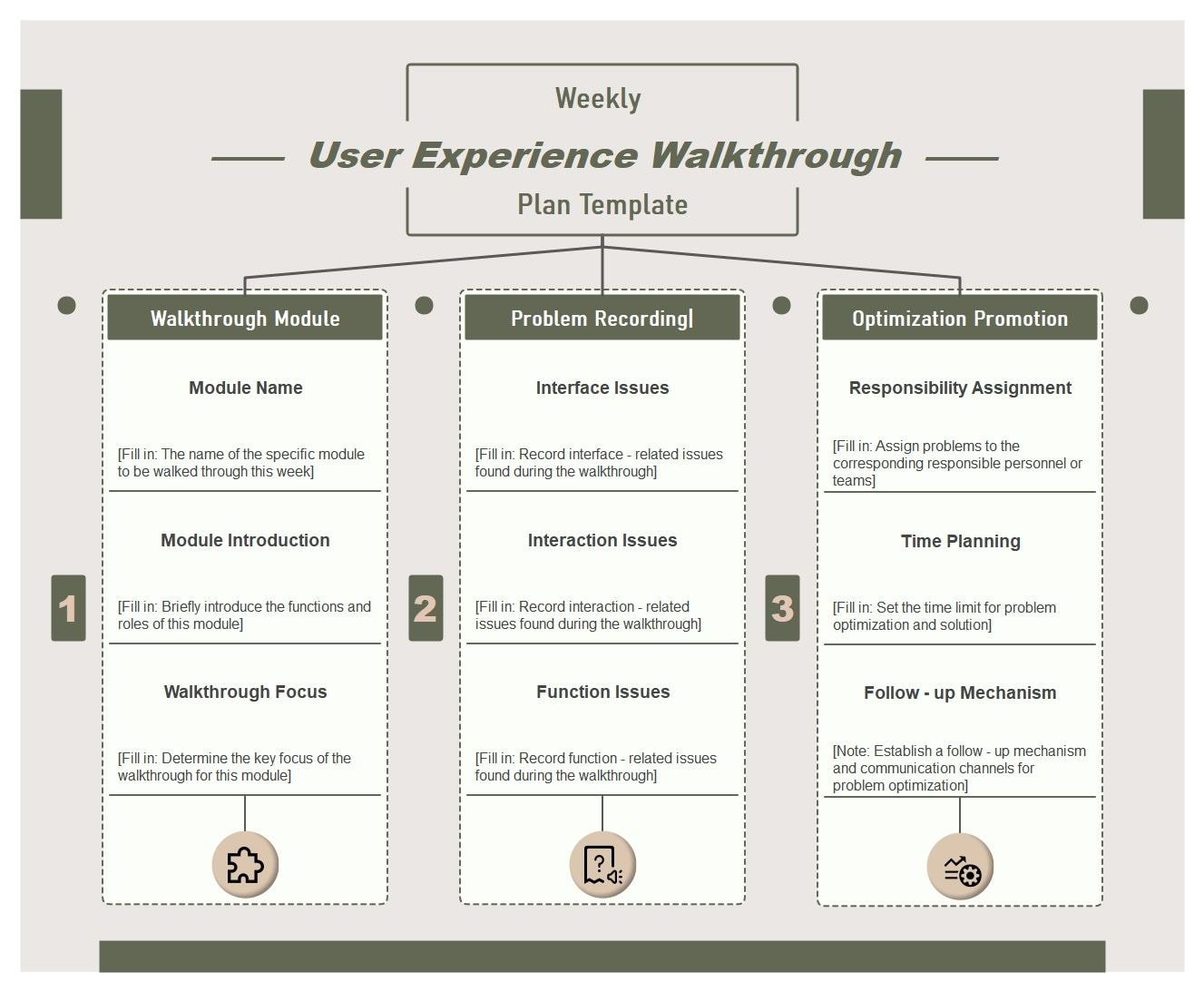
This “Monthly Product Document Update Schedule” template turns documentation review into a structured checklist, making module-level issues and walkthrough priorities easier to manage.
Module Name
This branch identifies the documentation unit being reviewed so each update stays tied to a specific product area or feature set.
- Use this node to separate documentation work by module.
- Keep each review branch anchored to a clear product area.
Module Introduction
This branch provides context for the module, helping reviewers understand what the documentation is meant to explain before making edits.
- Use this node to summarize the function of the module.
- Keep introduction text aligned with update scope.
Walkthrough Focus
This branch highlights the user-flow or explanation points that need the closest review during the documentation update process.
- Use this node to mark critical user steps.
- Keep walkthrough review tied to actual product usage.
Interface Issues
This branch records UI-related documentation gaps, helping teams spot where screenshots, labels, or interface explanations need revision.
- Use this node to collect display or layout issues.
- Keep interface corrections visible for editing.
Interaction Issues
This branch captures problems related to user behavior, flow logic, or expected actions that are not explained clearly enough in the documents.
- Use this node to track action-based confusion points.
- Keep behavior and sequence problems grouped here.
Function Issues
This branch tracks mismatches between feature behavior and the current documentation, making functional corrections easier to prioritize.
- Use this node to note errors in feature explanation.
- Keep documentation fixes tied to real product function.
FAQs about this Template
-
What product documents should be updated regularly?
Product documents that usually need regular updates include specifications, user guidance, release notes, process references, requirement records, and any support material affected by product change. Keeping these current matters because stale documentation creates confusion long after the feature decision itself is made.
-
How do teams keep product documentation up to date?
Teams usually keep documentation up to date by linking document review to release workflows, assigning ownership clearly, and treating documentation changes as part of the work rather than as optional cleanup at the end. Good update schedules reduce the gap between product reality and written guidance.
-
Why are product document updates important?
Product document updates are important because teams make slower and weaker decisions when they cannot trust the written record. Current documentation improves onboarding, support quality, cross-team alignment, and the ability to explain why the product works the way it does.
-
What's the difference between a product specification and a release note?
A product specification explains how something is intended to work and what requirements define it, while a release note explains what changed for users or stakeholders in a specific update. Both are useful, but they serve different communication needs.