About this User Education Plan for New Feature Launch Template
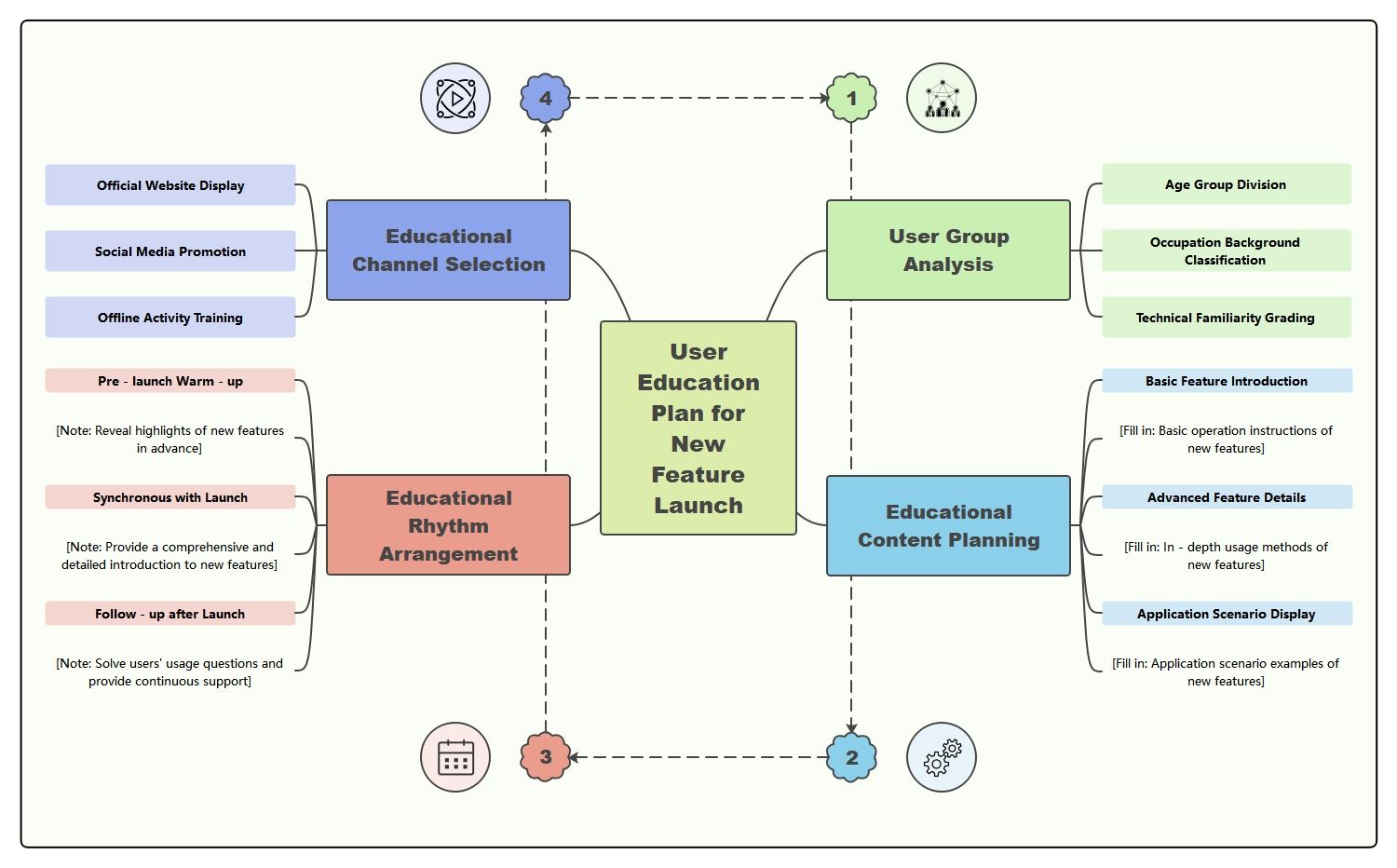
This “User Education Plan for New Feature Launch” template organizes feature rollout education into audience, materials, and support nodes, making onboarding communication easier to coordinate.
Target Users
This branch identifies who the education plan is for, helping the rollout stay tied to the right audience from the start.
- Use this node to define the user group for the education plan.
- Keep materials and support tied to actual audience needs.
Feature Value Explanation
This branch explains why the new feature matters, giving the education plan a purpose beyond procedural instructions.
- Use this node to frame the benefit of the new feature.
- Keep user education tied to product value, not only steps.
Training Materials
This branch groups the assets that will be used to teach users, making the plan more concrete and execution-ready.
- Use this node to organize guides, demos, or walkthroughs.
- Keep material planning tied to rollout needs.
Usage Guidance
This branch focuses on how users should work with the feature after launch, turning product education into practical support.
- Use this node to explain operating steps clearly.
- Keep usage guidance connected to real feature behavior.
Feedback Collection
This branch shows that user education is linked to learning from adoption, not only one-way communication.
- Use this node to collect reactions after launch.
- Keep the education plan tied to iteration and improvement.
Support Follow-Up
This branch captures what happens after the first educational touchpoint, making the plan more durable across the launch period.
- Use this node to organize post-launch help and reinforcement.
- Keep support work tied to the education cycle.
FAQs about this Template
-
What is user education in a feature launch?
User education in a feature launch is the work of helping people understand what a new feature does, why it matters, and how to use it successfully. It often includes guidance, examples, walkthroughs, and messaging that reduce confusion after release.
-
How do you educate users about a new feature?
Teams usually educate users by combining product messaging, in-app guidance, help content, demos, and support preparation around the launch. The best education plans match the complexity of the feature, so users get enough help without being overwhelmed by unnecessary detail.
-
Why is feature education important?
Feature education is important because even a good release can fail if users do not understand the value or cannot figure out how to use it. Clear education helps improve adoption, reduces support pressure, and makes the launch more effective overall.
-
What materials should be included in a feature education plan?
A feature education plan usually includes key messages, tutorials, onboarding prompts, help center updates, FAQ content, support notes, and examples of common use cases. The goal is to make the new feature easier to discover, understand, and apply in real work.