About this Timeline For Work Management template
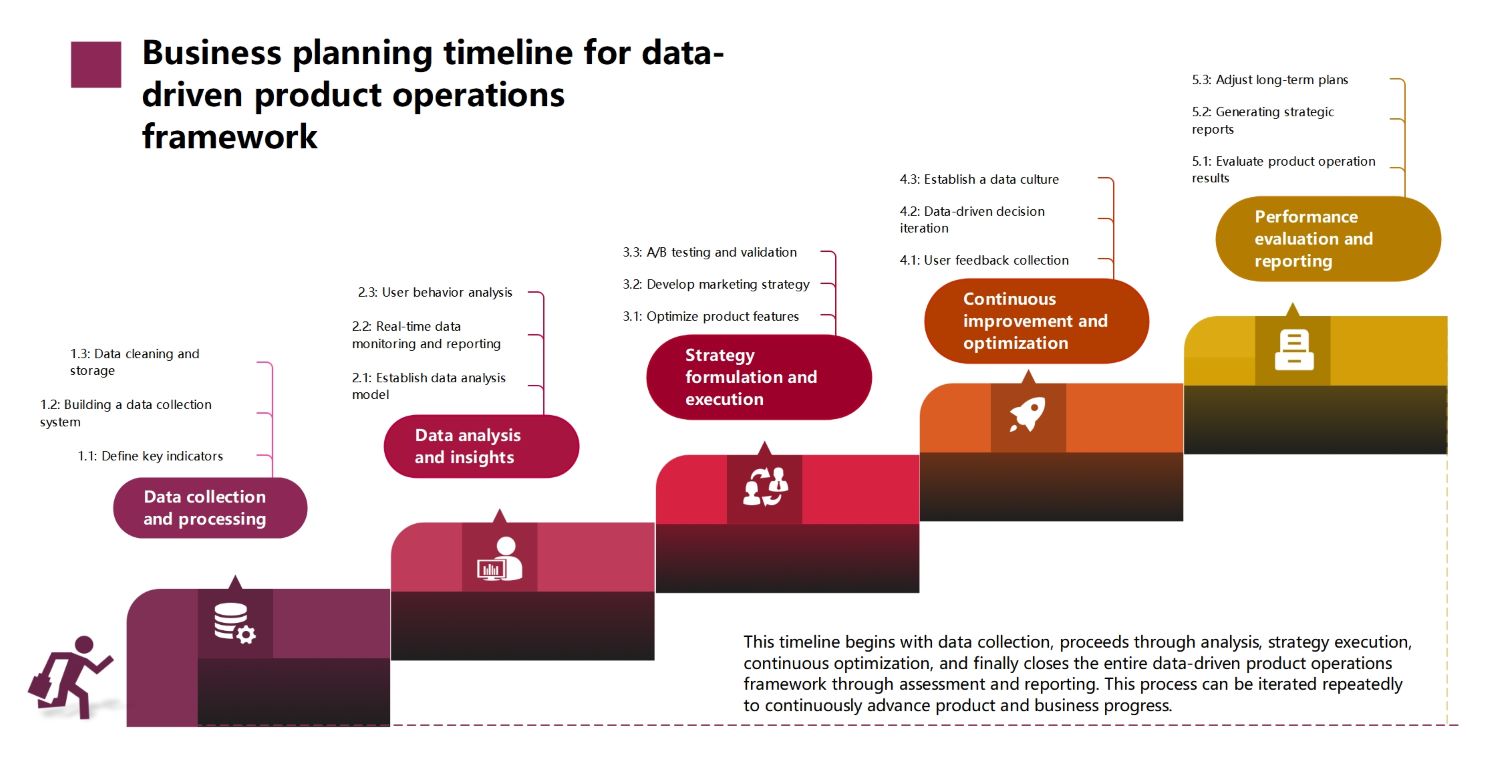
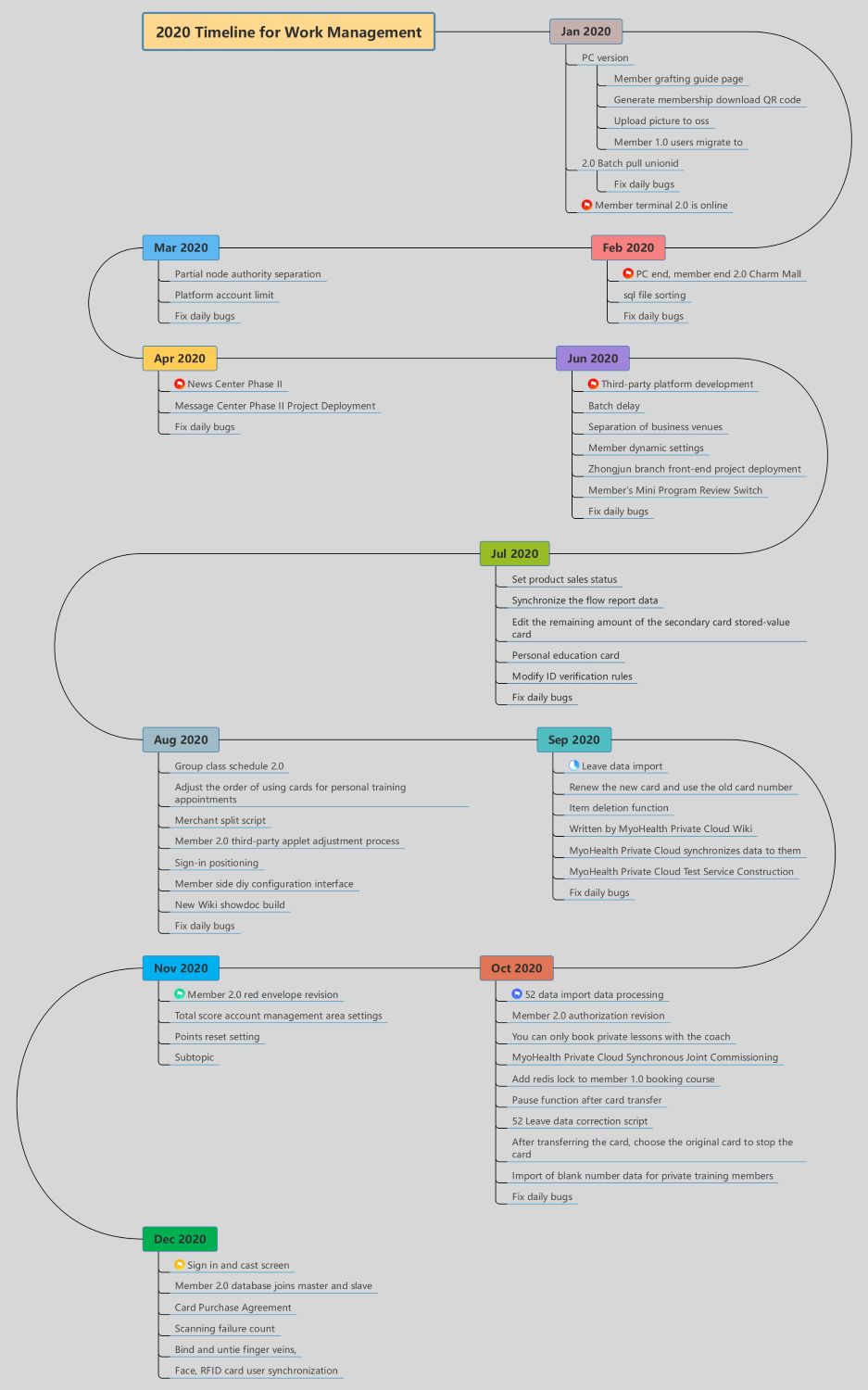
This template offers a month-by-month breakdown of technical tasks and project goals. It is ideal for software development teams managing complex membership systems and database updates. The visual flow allows managers to monitor recurring tasks like bug fixes alongside major feature releases.
Q1 Milestones: Jan to Mar 2020
The first quarter focused on laying the foundation for member services and platform stability. Teams prioritized launching new terminals and migrating users to updated systems. Regular maintenance was essential for smooth performance.
- Member terminal 2.0 online launch
- User migration from version 1.0 to 2.0
- PC end and Charm Mall updates
- Platform account limit implementation
- Initial SQL file sorting and daily bug fixes
Q2 and Q3: Feature Expansion
The middle of the year saw significant expansion into third-party integrations and user engagement tools. Developers deployed new message centers and improved product sales tracking. This phase added depth to the user experience.
- News Center and Message Center Phase II deployment
- Third-party platform development and batch delays
- Product sales status and flow report data sync
- Personal education card and ID verification rules
- Merchant split scripts and sign-in positioning
Q4: Optimization and Security
The final months centered on cloud synchronization and advanced security protocols. The team implemented biometric verification and complex data processing scripts. These updates finalized the yearly cycle by ensuring robust data integrity.
- MyoHealth Private Cloud commissioning and testing
- Member 2.0 authorization and red envelope revisions
- Points reset settings and account management
- Finger vein and RFID card user synchronization
- Database master-slave integration and failure counts
FAQs about this Template
-
Why is a monthly timeline important for work management?
A monthly timeline acts as a strategic roadmap for long-term projects. It helps teams break down large, complex objectives into smaller, manageable tasks. By setting specific milestones each month, managers can monitor progress more accurately. This structure increases team accountability and allows for better resource planning. It also helps identify potential bottlenecks before they impact the final project deadline.
-
How does this template support technical development cycles?
This template is specifically designed to track technical requirements like database migrations and bug fixes. It creates a chronological record of feature deployments, which is vital for version control. Developers can use this history to troubleshoot issues or plan future updates. It also helps stakeholders visualize the technical workload. Listing maintenance tasks alongside new features ensures a balanced approach to development.
-
What are the benefits of tracking recurring tasks like bug fixes?
Tracking recurring tasks like bug fixes ensures that platform stability remains a priority. It prevents the development team from focusing only on new features while ignoring existing technical debt. This practice leads to a more reliable product and a better user experience. By including these in the timeline, managers can allocate enough time for maintenance. It sets realistic expectations for the team.