About the Milestone Template
What is a project milestone?
A project milestone is a significant checkpoint or event used to show that a project has reached an important state—such as an approval, phase completion, release, or handoff. A milestone highlights progress; it is not the work itself.
Source note: PMI guidance treats milestones as points used to describe what a project should achieve and to help stakeholders assess progress Project Management Institute (PMI).
What is a milestone?
In project scheduling, a milestone marks a meaningful point in time. Many scheduling tools represent a milestone with zero duration; for example, Microsoft Project automatically identifies a zero-duration task as a milestone, while also allowing a user to mark a longer task as a milestone manually.
What is the difference between a milestone and a timeline?
A milestone is one important checkpoint; a timeline is the chronological view that can contain many milestones, tasks, and dates. A Gantt chart goes further by showing task durations, sequencing, and often dependencies. Use a milestone chart for an executive-level view of major checkpoints; use a Gantt chart when the audience needs the underlying work schedule.
What is a typical format of a milestone chart?
A milestone chart typically places named checkpoints against planned dates on a timeline and may also show status, owner, phase, or completion information. The strongest milestone labels describe a verifiable outcome—such as “design approved” or “beta released”—rather than a vague activity such as “work on design.”
Why are milestone charts important?
Milestone charts compress a complex project into a small set of decision-relevant checkpoints. They help stakeholders see whether major outcomes are occurring on time, identify where an approval or handoff is blocking progress, and discuss schedule changes without reading every task in the project plan.
How to make a project milestone chart?
Step 4: Review milestones with stakeholders. Update dates or status when scope changes, and use missed checkpoints as a signal to investigate the underlying tasks rather than simply moving the marker.
Step 3: Place milestones in chronological order. Use a milestone chart for a concise checkpoint view. If you also need task durations and dependencies, maintain those details in a Gantt chart or project schedule and use the milestone view as the summary layer.
Step 2: Give each milestone a verifiable label and date. Write the result so a stakeholder can tell whether it has been reached, then add the planned date and, when useful, an owner or status.
Step 1: Define outcomes worth marking. Choose phase gates, approvals, launches, handoffs, or other events that signal meaningful progress. Avoid turning every task into a milestone.
Milestone Chart Templates
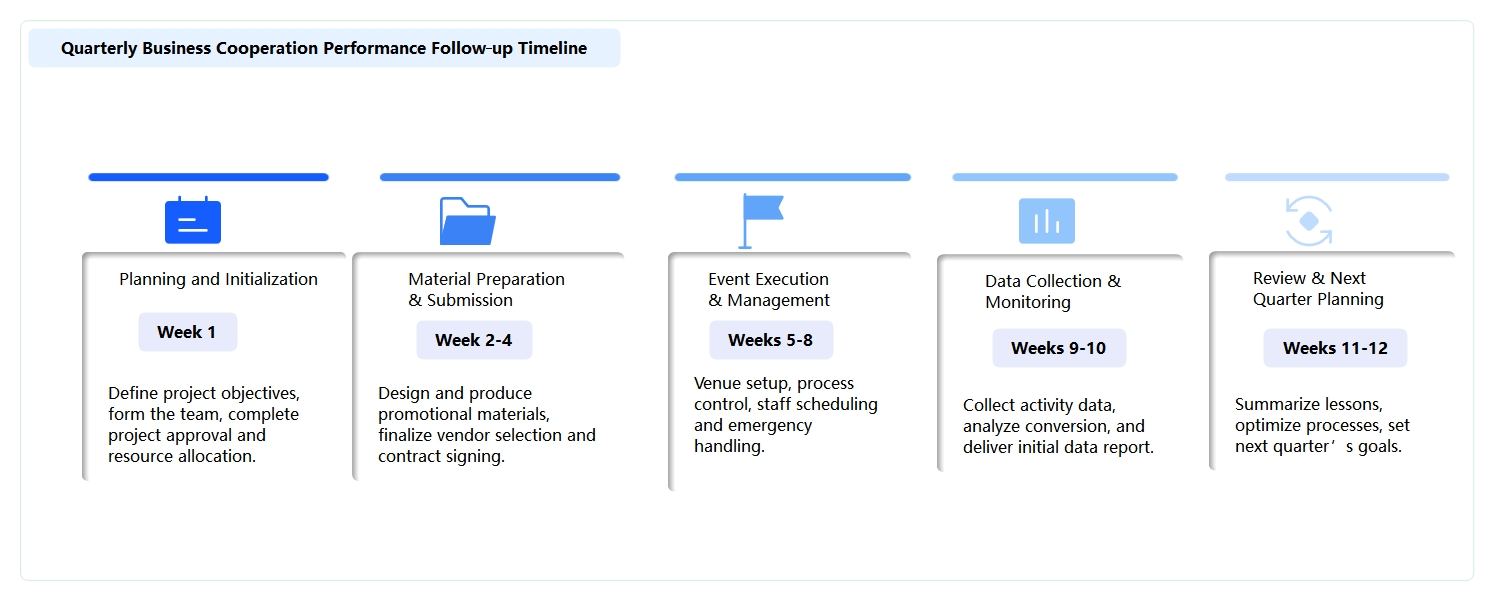
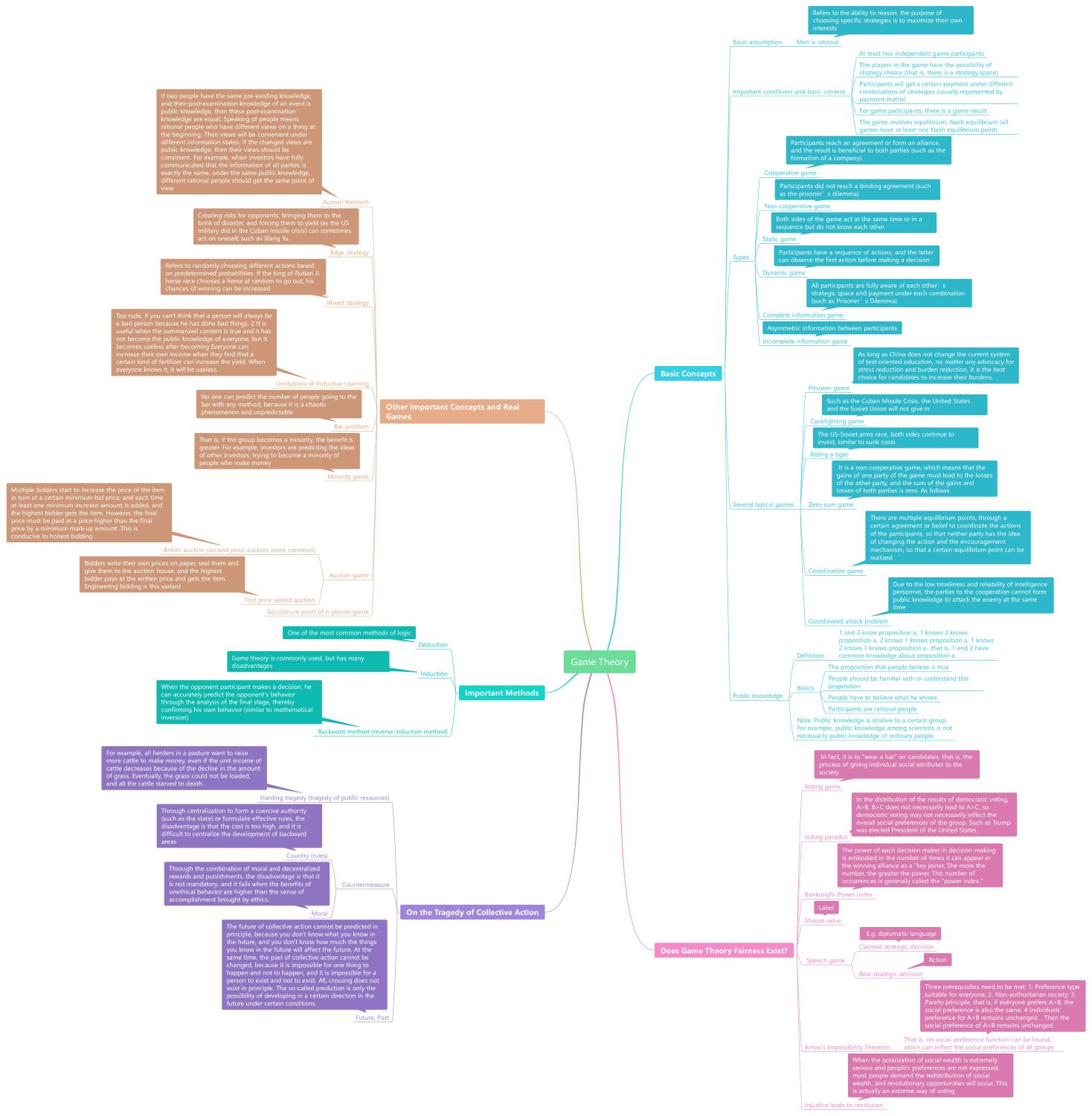
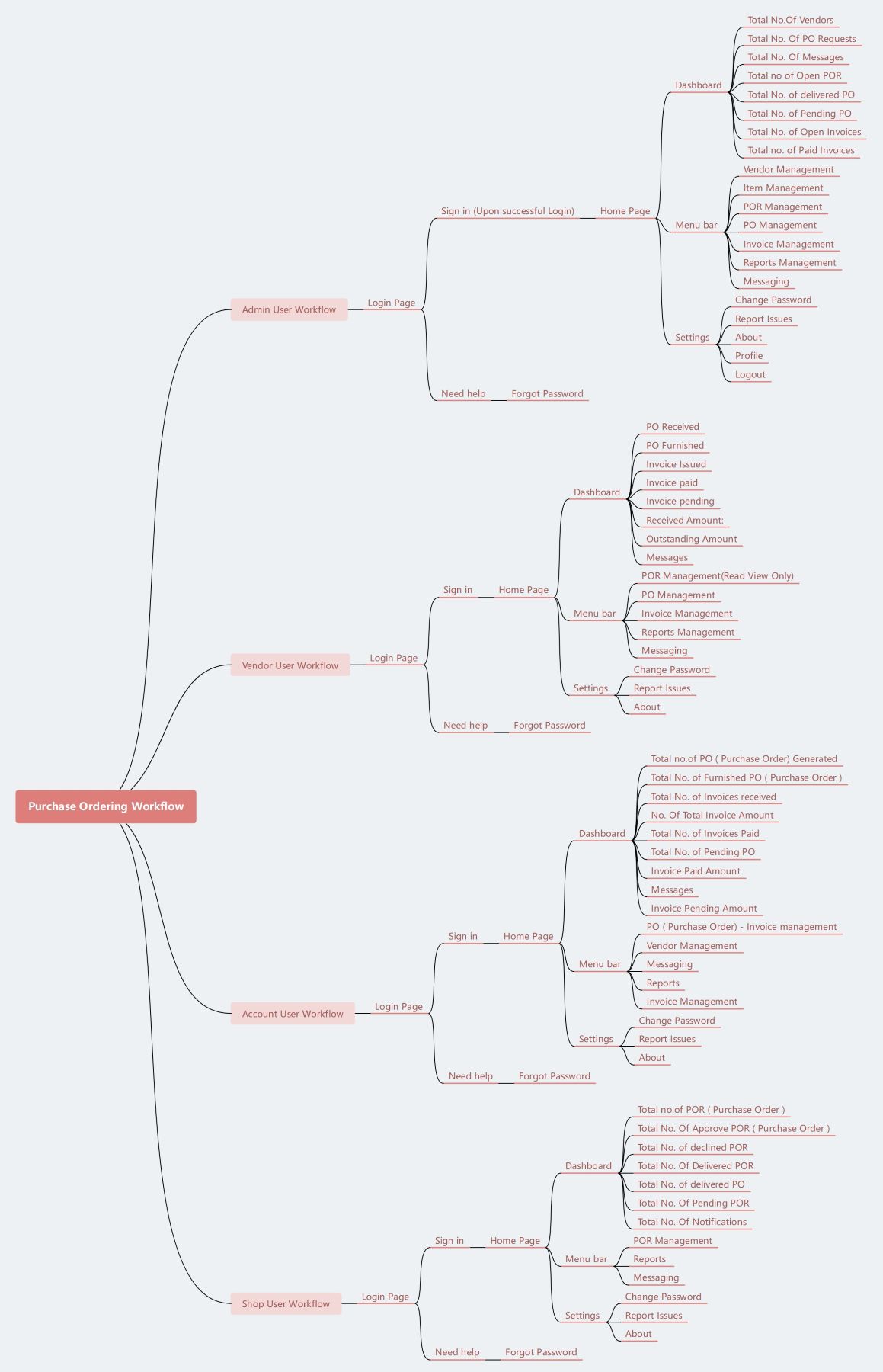
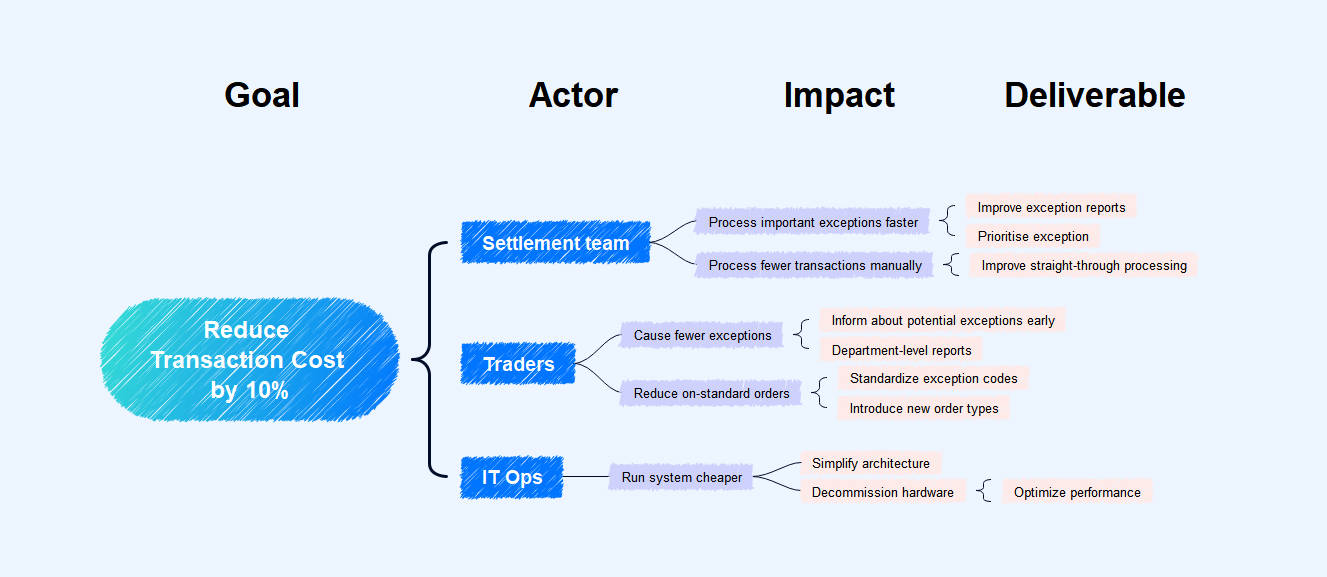
The templates below illustrate different levels of milestone planning. Choose the layout based on the decision the chart must support: a project-preparation template for readiness checkpoints, a project-plan template for phase or delivery milestones, and a day schedule only when specific moments truly function as meaningful checkpoints.
Best fit: stakeholder reporting, product launches, phase-gate projects, approval workflows, and roadmaps where a small number of dates communicate progress. Limitation: a milestone chart should not replace the detailed task schedule when teams need durations, dependencies, workload, or resource planning.
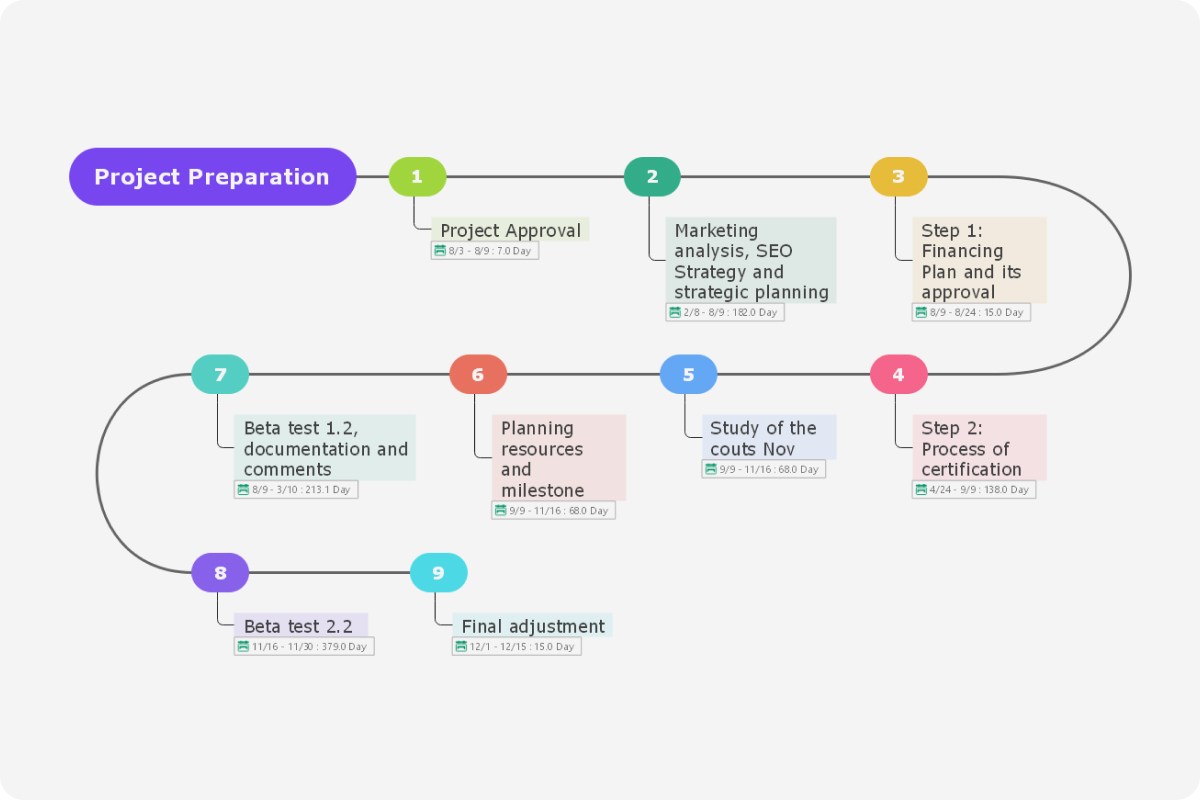
1. Project Preparation Milestone Template
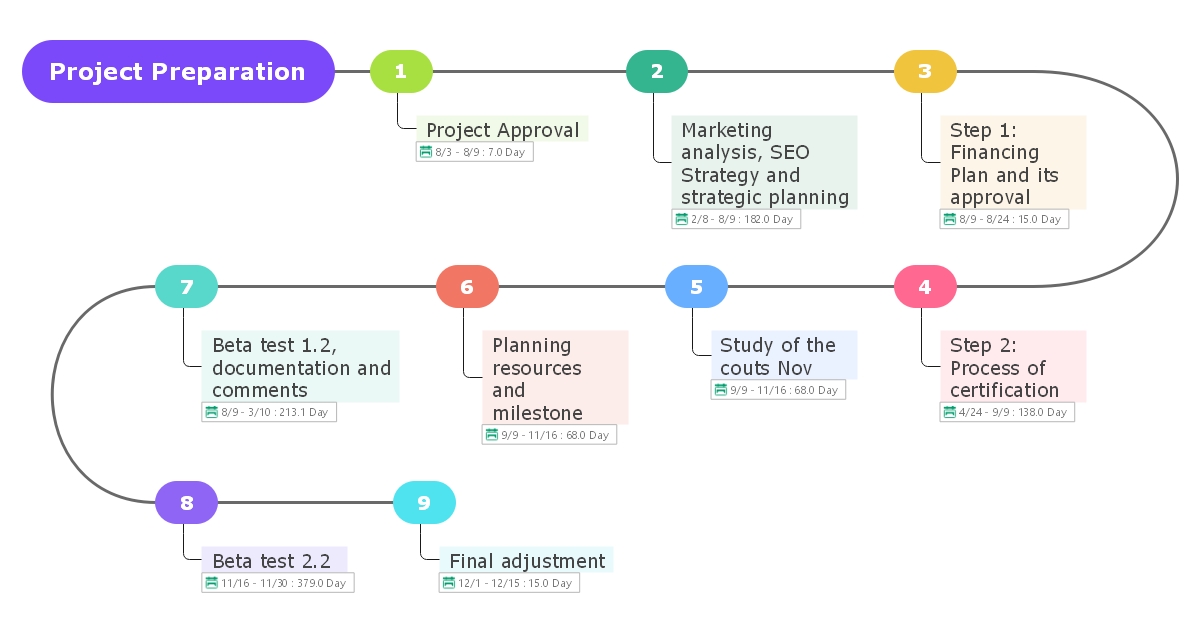
The first application of the project milestones is Project Preparation.
What is project preparation? When a new project is started, suppose launching a new business or developing new services is followed to ensure that the project is well developed before it launches. Project preparation is the key step in a project's success.
Let's see an example; suppose you want to start your business, and for that, you'll follow project preparation guidelines. What are the possible project milestones for a successful business launch? Here are a few examples.
What is project preparation? When a new project is started, suppose launching a new business or developing new services is followed to ensure that the project is well developed before it launches. Project preparation is the key step in a project's success.
Let's see an example; suppose you want to start your business, and for that, you'll follow project preparation guidelines. What are the possible project milestones for a successful business launch? Here are a few examples.
- What is the right time to launch this business?
- When should the business make a certain amount of profit?
- When new products or services should be added?
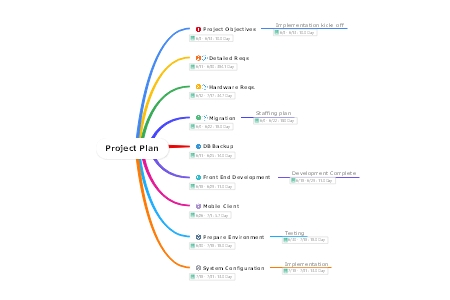
2. Project Plan Milestone Template
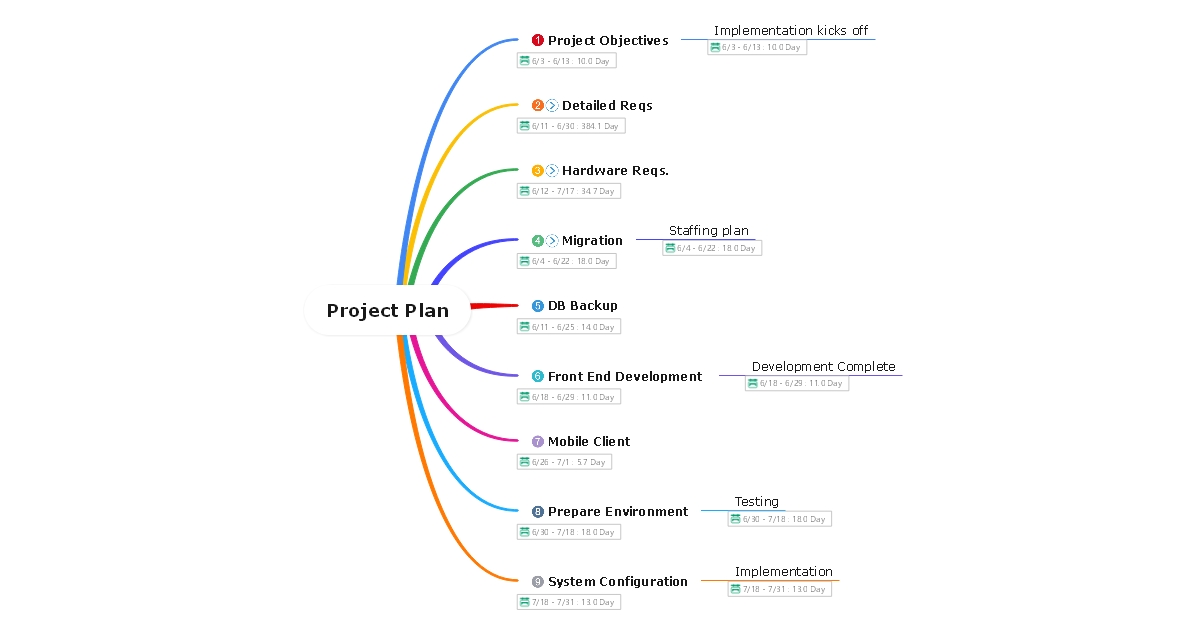
When planning an important project, it is always good to create multiple project milestones to ensure you remain on the right track throughout the project development until it ends successfully.
Let's see an example, suppose you want to launch a new product in the market. First, you need to understand the market's demand and which product could be a success. You need a decent amount of brainstorming here because selecting the right product is the most important step.
Now you have thought about a product and want to launch it. What are the possible project milestones? Here are a few examples.
Let's see an example, suppose you want to launch a new product in the market. First, you need to understand the market's demand and which product could be a success. You need a decent amount of brainstorming here because selecting the right product is the most important step.
Now you have thought about a product and want to launch it. What are the possible project milestones? Here are a few examples.
- What is the best time to launch this product?
- When could the product earn a certain amount of profit?
- When is the product ready for other markets as well?
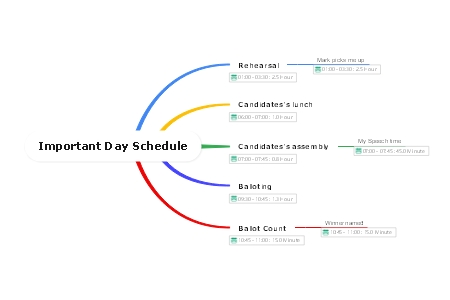
3. Important Day Schedule Template
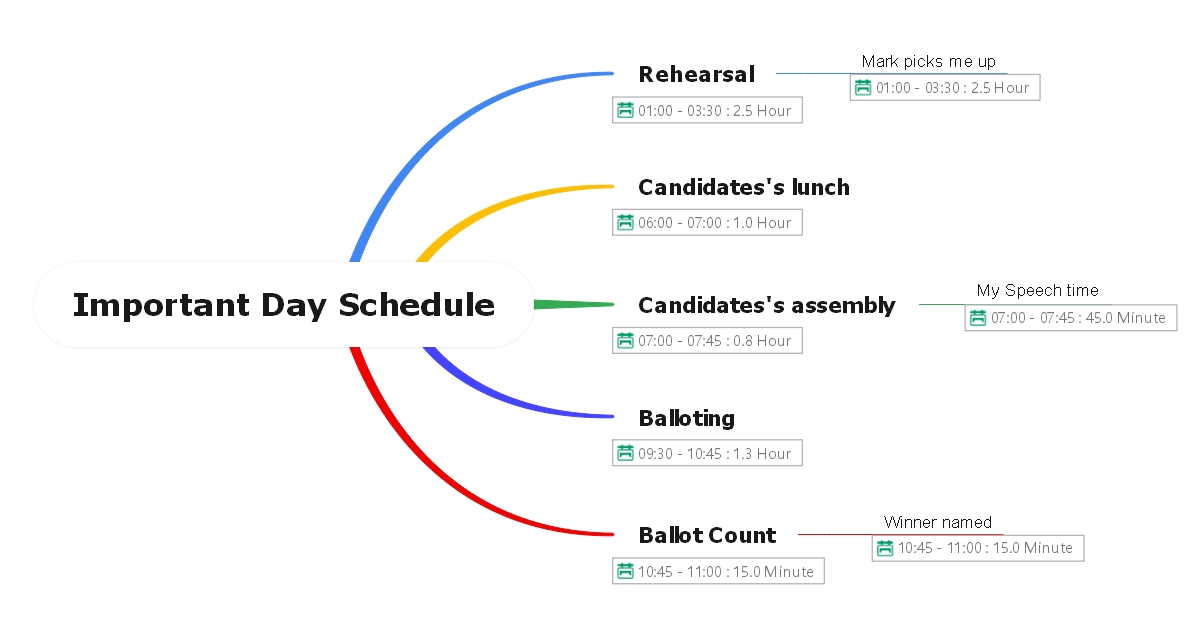
Finally, scheduling an important day is another application of project milestone. Most successful entrepreneurs plan their important days with crucial milestones. They make the most of their time and remain organized throughout the day. Therefore, it is always good to break an important day with multiple crucial milestones.
For example, suppose you have an important day to come to ensure you spent that day up to the mark and break it into milestones. Creating milestones is an important task; therefore, it must be done thoughtfully. We have a few ideas that may help you with milestone creation.
For example, suppose you have an important day to come to ensure you spent that day up to the mark and break it into milestones. Creating milestones is an important task; therefore, it must be done thoughtfully. We have a few ideas that may help you with milestone creation.
- When should the meeting start?
- When should the meeting end?
- When should I take a break?
- When should I leave the office?
Conclusion
A useful milestone chart answers three questions quickly: what important outcome should be reached, when should it happen, and has it happened? Keep the number of milestones selective so the chart remains a high-level progress view rather than another task list.
EdrawMind can be used to organize and visualize milestone information with editable templates and project-planning views. For project-management definitions and scheduling context, see PMI and Microsoft Project’s milestone documentation.